12
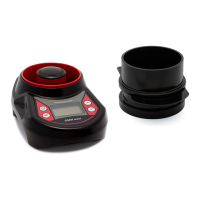
– device on/o
– hold for 5 seconds to switch o the device
(Note: the GMM mini can be switched o
also by using the menu option “Shut-
down”. If the device is not in use for a long
time, it will switch o automatically to
save the batteries)
– hold for 2 seconds to switch on the main
menu
– program function cancel
– program function enter
– measuring program start
– menu scrolling
– setting values of menu options
– grain selection from the list
– delete average result in given sample
moisture measurement
SECTION 3 | KEYBOARD FUNCTIONS


 To Next Page
 Loading...