INSTRUCTION
PROGRAMMING
NDC1- Single Port Network Device Connector - C156.322
NDC3- Three Port Network Device Connector - C156.311
SCAN QR FOR
ACCESS to ALL
Intellifl ex I/O
Component
Instructions
OBSERVATION POSSIBLE CAUSE POTENTIAL SOLUTION
LEDs OFF
No Power Confirm Power to Motors
LEDs OFF
Faulty Network Cable Check connections on Network In/Out Cables
LEDs OFF
Device Plugged into Network Port Remove Device Cable from Network In/Out port
DEVICE LED OFF
Device Not Connected Ensure device cable is securely engaged into device port
DEVICE LED OFF
Faulty Device Cable Test Device cable with Network Cable Tester
DEVICE LED OFF
Faulty Device Test Device cable with Network Cable Tester
DEVICE LED BLINKING
Faulty Device Cable Test Device cable with Network Cable Tester
Faulty Device Move Device to a different NDC. If issue persists, replace device
POWER LED FLASHING
Network Cable Plugged into Device Port Remove Network IN/OUT Cable from Device Port
POWER LED RED ON MIDDLE NDCs
Auto-termination Failure Use Motor Limit Tool to manually enable/disable termination
INCONSISTENT NETWORK STATUS
BLINK PATTERN
Faulty Network Cable Break Network into smaller segments to isolate faulty cable
Check blink-pattern @ each NDC to determine where network
connection break occurs; Replace network cable
WRONG # BLINKS
NETWORK STATUS LED
Bad Device Ensure DEVICE LED is ON for each DEVICE,
if not refer to DEVICE LED OFF/BLINKING
Bad Device Cable Ensure DEVICE LED is ON for each DEVICE,
if not refer to DEVICE LED OFF/BLINKING
Bad Network Cable Check blink-pattern @ each NDC to determine where network
connection break occurs; Replace network cable
Device Not Connected Ensure DEVICE LED is ON for each DEVICE, if not refer to
DEVICE LED OFF/BLINKING
Section 5 - Troubleshooting
Section 4 - LED Indicators
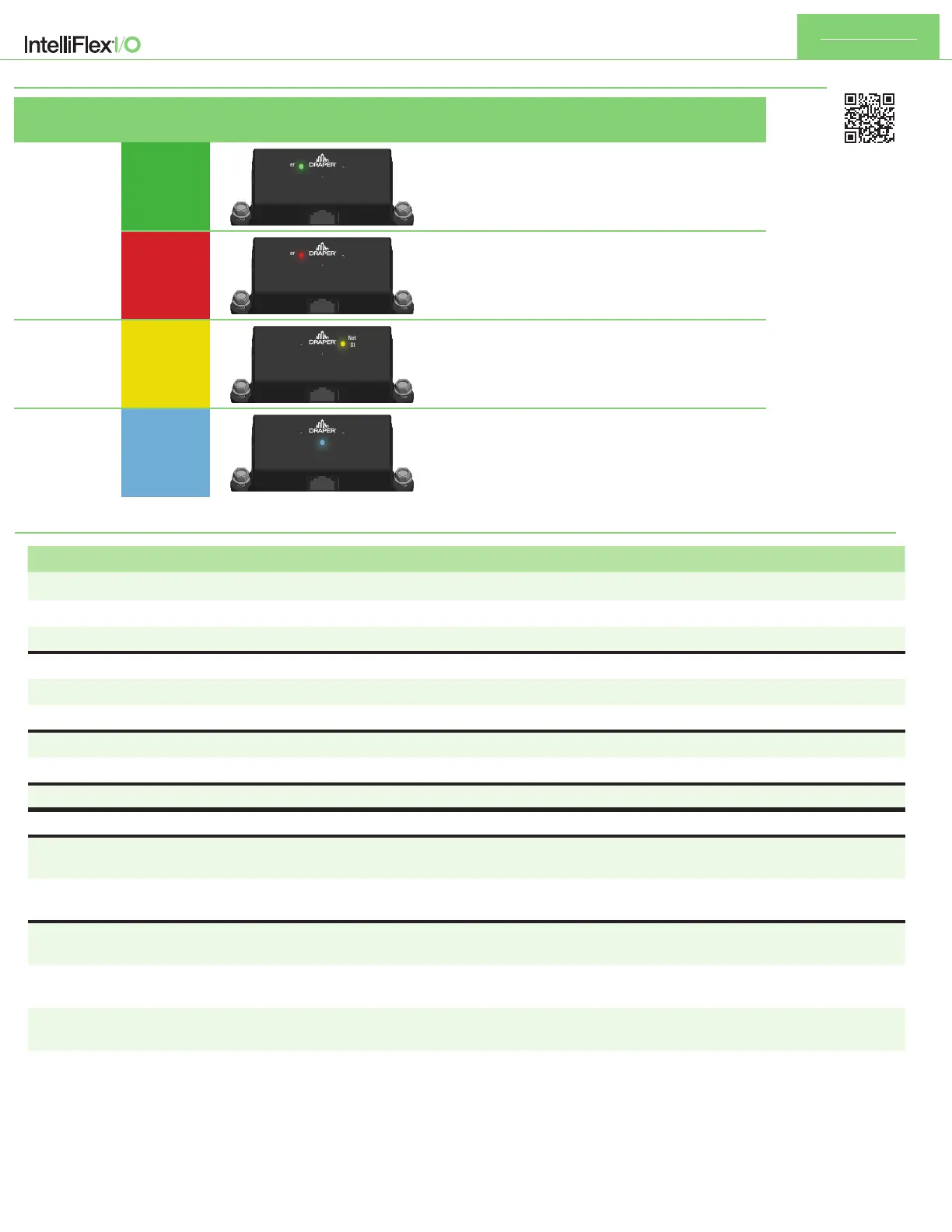
LED NAME
LED
COLOR
LED DISPLAY DESCRIPTION
STATUS
LED
GREEN
Power
Device
Network In
Network Out
Network
Status
Power to the device
RED
Power
Device
Network In
Network Out
Network
Status
Network Termination is ON
NETWORK
STATUS
BLINKING
YELLOW
Power
Device
Network In
Network Out
Network
Status
Communicating on the network.
The blink pattern shows total number of devices on network.
A short blink = 1 device. A long blink = 10 devices
DEVICE
ALWAYS
BLUE
Power
Device
Network In
Network Out
Network
Status
Off - No device connected
Solid On - Device Connected
Blinking - Device Issue


 To Previous Page
 Loading...