EasyManua.ls Logo

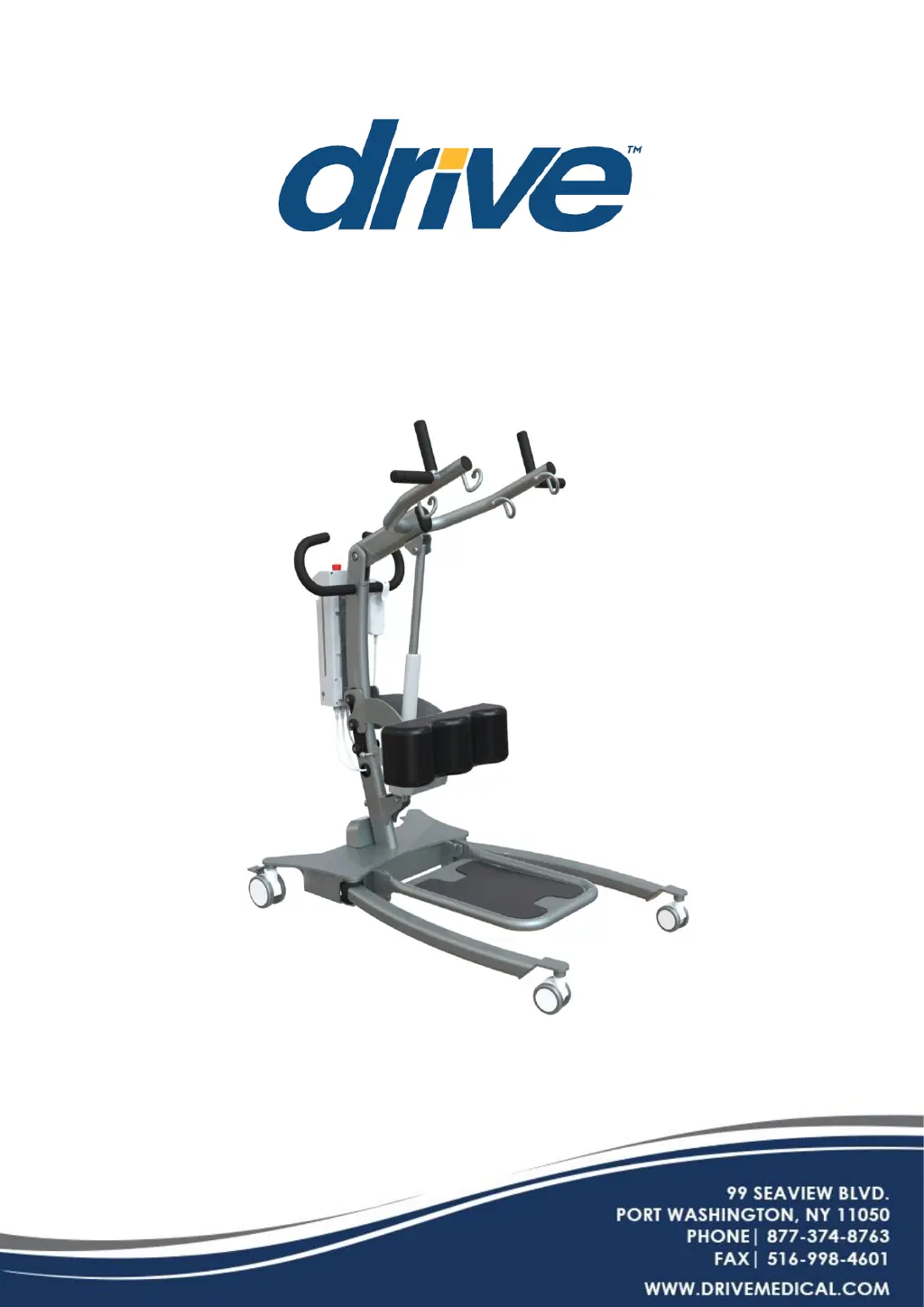
Drive PRIMECARE STSP450 - User Manual

Drive PRIMECARE STSP450
35 pages
Print Icon
To Next Page IconTo Next Page
Loading...
PRIMECARE
®
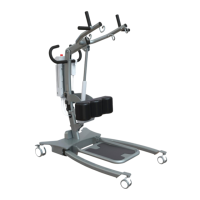
Sit to Stand Lift
OWNER’s MANUAL
DEALER: This manual must be given to the user of the patient lift.
USER: Before using this patient lift, read this manual and save for future reference.
SERVICE AGENT: Only Drive DeVilbiss Healthcare authorized service agents are
permitted to install, service or repair DRIVE product.
Items#
STSP450 (Power Base)
STSM450 (Manual Base)

Questions and Answers

  • J
    Joseph SheltonAug 12, 2025
    What to do if the power indicator is not on for Drive PRIMECARE STSP450 Lifting Systems?
    • K
      Kevin PhillipsAug 12, 2025
      If the power indicator is off on your Drive Lifting System, it could be due to a malfunctioning handset, a drained or damaged battery, or a damaged control box. To resolve this, try replacing the handset, charging or replacing the battery, or replacing the control box.
  • P
    Pamela ReillyAug 16, 2025
    What to do if Drive PRIMECARE STSP450 power indicator is on, but the actuator does not run and control box has clicking sound?
    • C
      caldwelljimmyAug 16, 2025
      If the power indicator is on, but the actuator isn't running and the control box is clicking, it could be due to a damaged or disconnected actuator connector, a damaged actuator, or a damaged control box. Try replacing the actuator, connecting the actuator to the control box, or replacing the control box.
  • H
    harrismichelleAug 20, 2025
    What to do if Drive PRIMECARE STSP450 Lifting Systems power indicator is on, actuator does not run and control box has no clicking sound?
    • K
      Kim NelsonAug 20, 2025
      If the power indicator is on, the actuator isn't running, and the control box makes no clicking sound, the issue might stem from a malfunctioning control box or handset, a disconnected handset, a pressed emergency button, or the control box charging. Try replacing the control box or handset, connecting the handset, resetting the emergency button, or unplugging the charger.
  • S
    schroederdanielAug 25, 2025
    What to do if Drive PRIMECARE STSP450 Lifting Systems control box is not responsive with no indicator and no movement from actuator?
    • S
      Samuel CoxAug 25, 2025
      If the control box on your Drive Lifting System isn't responsive, shows no indicator, and the actuator isn't moving, it could be caused by a completely discharged or damaged battery. Try charging or replacing the battery.
  • J
    John EllisAug 27, 2025
    What to do if after pressing handset buttons, there is a buzzer sound from control box and actuator is not moving in Drive PRIMECARE STSP450 Lifting Systems?
    • Z
      Zachary HenryAug 27, 2025
      If you hear a buzzer from the control box and the actuator isn't moving after pressing the handset buttons on your Drive Lifting System, it could be because the device is overweight or the actuator is damaged. Try removing or reducing the weight on the device, or replacing the actuator.
  • J
    Jessica FernandezAug 31, 2025
    Why actuator could only operate in one direction in Drive PRIMECARE STSP450 Lifting Systems?
    • L
      Lisa JenkinsAug 31, 2025
      If the actuator on your Drive Lifting System only operates in one direction, it could be due to a malfunctioning handset or control box. Consider replacing the handset or control box.
  • F
    franklin24Sep 3, 2025
    What to do if the boom will not lower in upper most position in Drive PRIMECARE STSP450 Lifting Systems?
    • S
      stevensrickySep 3, 2025
      If the boom on your Drive Lifting System won't lower from the uppermost position, it likely needs a minimum weight load to descend. Try pulling down slightly on the lift arm.
  • R
    Robert WhiteSep 8, 2025
    How to fix Drive PRIMECARE STSP450 Lifting Systems if it feels loose?
    • J
      John GarciaSep 8, 2025
      If your Drive Patient Lift feels loose, it might be due to a loose mast/base joint or loose tie-rods. Refer to the ASSEMBLY section in this manual. Check the base adjustment by ensuring the legs are square when closed, using a square to check for 90° alignment, and adjusting the linkage rods until 90° alignment is achieved.

Summary

Standard Symbols Used in this Manual

Intended Use

Defines the safe lifting and transfer of an individual from one resting surface to another, for indoor use only.

Contra-Indications

Lists situations and user types for whom the lift is not recommended or safe to operate.

General Safety

Safety Precautions

Essential safety guidelines for operating the lift, including user responsibilities and operational limits.

Electrical and Fire Hazards

Shock and Fire Hazard Warnings

Specific warnings and precautions for electrical shock and fire risks associated with the lift.

Electromagnetic Emission and Immunity

EMC Warnings and Precautions

Alerts regarding the use of accessories and potential interference from RF equipment.

Electromagnetic Emissions Declaration

Emissions Guidance and Separation Distances

Manufacturer's declaration on emissions compliance and recommended separation distances from RF equipment.

Electromagnetic Immunity Declaration

Immunity Test Requirements

Details conducted and radiated RF immunity test levels and requirements for the lift.

Features and Benefits

Lift Serial Numbers

Information on how to locate and use lift model and serial numbers for ordering parts.

Technical Specifications

Hoisting Range, Base Dimensions, and Item Specs

Details hoisting range, base dimensions, and specific technical data for lift components.

Compliance Information

General Environment, Parts, and Materials

Recommended operating environment, applied parts list, and accessible materials used in the lift.

Unpacking Instructions

Unpacking Precautions

Important precautions to take during unpacking and initial inspection of the lift.

Assembly

Skills and Tools Required for Assembly

Identifies the necessary skills, knowledge, and tools for assembling the lift.

Operation

Caster Locking, Lifting, and Leg Base Operation

Instructions on operating casters, raising/lowering the lift, and adjusting the leg base.

Emergency Stop and Mechanical Lowering

Procedures for using the emergency stop button and mechanical lowering device.

Patient Transfer Procedures

Step-by-step guide for safely lifting, moving, and transferring a patient.

Smart;Safety Control Module

Module Controls and Main Features

Overview of redundant controls, main features, and functions of the control module.

Control Box User Guide

Instructions for using the control box interface, including screen navigation.

Module Features, Benefits, and Usage Data

Details features, benefits, data collection, and usage history tracking of the control module.

Getting Started and Language Setting

Instructions for initial setup and language selection for the control module.

Maintenance Cycle Setting

Procedure for setting up the maintenance cycle interval based on time or cycles.

System Reset Procedure

Instructions for performing a system reset and resetting maintenance intervals.

Usage History and Notifications

Overview of usage history tracking and troubleshooting notifications from the LCD display.

Battery Information

Battery Capacity Status

Details on battery status indicators (LED) and voltage levels.

Battery Charging Instructions

Battery Charging Methods

Explains the two methods for charging the lift's battery pack.

Care and Maintenance

Contact Details and Cleaning Instructions

Provides contact info for service and detailed guidelines for cleaning the lift.

Maintenance Schedule

Pre-Delivery, Lift, Base, Castors, Mast Maintenance

Schedule for pre-delivery checks and maintenance of lift components like base, castors, and mast.

Actuator and Boom Maintenance

Maintenance schedule for the electric actuator assembly and boom.

Sling;Hardware Checks and Cleaning

Checks for slings, hardware, and cleaning procedures for the lift.

Shifter Handle and Post-Service Checks

Maintenance for shifter handle and final checks after service completion.

Servicing

Actuator Wiring Diagram

Diagram illustrating the wiring connections for the lift's actuators and control box.

Routing Layout

Replacing Control;Battery Pack

Step-by-step instructions for replacing the control box and battery pack.

Troubleshooting Guide

Lift Loose, Boom Lowering, and Power Issues

Troubleshooting for loose lift, boom lowering problems, and power indicator issues.

Actuator, Control Box, and Buzzer Troubleshooting

Resolving issues with actuator operation, control box responsiveness, and buzzer sounds.

Warranty

Warranty Coverage and Parts

Details warranty periods for parts and components, and conditions that void the warranty.

Warranty Claims and Limitations

Explains the process for making warranty claims and liability limitations.

Service

Sales and Service Support

Information on obtaining assistance with installation, usage, and maintenance.

End of Life Disposal

Guidelines for responsible recycling and disposal of the product at the end of its life.

Drive PRIMECARE STSP450 Specifications

General IconGeneral
BrandDrive
ModelPRIMECARE STSP450
CategoryLifting Systems
LanguageEnglish

Related product manuals