EasyManua.ls Logo

DSPPA DMA6250U - User Manual

DSPPA DMA6250U
14 pages
Print Icon
To Next Page IconTo Next Page
Loading...
DMA6250U
DMA6350U
DMA6500U
DMA6650U
User Manual
Guangzhou DSPPA Audio Co., Ltd
Mixer Amplifier
www.dsppatech.com
Question and Answer IconNeed help?

Do you have a question about the DSPPA DMA6250U and is the answer not in the manual?

Summary

About This Manual

Manual Scope and Precautions

Details the manual's coverage, importance of reading before use, and highlights rear panel warnings.

Important Safety and Operational Guidelines

Power Supply and Wire Safety

Instructions on safe handling of power cords and accessibility of power sockets.

Installation Location Precautions

Guidance on suitable installation environments and avoiding water exposure.

Handling Abnormal Conditions

Steps to take if power wire is worn, or abnormal smells/smoke occur.

Operational Safety Guidelines

Warnings against inserting objects, placing items on the unit, or touching components.

Equipment Disassembly Warning

Prohibition of disassembling the unit to prevent electric shock or damage.

Connection and Operation Safety

Disconnecting power during connection and lowering volume before power cycling.

Additional Precautions and Disclaimers

Company liability for data loss and notes on manual figure accuracy.

Product Overview and Features

Key Product Features

Highlights features like LCD screen, Bluetooth, FM, MP3, remote paging, and zone control.

Front Panel Controls and Indicators

Input and Volume Controls

Controls for MIC, LINE, BASS, TREBLE, and MASTER volume adjustments.

Zone, Mode, and Power Controls

Zone volume, zone switching, mode selection, and power switch.

Indicators and Power Supply Status

Power, protection, and level indicators, plus power switch functionality.

Front Panel Media and Remote Features

Media Playback and Navigation

Controls for USB, BT, FM playback modes, display, and navigation.

Display, Chime, and IR Receiver

Description of the display screen, chime function, and IR receiver.

Rear Panel Connections and Ports

Power and Speaker Output Connections

AC power input, 6-zone output, and fixed resistance/voltage speaker outputs.

Audio Input and Signal Trigger Ports

MIC inputs, LINE inputs, EMC trigger, and SIREN/MUTE trigger inputs.

Phantom Power and FM Antenna

Phantom voltage switches for microphones and FM antenna input.

Emergency Power Input

DC+24V power input for emergency backup power.

Operating Instructions

Initial Start-up Procedure

Steps for first-time power-up, volume adjustment, and connection.

Microphone Broadcast Function

How the system handles microphone input and mutes other sources.

Bluetooth Mode Operation

Pairing instructions and wireless music streaming via Bluetooth.

USB Mode Operation

Plug-and-play USB functionality and playback mode selection.

Line Mode Operation

Selecting and using the AUX input for audio playback.

FM Mode Operation

Tuning, searching, and selecting radio stations.

6-Zone Control Switch

How to turn individual zones on/off or select all zones.

Audio Source Volume Adjustment

Adjusting volume for zones, MICs, LINEs, EMC, Chime, and SIREN.

MP3 Audio Source Volume

Adjusting volume for FM, AUX, USB, SD, and Bluetooth MP3 sources.

Phantom Power Activation

Enabling phantom power for microphone inputs.

Remote Controller Functions

Remote Controller Buttons

Detailed explanation of each button on the infrared remote control.

Technical Specifications

Model and Power Input

Specifies models, power requirements, and input sensitivities.

Frequency Response and THD

Details MIC and AUX frequency responses and total harmonic distortion.

Tone Control and Output

Information on tone adjustment ranges and output voltage/impedance.

Current, Protection, and Dimensions

Specs on current rating, protection fuses, and physical dimensions.

Packing List

Included Accessories

List of items included in the product package with quantities.

Overview

This document outlines the features and operational guidelines for the DSPPA Mixer Amplifier, a versatile audio solution designed for a wide range of public address applications. The manual emphasizes safe installation and operation, providing detailed instructions to ensure optimal performance and longevity of the device. Users are strongly advised to read the entire manual carefully before installation and use, and to retain it for future reference.

Function Description

The DSPPA Mixer Amplifier is a comprehensive audio system that integrates mixing, amplification, and various playback functionalities into a single unit. It is engineered to deliver high-quality audio in diverse environments such as schools, stadiums, squares, venues, parks, parking lots, railway stations, airports, villas, and shopping malls. The device supports multiple audio inputs, including microphones, line-level sources, and digital media, offering flexible connectivity for different audio setups.

A key feature of this mixer amplifier is its multi-zone output capability, allowing for independent volume control across six distinct zones. This enables tailored audio distribution, where different areas can receive audio at varying levels or be selectively activated. The system incorporates a robust priority function, ensuring that critical announcements or emergency signals override other audio sources. The priority order is MUTE > EMC IN > SIREN > MIC1 > CHIME > Remote paging > LINE1 = MIC2/LINE2 = MIC3/LINE3 = MIC4/LINE4 = MP3 = BT = FM, with the exception that no chime output occurs during an alarm sound.

The amplifier is equipped with built-in Bluetooth, FM radio, and MP3 playback capabilities, providing a wide array of entertainment and information delivery options. It supports USB and SD card inputs for playing stored audio files, enhancing its versatility as a media player. Remote paging functionality is facilitated through two-channel RJ-45 interfaces, which offer zone control and a strong cut function, supporting up to six cascaded paging stations per channel with transmission distances of 300m-600m.

For emergency situations, the device includes a 1-channel EMC alarm signal input, allowing it to receive and broadcast alarm signals from external systems. It also features SIRNE short-circuit trigger and MUTE short-circuit trigger functions, enabling remote control or control by other equipment for alarm sound output and muting. The system is designed with a power-off memory function, ensuring that it resumes with the last displayed content upon power restoration.

Usage Features

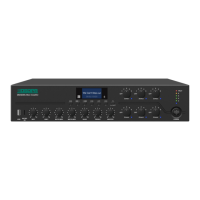
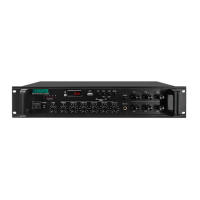
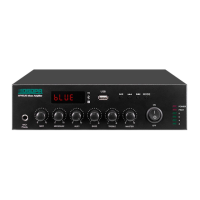
The DSPPA Mixer Amplifier is designed for user-friendly operation, featuring an LCD lattice screen with backlight for clear information display. A five-segment level indicator provides visual feedback on audio output levels.

Front Panel Controls:

The front panel offers intuitive controls for managing various audio sources and output zones.

  • USB and SD Card Slots: For direct playback of MP3 files from USB flash drives (up to 32GB) and SD cards.
  • Volume Adjustment Knobs: Dedicated knobs for MIC1, LINE1, MIC2/LINE2, MIC3/LINE3, Bass, Treble, and Master volume control. These allow for precise adjustment of individual input levels and overall system volume. The Bass and Treble controls offer tone adjustment with the center position as reference.
  • 6-Zone Volume Adjustment Knobs & Indicators: Independent volume controls for each of the six output zones. Corresponding blue indicators illuminate when a zone is active.
  • Power Switch: A simple push-button to turn the unit ON or OFF.
  • Protection Indicator: Illuminates to indicate protection status (DC temperature, overcurrent, or short circuit protection).
  • Level Indicator: Provides a visual representation of the audio output level.
  • Power Supply LED: Indicates the power status of the unit.
  • FN Zone Switch: A short press toggles individual zones ON or OFF using buttons "1" through "6". A long press (over 1 second) opens all zones; another long press restores the previous zone state.
  • Mode Button: Cycles through available modes: USB, AUX line, Bluetooth, and FM radio.
  • LOOP Volume Adjustment Button: Adjusts the volume for MIC4/LINE4, EMC, Chime, and SIREN (0-32). A long press enters the volume setting interface, and subsequent short presses select different audio sources for adjustment using "V+/V-" buttons.
  • Display Screen: Shows current mode, playback information, and settings.
  • Chime Button: Activates the chime function.
  • Next Song / FM Next Program Button: Advances to the next song in USB/Bluetooth modes or the next program in FM mode. A long press decreases the volume of MP3 sources (FM, SD, USB, Bluetooth).
  • Previous Song / FM Previous Program Button: Returns to the previous song in USB/Bluetooth modes or the previous program in FM mode. A long press increases the volume of MP3 sources (FM, SD, USB, Bluetooth).
  • Play/Pause Button: Plays or pauses in USB/Bluetooth modes, and initiates search in FM mode.
  • Infrared Remote Control Receiving: Receives signals from the included remote control.

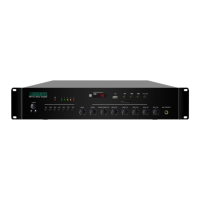
Rear Panel Connections:

The rear panel provides comprehensive connectivity options.

  • Power Input Connector AC230V: For connecting the main power supply.
  • 6-zone Output: Terminals for connecting speakers to the six independent zones.
  • LINE Output: A line-level audio output.
  • LINE1 Input: A line-level audio input.
  • MIC1 Balanced Input: A balanced XLR input for microphone connection.
  • MIC2, LINE2 Input; MIC3, LINE3 Input; MIC4, LINE4 Input: Combination inputs for microphones or line-level sources.
  • EMC Trigger Input: For connecting external emergency alarm systems.
  • SIREN Short-circuit Trigger: For remote activation of the siren.
  • Silent Short-circuit Trigger: For remote muting of the system.
  • FM Antenna: Connection for the FM radio antenna.
  • Fan Port: For cooling.
  • Phantom Voltage Switches (LINE4/MIC4, LINE3/MIC3, LINE2/MIC2, MIC1): Toggles phantom power (+48V) for condenser microphones on corresponding inputs. Users are advised to turn down the volume or power off the device before toggling these switches.
  • DMA20 Remote Paging MIC Input: For connecting remote paging microphones.
  • Fixed Resistance and Voltage Output: Terminals for connecting fixed resistance/voltage speakers.
  • DC+24V Power Input: For emergency power supply.

Operating Instructions:

  1. Initial Start-up: Always begin by turning down total and zone volumes. Connect to power, turn on the amplifier, then gradually adjust total and zone volumes to desired levels. Disconnect power before any wiring changes.
  2. Mic Broadcast: The system automatically mutes other audio sources when a microphone signal is detected and returns to the original playback state when the microphone is inactive.
  3. Bluetooth Mode: Press MODE until "Bluetooth" appears. Pair with "6 ZONES AMP BT" from your device. Wireless transmission range is approximately 10m.
  4. USB Mode: Insert a USB drive to automatically enter USB mode. The display shows song name, duration, mode, status, and volume. Use the LOOP button to cycle through Random Play, Directory Loop, and Single Loop.
  5. Line Mode: Press MODE until "AUX" appears to enter Line Mode.
  6. FM Mode: Press MODE until "FM" appears.
    • Searching Radio Stations: Short press the Play/Pause button to auto-search and store stations.
    • Calling Radio Stations: Use the Previous/Next buttons or number buttons (0-9) to select stored stations.
  7. 6-zone Control Switch: Use the FN button and number buttons (1-6) to control zones.
  8. Adjust Volume of Audio Source: Knobs for zones, MIC1, MIC2/LINE2, MIC3/LINE3, LINE1, LINE2, LINE3. For MIC4/LINE4, EMC, Chime, and SIREN, use the LOOP button to access settings and V+/V- buttons for adjustment.
  9. Phantom Power: Switch ON for +48V phantom power to green terminal microphone inputs. Recommended only for MIC1, MIC2/LINE2, MIC3/LINE2, MIC4/LINE2.

Remote Controller:

The infrared remote control provides convenient access to key functions:

  • Standby Switch: Powers the unit on/off.
  • Mode Selection: Cycles through FM, USB, AUX, and BT modes.
  • MUTE Button: Mutes all audio output.
  • EQ Mode: Selects from four optional sound effects.
  • Play Control Area: Play/Pause, Previous/Next, and Volume Control.
  • Loop Mode: Cycles through Single Loop, Random Play, and Directory Loop.
  • Number Area: In FM mode, directly enters stored FM frequencies.
  • Alternative Button: Additional function button.

Maintenance Features

The DSPPA Mixer Amplifier is designed with durability and safety in mind, incorporating several features and guidelines for proper maintenance and longevity.

Safety Precautions:

  • Power Supply: Always handle the power plug, not the wire, when disconnecting. Avoid placing the power wire near heat sources, bending it, or placing it where it can be stepped on. The power socket should be easily accessible. Even when the power switch is OFF, the equipment is not fully disconnected from the power source; for complete safety, remove the plug from the socket when not in use.
  • Abnormal Conditions: If the power wire is worn, damaged, or if abnormal smell or smoke is detected, immediately cut off the power supply and seek professional inspection.
  • Operation: Do not insert fingers or foreign objects into any gaps or openings. Avoid placing heavy objects on the equipment or applying excessive force to buttons/switches.
  • Disassembly: Do not remove the cover or attempt to disassemble or modify any components. This can lead to electric shock and void the warranty. In case of abnormal phenomena, stop using the equipment and seek professional inspection.

Installation Location:

  • Relocation: Disconnect power before moving the equipment.
  • Environment: Avoid placing the equipment in areas with excessive dust, vibration, or extreme temperatures (cold or hot) to prevent panel deformation and component damage.
  • Moisture: Keep the equipment away from water drops, splashes, or containers filled with water to prevent damage.

Connection Guidelines:

  • Interconnection: Disconnect the power supply when connecting to other equipment.
  • Volume Control: Turn the volume down to minimum before switching on or powering off the equipment.
  • Live Terminals: Terminals marked with a specific symbol indicate live and dangerous connections, requiring trained personnel for operation.

General Maintenance:

  • The device is built with a fan port for cooling, which helps maintain optimal operating temperatures and prevents overheating.
  • The robust design and quality components contribute to the device's reliability and reduce the need for frequent maintenance.
  • In case of data loss or damages resulting from improper user or unauthorized modifications, the company will not be held responsible. Users are encouraged to follow the instructions strictly.
  • All figures in the manual are for description purposes; slight differences may exist in the actual product. Always refer to the actual product for precise details.

By adhering to these guidelines, users can ensure the safe, efficient, and long-lasting operation of their DSPPA Mixer Amplifier.

DSPPA DMA6250U Specifications

General IconGeneral
Rated Output Power250W
Input Sensitivity (LINE)200mV
Input Sensitivity (General)200mV
Priority FunctionYes
Power Consumption300W
Power SupplyAC220V/50Hz
Input Impedance10kΩ
Channels2
Speaker Output70V/100V
Frequency Response50Hz-16kHz
SNR≥75dB
THD<0.5%
ProtectionOverload, Short Circuit
Output Impedance4Ω-16Ω

Related product manuals