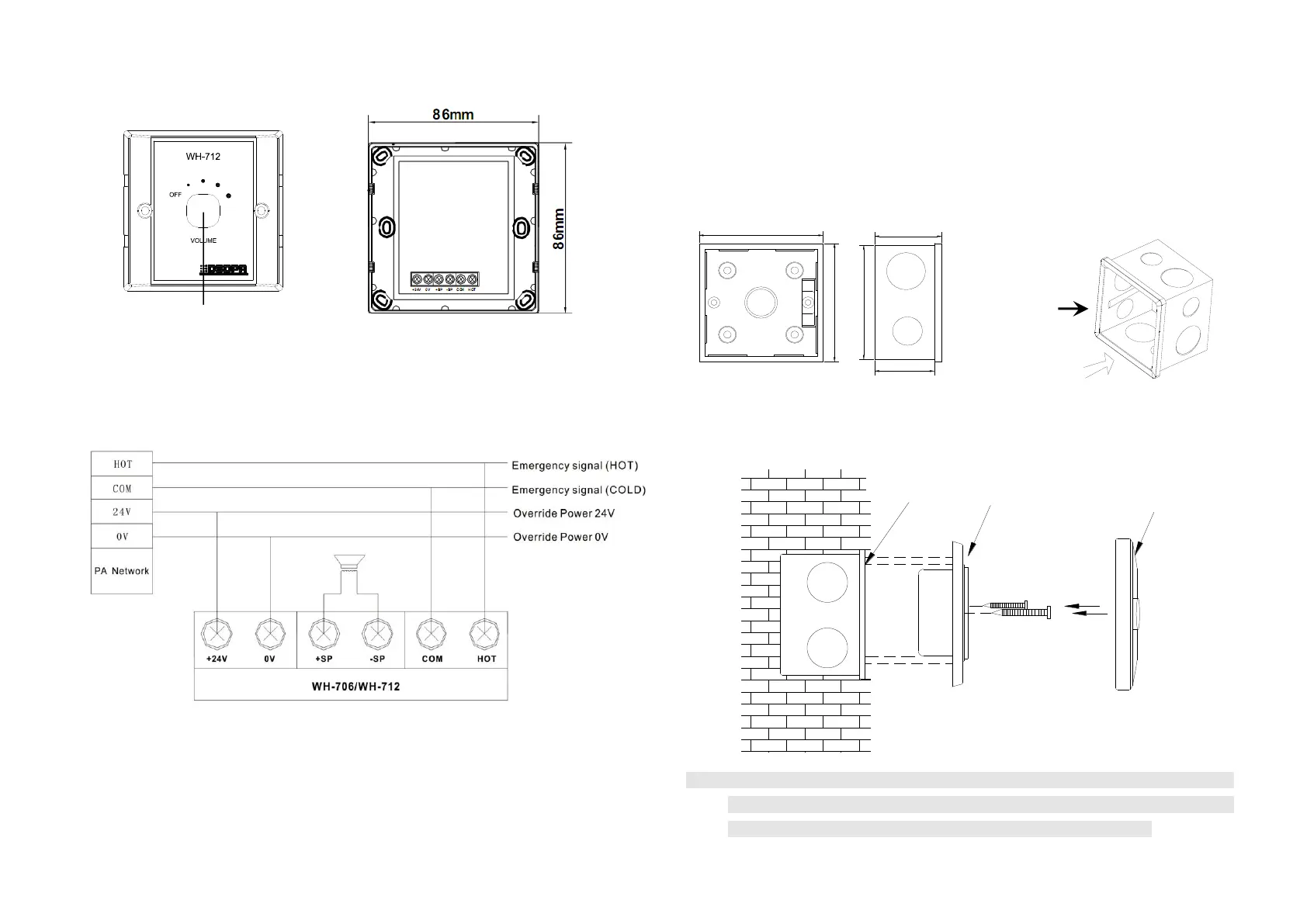
Appearance Description:
Apply Connection:
Installation steps:
1. When installing, please ensure that the depth of the bottom box of the volume controller is
more than 50mm, or the optional 86 sound control box is provided by our company.
2. The embedded leader (audio input line and speaker connector) are connected to the volume
controller on the back of it.
3. The volume controller is closed to the installation bottom box, then fixed with screws.
4. Cover the volume controller (the panel alignment of the volume controller then press hard)
can be installed.
Note: Make sure the volume knob of the volume controller is tuned to the smallest gear
before connecting the leader to the volume controller, and ensure that the volume
controller is installed and connected without charging all the machines.
Installation
box in the
wall
installation
direction
diagram


 To Previous Page
 Loading...