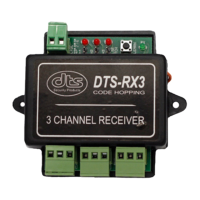
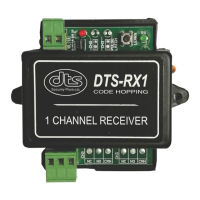
Removing a Transmitter Key:
1. Press and hold down the “Learn” push button and release immediately after 5
seconds when the green LED turns on. The green LED indicates that the “Erase next
key” mode has been activated. Press and release the required remote transmitter
push button to erase that key. Successful erasure is indicated by all the LED’s
turning on for 1 second.
2. The “Erase next key” mode will self cancel after 5 seconds if no remote transmitter
key has been received or will cancel immediately if the received remote transmitter
key is not in the receivers memory. Repeat step 1 for erasing additional keys.
Total memory erasure:
1. Press and hold down the “Learn” push button. After 5 seconds the green RX LED will
switch on. Continue holding the push button for a further 5 seconds and release
when all the LED’s start flashing. All LED’s will pulse together 5 times indicating total
erasure of the receivers memory
General Indications:
a) A self test procedure is performed when the receiver power supply is connected.
Successful initialization is indicated by 1 short flash of all LED’s. 5 short flashes will
indicate that the receiver’s memory is totally erased.
b) Rapid flashing of the red LED while adding a new transmitter key indicates that the
receivers memory is full (31 keys stored). If this 32
nd
key is saved, the user must be
aware that the 1
st
key saved will be discarded. Additional new keys saved will discard
older keys on a “first in / first out” cyclic basis.
c) Rapid flashing of the green RX LED when the remote transmitter push button is
pressed indicates that the remote transmitter battery is low.
Note:
The indications and operation of the DTS RX1 Single channel version receiver is the
same as above.


 To Previous Page
 Loading...