* Failure of the charger and abnormal conditions can cause electric shock and fire.
Learn the correct usage and prevent safety accidents in advance.
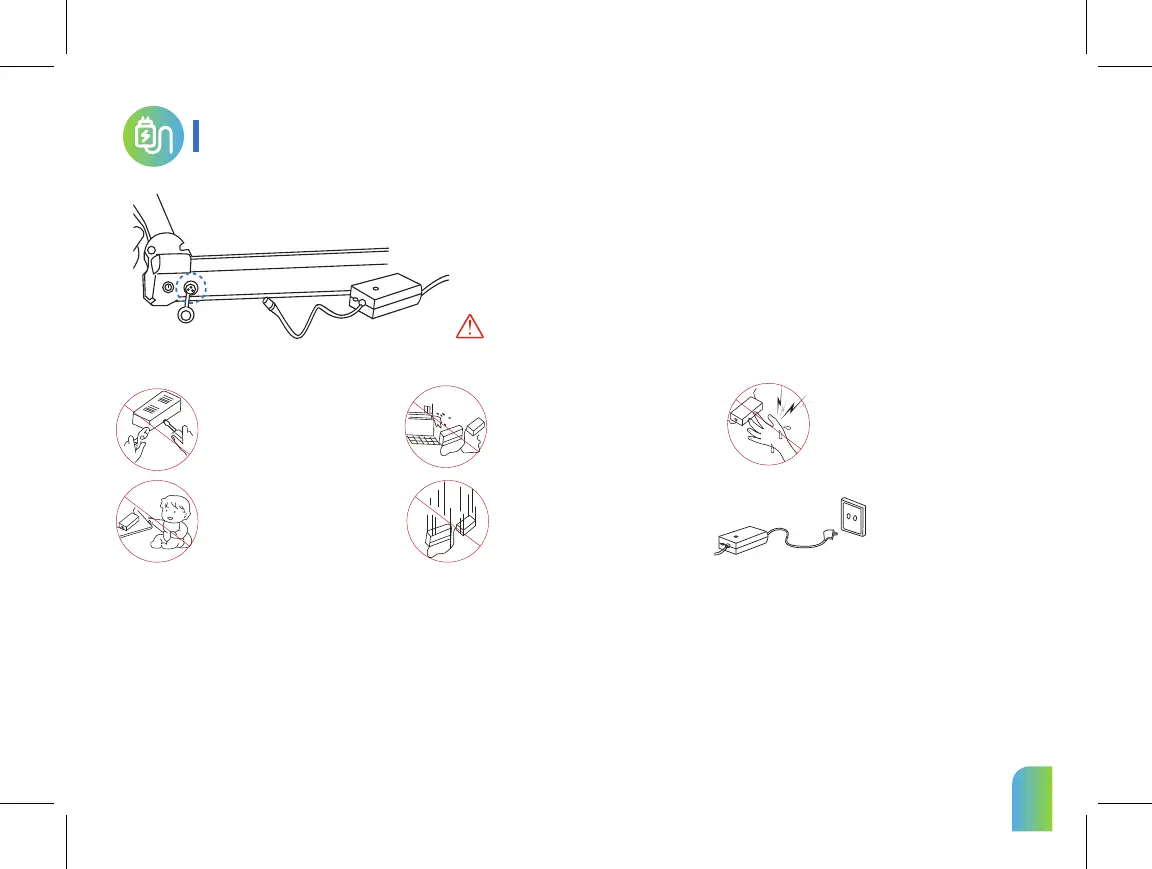
1. Open the charger port cap and connect it to the connector of the charger and connect it to the
household outlet.
1. Manufacturers and sellers are
not responsible for any problems
arising from any disassembly,
modification, or mixing with other
chargers.
3. The charger is not waterproof. It is
thoroughly controlled to prevent
moisture from entering the charger.
5. If the charger lamp does not light,
charger fall down, strong external
shock, long time charge, or cable cover
damage, discontinue use immediately
and contact the service center.
7. Use only genuine charger.
9. Do not remove the terminal during charging. Otherwise you may charge the internal circuit of the charger and cause malfunction.
6. Unplug the charger when
you are away from the home
for long periods.
8. Do not touch the plug for about 10 seconds after unplugging the charger. There is a risk of electric shock from instantaneous discharge.
2. Charging status indicator (Red)Charging , (Green)Charging complete.
3. Be sure to close the charger port cap when driving or storing except when charging.
4. When connecting the connector to the charger port, there may be metallic sparks due to voltage
difference, but this is normal.
2. The charger is forbidden to be used
in places subject to high humidity,
heat, flammable materials, confined
spaces, or where there is no ventilation
such as in a car.
4. Children and pets should not
be allowed to approach the
charger when they come into
contact with them, as they may
cause an electric shock.
10. Do not operate the product during charging.
11. Charging terminals should be firmly contacted during charging and should not be used if terminals are corroded or damaged.
12. When disconnecting the charger from the product, it is safe to hold the terminal without holding the wire.
13. Be sure to keep the charger disconnected from the product after the charging is complete.The charger must be disconnected if it is not used for longer than a few
days, as there is a risk of overcharging when charging more than the time indicated on the product specifications.
Charging
Basic charging method
07


 To Next Page