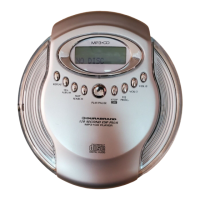
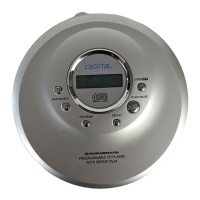
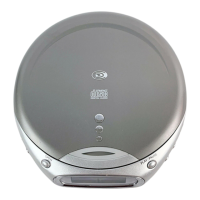
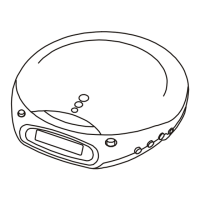
The Durabrand CDR-1902 is a versatile CD player and dual alarm digital clock radio designed for convenient daily use. This compact device offers a range of functions, including playing music compact discs, receiving AM/FM broadcasts, and providing dual alarm settings for flexible wake-up options.
Function Description
The core functionality of the CDR-1902 revolves around its CD player and clock radio capabilities. As a CD player, it supports standard music compact discs and features a fully programmable playback system, allowing users to create custom track orders. It also includes a repeat function for single tracks or entire discs. The radio tuner provides access to both AM and FM broadcasts, enabling users to listen to their favorite stations.
The clock radio aspect is enhanced by a dual alarm system, making it suitable for households with different wake-up schedules or for individuals who need separate alarms for weekdays and weekends. Users can choose to wake up to a CD, radio, or a traditional buzzer sound. The clock is designed for easy setting, ensuring a hassle-free user experience. For added convenience, the device includes a battery backup feature, which preserves time and alarm settings during power outages, although a 9V battery is not included.
Usage Features
Setting the Clock:
To set the clock, first connect the AC power cord to a live wall outlet. The display will show "12:00". Press and hold the "TIME" button, then use the "HOUR" button to adjust the hour. The PM indicator will light up for PM times. Continue holding "TIME" and press the "MINUTE" button to set the minutes. Release the "TIME" button once the correct time is displayed.
Playing a CD:
- Turn on the power by pressing the "POWER" button and ensure the "POWER" lamp is on.
- Slide the "FUNCTION" switch to the "CD" position.
- Press the "CD DOOR OPEN" button to open the CD compartment and place a CD with the label side facing upward.
- Close the CD door by pushing it down at the right corner. The display will show the total number of tracks for 5 seconds before returning to the clock display.
- Press the "PLAY/PAUSE" button to start playing. The CD player will play all tracks once. To view the current track number during play, press the "CD DISPLAY" button.
More CD Operations:
- Adjust Volume: Use the "VOLUME CONTROL" knob.
- Stop Playback: Press the "STOP" button.
- Pause Playback: Press the "PLAY/PAUSE" button. The track number will flash during pause. Press again to resume.
- Next/Previous Track: Use the "SKIP/SEARCH FORWARD" or "SKIP/SEARCH BACKWARD" buttons.
- Locate Point in Song: Press and hold "SKIP/SEARCH FORWARD" or "SKIP/SEARCH BACKWARD" while playing until the desired point is found.
- Remove CD: Press the "CD DOOR OPEN" button.
- Turn Off CD Player: Press the "POWER" button.
Repeat Play:
- Turn on the power and slide the "FUNCTION" switch to "CD".
- Start CD playback by pressing "PLAY/PAUSE".
- Press the "REPEAT" button once to repeat a single track (the "REPEAT" lamp will flash). Press it twice to repeat all tracks (the "REPEAT" lamp will be steady).
- To select a specific track for repeat, use the "SKIP/SEARCH FORWARD" or "SKIP/SEARCH BACKWARD" buttons.
- To cancel repeat play, press the "REPEAT" button until the "REPEAT" lamp turns off.
Programmed Play:
- Ensure the CD player is stopped and the power is on, with the "FUNCTION" switch in "CD" position.
- Press the "PROGRAM" button. "P01" will flash, and the "PROGRAM" lamp will flash.
- Use the "SKIP/SEARCH FORWARD" or "SKIP/SEARCH BACKWARD" buttons to select the desired track.
- Press the "PROGRAM" button to confirm. "P02" will show.
- Repeat steps 3 and 4 to program up to 20 tracks.
- Press "PLAY/PAUSE" to start programmed play. The "PROGRAM" lamp will show steadily.
- To cancel programmed play, press "STOP" twice, or press "PROGRAM" then "CD DOOR OPEN".
Listening to the Radio:
- Press the "POWER" button to turn on the radio and slide the "FUNCTION" switch to "RADIO".
- Slide the "BAND" switch to "AM" or "FM".
- Use the "TUNING CONTROL" to tune into the desired station for the clearest sound.
- Adjust the "VOLUME CONTROL" for desired loudness.
- To turn off the radio, press the "POWER" button.
Improving Radio Reception:
- For FM, fully stretch out the FM antenna.
- For AM, reorient the player or place it near a window.
Listening with Headphones:
Connect headphones (not included) to the "PHONES" jack at the back of the unit. The speaker will automatically be silenced. Remember to unplug headphones if you want the alarm to sound through the speaker.
Setting Alarm Times:
The CDR-1902 has dual alarms (ALARM 1 and ALARM 2).
- Hold the "ALARM" button.
- While holding "ALARM", press the "HOUR" button to set the hour.
- While still holding "ALARM", press the "MINUTE" button to set the minutes.
- Release the "ALARM" button. The clock display will return to normal time.
- Note: Alarm times cannot be set if the "ALARM SET" switch is in "OFF" or "ALARM 1+2" position.
- Ensure the PM lamp is off for morning alarms. Advance 12 hours to change PM to AM.
- To activate ALARM 1, slide the "ALARM SET" switch to position "1". For ALARM 2, slide to "2". For both, slide to "1+2".
Waking Up to Alarm, CD, or Radio:
- Buzzer Alarm: Set the alarm time, slide the "ALARM SET" switch to the desired alarm (1, 2, or 1+2), and set the "FUNCTION" switch to "BUZZER".
- CD Alarm: Set the alarm time, slide the "ALARM SET" switch to the desired alarm, set the "FUNCTION" switch to "CD", and ensure a CD is loaded and the "POWER" lamp is off.
- Radio Alarm: Tune to the desired radio station, set the alarm time, slide the "ALARM SET" switch to the desired alarm, set the "FUNCTION" switch to "RADIO", and ensure the "POWER" lamp is off.
Snooze and Sleep Functions:
- Snooze: When the alarm or music sounds, press the "SNOOZE" button for an extra 6 minutes of sleep.
- Sleep to CD/Radio:
- Start playing a CD or radio.
- Press the "SLEEP" button. The display will show "--", and the "SLEEP" lamp will flash.
- Press "SLEEP" repeatedly to select the desired sleep time (90, 60, or 30 minutes). The "SLEEP" lamp will show steadily.
- The music will play for the selected time and then automatically stop. The "SLEEP" lamp will turn off.
- To turn off music before the set time, press the "POWER" button.
Maintenance Features
Safety Precautions:
- Do not attempt to disassemble the casing, as the laser beam is harmful to eyes. Refer servicing to qualified personnel.
- If any solid object or liquid falls into the player, unplug it and have it checked by qualified personnel before further use.
Placement:
- Avoid placing the player near heat sources, in direct sunlight, or in dusty/vibrating areas.
- Do not place it on an inclined or unstable surface.
- Ensure at least 1 inch of clearance behind the cabinet for proper ventilation.
- Keep personal credit cards and spring-wound watches away from the player due to the strong magnet in the speakers.
Operation:
- If the player is moved from a cold to a warm location, or placed in a damp room, moisture may condense on the CD lens. Remove the CD and wait about an hour for the moisture to evaporate before operating.
- The CD player is designed for stable, no-vibration use. Bumping the unit during CD play may cause skipping, which is normal.
Notes on CDs:
- Clean CDs with a cleaning cloth, wiping from the center outwards.
- Do not use solvents like benzene, thinner, or anti-static sprays.
- Avoid exposing CDs to direct sunlight, heat sources, or hot air ducts.
- Do not stick paper or stickers on CDs, or scratch the surface.
- Store CDs in their cases after playing to prevent tracking errors from scratches, dirt, or fingerprints.
Cleaning the Lens:
If the lens becomes dirty, it can cause sound skipping. Clean it with a commercially available lens cleaner blower or a cotton swab.
Cleaning the Cabinet:
Clean the cabinet, panel, and controls with a soft cloth slightly moistened with a mild detergent solution. Do not use abrasive pads, scouring powder, or solvents like alcohol or benzene.
Battery Backup:
Install a 9V battery (not included) for clock backup. This will retain time and alarm settings during power interruptions. The display will not show the time during a power outage, but the settings will be preserved and reappear when power is restored.

 Need help?
 General

 To Next Page