EasyManua.ls Logo

Duracell Powerpack Pro 1000 - User Manual

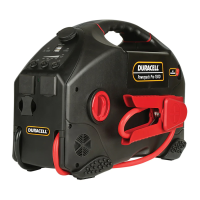
Duracell Powerpack Pro 1000
14 pages
Print Icon
To Next Page IconTo Next Page
Loading...
1. Charging/recharging your Powerpack
IMPORTANT - BEFORE YOU START
Please fully charge your Powerpack before using it for the rst time. It is
also recommended to fully recharge your Powerpack after each use.
1. Locate the AC charging cord stored in the compartment near the
Powerpack’s handle.
2. Plug the cord into the Powerpack’s AC charging input.
3. Plug the other end of the cord into an AC wall outlet.
4. Charging time is approximately 24 hours from a fully dischar
ged battery
to a full recharge.The Battery Status LED will turn green when fully
charged.
5. It is safe to leave the Powerpack plugged into an AC wall outlet so that it
is always fully charged and ready when you need it. The charging current
will automatically reduce to “maintenance” mode once the Powerpack
has been fully charged.
1
2
3
Powerpack Charging: Important Notes
Do not operate DC appliances with the Powerpack Pro while the
Powerpack is being recharged with the AC cord. The AC cord may be
permanently damaged if 12V DC appliances are operated while the AC
cord is connected.
If you keep the Duracell
®
Powerpack Pro in storage, the battery will
discharge over time. Remember to recharge the battery every three
months to keep the Powerpack operational.
If the voltage in your wall outlet is less than 120V AC, it may take more
than 24 hours to fully recharge the powerpack. If, after 24 hours of
charging, the Battery Status LED remains red, continue to charge the unit
for another 12 hours. The unit will be ready for use even if the Battery
Status LED remains red.
2. Checking the battery level
1. Push the Battery Level button on the
front panel.
2. The LED gauge will display the current
level of available battery power:
Fully charged:
All LEDs (two
green, one yellow and one red) are
illuminated when the battery is full.
Completely discharged: Only the
red LED is illuminated when the
battery is completely empty.
Battery Level: Important Notes
Battery fuel gauge status is only accurate when the Powerpack has
been disconnected from all appliances and all charging sources for
15 minutes.
Some appliances may be diffi cult or impossible to operate from the
Powerpack if they have a high surge rating or are not suitable for use
with the Powerpack.
Trouble Appliances
To avoid damage to your AC appliance, the Powerpack is not
recommended for use with the following:
Electronics that modulate RF (radio frequency) signals on the
AC line.
Speed controllers found in some fans, power tools, kitchen appliances,
and similar appliances.
Some chargers for small rechargeable batteries can be damaged.
Metal halide arc (MHI) lights can be damaged.
High Surge Appliances
“Surge” power is the initial amount of power required to start an
appliance.
Appliances such as televisions and appliances with motors consume
much more power than their average (continuous use) rating when they
are rst switched on. This may exceed the capabilities of the Powerpack
and trigger the safety overload shutdown circuit.
3. Using the LED light
2
1
1. Push the “Emergency Light” button to
turn on the LED light.
2. Gently swivel the lens up and down to
aim the light beam.
3. Push the “Emergency Light” button
again to turn off the light.
4. Using the USB ports
The Powerpack’s dual USB ports can charge two USB devices at once, sup-
plying up to 2.4 total Amps of current.
1. Connect your USB device (smartphone, tablet, etc.) to your own USB
cable.
2. Plug the USB cable into the Powerpack’s USB port.
3. Push the “USB On/Off” button.
4. Charging will begin. The Powerpack will adjust the amount of
current
supplied to each device based on its requirements.
5. Push the “USB On/Off” button again when done.
1
2
3
5. Using the AC outlets
The Powerpack’s dual USB ports can power two AC appliances at once, up to
a total of 240W for Powerpack Pro 1000, or 480W for Powerpack Pro 1300.
For best results, ensure that your Powerpack is fully charged before using the
AC outlets.
1. Press the AC outlet ON/OFF Switch to the ON position.
2. Open the protective cover on the AC power outlet and plug the AC
appliance in.
3. Fully recharge the Powerpack as soon as possible after each use.
4. In the event of an overload, low battery voltage or overheating, the
Powerpack automatically shuts down.
2
1
AC Appliances: Important Notes
Understanding appliance wattage
AC appliances are rated by how much electrical power (in watts)
they consume. The fewer watts an AC appliance uses, the longer the
Powerpack will operate before recharging is required.
6. Using the 12V DC power outlet
The Powerpack can operate 12V DC appliances (such as those that plug
into a vehicle’s lighter socket) that draw 20 Amps of power or less.
1. Open the protective cover on the DC power outlet and plug your
appliance into the port.
2. Turn the appliance on (if required). The Powerpack will automatically
supply power to your appliance.
1
3. Fully recharge the Powerpack as soon as possible after use.
12V DC Outlet: Important Notes
Battery power drain
As the DC power outlet is internally wired directly to the Powerpack’s
battery, it does not automatically switch off. Check the battery status
periodically to prevent total battery discharge.
Extended operation of a 12V DC appliance may result in excessive
battery discharge.
High-consumption DC appliances
If your 12V DC appliance draws more than 20 Amps, the Powerpack’s
internal circuit breaker shuts off the power to your appliance. You
will not be able to use this appliance with the Powerpack. If shutoff
occurs, unplug your appliance. The Powerpack’s internal circuit breaker
automatically resets after a few seconds.
Powerpack Pro 1000 / Powerpack Pro 1300
A. Features
Powers 115 V AC appliances
Powers 12V DC appliances
Powers 5 V USB devices
Jump starts vehicle engines
Provides lighting for emergency use
Infl ates vehicle tires and small sports equipment
Refl ective trim provides high visibility at night
Comprehensive protection
Reverse polarity protection
The reverse polarity LED will light up when you connect the wrong
terminals. The reverse polarity alarm will also beep.
Over current protection
The built in charger protects against over current when it is
recharging.
Over voltage protection
The built in charger will shut off when the voltage reaches the limit.
B. What’s Included
1. Powerpack Pro 2. AC charging cord 3. Infl ation accessories
1
2
1
2 3

Question and Answer IconNeed help?

Do you have a question about the Duracell Powerpack Pro 1000 and is the answer not in the manual?

Overview

The Duracell Powerpack Pro 1000 / Powerpack Pro 1300 is a versatile portable power solution designed to provide power, jump-starting, and inflation capabilities. It features a robust design with comprehensive protection mechanisms, including reverse polarity, overcurrent, and overvoltage protection.

Function Description:

The Powerpack Pro serves multiple functions:

  • Power Supply: It can power 115V AC appliances, 12V DC appliances, and 5V USB devices. The Powerpack Pro 1000 provides up to 240W continuous AC power (300W for 5 minutes) and 480W peak surge capacity, while the Powerpack Pro 1300 offers up to 480W continuous AC power (600W for 5 minutes) and 750W peak surge capacity.
  • Vehicle Jump Starter: It is capable of jump-starting vehicle engines, providing a crucial emergency function.
  • Emergency Lighting: Equipped with an LED light, it offers illumination for emergency use.
  • Tire Inflator: It can inflate vehicle tires and small sports equipment using its built-in air compressor, which can inflate up to 160 PSI.
  • Visibility: Reflective trim enhances visibility at night, adding a safety feature.

Important Technical Specifications:

12V DC Section:

  • Internal Battery Type: Sealed/non-spillable, AGM (Absorbed Glass Mat) lead-acid.
  • Internal Battery Voltage (nominal): 12V DC.
  • Internal Battery Capacity (minimum): DR300PWR: 15Ah; DR600PWR: 18Ah.
  • DC Power Socket (maximum continuous load): 20 A with automatic reset.

AC Power Section:

  • Output Voltage: 115V AC (RMS).
  • Output Frequency: 60Hz.
  • Output Wave Form: Modified sine wave.
  • No Load Current Draw: <0.5 A DC.
  • Input Voltage Range: 10V to 15V DC.
  • Low Battery Alarm: 10.5V DC.
  • Low Battery Shutdown: 10.0V DC.
  • High Battery Voltage Shutdown: 16V DC.
  • Over Temperature Shutdown: <194° F (90° C).
  • Overload Shutdown: Yes, automatic reset.
  • AC Output Short Circuit Protection: Yes, automatic reset.
  • Fuse (Internal): DR300PWR: 40A x 1 (MAX); DR600PWR: 35A x 2 (MAX).
  • Operating Temperature Range: 32°–104 °F (0°–40 °C).
  • Storage Temperature Range: 68°–122° F (-20° C – -50°C).

Internal Battery Charging Controller System:

  • AC Input Voltage Range: 100-240V AC.
  • AC Input Frequency: 50/60Hz.
  • Output Voltage: 15V DC.
  • Rated Voltage in Floating Charge: 13.2Vdc@30mA.
  • Empty Load Power: < 0.5W.
  • Safety Standards: ETL.
  • Efficiency Standards: BC, CEC V.

Air Compressor:

  • Pressure: 160 PSI (lb/in).

Physical Specifications:

  • Length: 15.2 in. / 38.5 cm.
  • Width: 9.3 in. / 23.7 cm.
  • Height: 10.7 in. / 27.2 cm.
  • Weight: DR300PWR: 16.8 lbs. / 7.6 kg; DR600PWR: 20.9 lbs. / 9.5 kg.

Accessories:

  • AC cord (52.4 in. / 133cm).
  • Compressor nozzles: Red air nozzle, blue air nozzle, inflator needle.

Usage Features:

  • Charging/Recharging: The Powerpack Pro should be fully charged before first use and after each use. It can be left plugged into an AC wall outlet for continuous "maintenance" charging. A Battery Status LED indicates charging status (green for fully charged). Charging from a fully discharged state takes approximately 24 hours.
  • Battery Level Check: A dedicated button on the front panel activates an LED gauge to display the current battery level. All LEDs (two green, one yellow, one red) indicate a full charge, while only the red LED indicates a completely discharged state. For accurate readings, the device should be disconnected from all appliances and charging sources for 15 minutes.
  • LED Light Operation: The "Emergency Light" button turns the LED light on and off. The lens can be swiveled to aim the light beam.
  • USB Port Usage: Dual USB ports can charge two USB devices simultaneously, supplying up to 2.4 total Amps. Users connect their USB device, plug the cable into the Powerpack's USB port, and press the "USB On/Off" button to begin charging.
  • AC Outlet Usage: Two AC outlets can power appliances up to the specified wattage (240W for Pro 1000, 480W for Pro 1300). Users press the AC outlet ON/OFF switch, open the protective cover, and plug in the appliance. The Powerpack will automatically shut down in case of overload, low battery voltage, or overheating.
  • 12V DC Power Outlet Usage: The 12V DC power outlet can operate appliances drawing 20 Amps or less. Users open the protective cover, plug in the appliance, and turn it on. The Powerpack automatically supplies power. It's important to periodically check battery status as this outlet does not automatically switch off.
  • Jump Starting: Critical safety instructions must be followed. Users connect the red positive (+) clamp to the positive (+) terminal of the vehicle battery and the black negative (-) clamp to a non-moving metal part of the vehicle chassis or engine block. If the "Clamps Reversed" LED illuminates, polarity must be corrected. After connection, the jump-start power switch is turned ON, and the vehicle engine is cranked.
  • Air Compressor Usage: The air compressor hose is removed from the rear of the Powerpack, and the valve connector is securely placed on the tire valve stem. The Air Compressor switch is pressed to inflate. For small inflatables, a nozzle adapter can be used. The compressor is designed for short-term operation and requires cooling periods (10 minutes after every 10 minutes of continuous use) to prevent overheating. It should not be used for large capacity inflatables.
  • Connecting to an External Battery: The Powerpack Pro can be connected to a larger external battery to extend operating times. This involves connecting the jump-start cables to the external battery terminals (red to positive, black to negative) and ensuring the jump-start power switch is OFF before connecting and ON after.

Maintenance Features:

  • Regular Recharging: All rechargeable batteries gradually discharge. The Powerpack Pro should be recharged every three months to maintain maximum battery capacity and life. Leaving the battery discharged can lead to permanent damage and poor jump-starting performance.
  • Cleaning: Periodically clean the outside of the Powerpack with a damp cloth to remove dust and dirt.
  • Storage: If stored, recharge the battery every three months. Do not attempt to recharge a frozen battery; warm it to 32°F (0°C) first.
  • Troubleshooting: The manual provides solutions for common issues such as AC appliance not operating, overload shutdown, low AC output voltage, and battery status LED remaining red after charging.
  • Recycling: Battery-Biz is committed to environmental responsibility and provides instructions for recycling Duracell rechargeable battery-related products via call2recycle.org.

Duracell Powerpack Pro 1000 Specifications

General IconGeneral
BrandDuracell
ModelPowerpack Pro 1000
CategoryPower Pack
LanguageEnglish