EasyManua.ls Logo

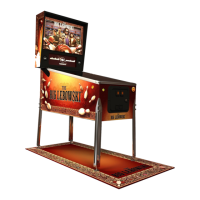
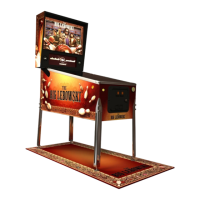
Dutch Pinball The Big Lebowski Pinball - User Manual

Dutch Pinball The Big Lebowski Pinball
376 pages
Print Icon
To Next Page IconTo Next Page
Loading...
Dutch Pinball Technical Support TBL FAQ rev 0.78
Page 1
Technical support TBL FAQ
The Big Lebowski is a trademark and copyright of Universal Studios. Licensed by Universal Studios Licensing LLC. All Rights Reserved.

Table of Contents

Question and Answer IconNeed help?

Do you have a question about the Dutch Pinball The Big Lebowski Pinball and is the answer not in the manual?

Summary

Frequently Asked Questions

Dimensions TBL

Common Parts and Tools Required

Tools

Lists specialized tools needed for TBL maintenance and repair.

Parts

Lists common parts used in the TBL and their availability.

Silicone Rings Overview

Fuses TBL

Mains fuse

Details the main power fuses and their specifications.

USB How-To Update

Software Version History

Version 1.12 - April 2022

Details improvements and bug fixes in software version 1.12.

Version 1.11 - February 2022

Details improvements and bug fixes in software version 1.11.

Version 1.10 - December 2022

Details improvements and bug fixes in software version 1.10.

Version 0.53 - September 2020

Details improvements and bug fixes in software version 0.53.

Version 0.52 - December 2019

Details improvements and bug fixes in software version 0.52.

Version 0.51 - November 2019

Details improvements and bug fixes in software version 0.51.

How to Update from Release Previous to 045

Switch Test FAQ

How Do You Adjust Switches?

Guide on how to properly adjust pinball switches.

How Do You Do This Switch-Test?

Steps to perform a switch test on the TBL.

Coin Door Buttons

Explains the function of the coin door buttons for navigation and testing.

Menu Function

Test Report

Switch Test

Which Switches Are Expected to Be Active with NO Game Started?

Switch Overview Main Playfield

Switch Overview Mini Playfield

Switch Overview Bowling Alley

Switch Overview Cabinet

Bowling Operations FAQ

Principal of Operations

Explains how the bowling alley and pin mechanics function.

Fault Seeking

Steps for troubleshooting bowling alley operational issues.

Is the Launcher Properly Mechanical Fixed?

Do the Switches of the Launcher Work?

Do the Opto and Ball Launcher Switch Work?

Testing of the Bowling Alley Opto Test

Detailed instructions for testing the bowling alley opto sensors.

Testing of the Bowling Alley Stepper Motor

Possible Cause of Zero Pins Dropping?

Bowling Pin Coil Check

Stuck Releasepin

Ball is Not Getting Up the Ramp

Bowling-Pin Not Being Fully Pulled Up

Accuracy Off?

Miscellaneous Checks

Switch Overview Bowling Alley

Bowling Alley Replacing Pins - Adding Limiters Guide

General Preparations

Steps to prepare for replacing bowling pins or adding limiters.

Adding Limiters

Instructions on how to install limiters to improve pin durability.

Replacing Broken Bowling Pins

Wrap-up

Bowling Pin Coil Check

Procedure to check bowling pin coils after reassembly.

Freezes, Hang-ups, Switches Not Responsive, P3-ROC Not Found Issues FAQ

Fault-Diagnosis

Stuck Switches

Check Position USB Connections to Audioboard and P3-ROC

Reseat USB Connections to PC and P3-ROC

Replace the USB Cable Running from PC to P3-ROC

The 5 VDC Powerfeed to the P3-ROC

Preparation

5 V Power P3-ROC Fix

Extra 5 VDC Powerwires to PROC

Method to add extra 5VDC power wires for improved stability.

Reflow the Powerpins of the PROC

Instructions for reflowing solder on PROC powerpins.

Rug Toy FAQ

Principle of Operation

Explains the basic working mechanism of the rug toy.

Rugtoy Makes Noise When Moving Into Third Position

Rugtoy Makes Noise When Moving Into Fourth and Final Position

Shots to the Rugtoy Are Not Registered

The Rugtoy Doesn’t Run Smoothly or Make Squeeky Sound

Test the Rugtoy

Testing of the Rug Stepper Motor & Switches

Guide to testing the rug toy's stepper motor and associated switches.

Position RUG Switches

LED Spot for Rug Not Working

Change Sensitivity Rughit Switch

Rug Switch Fix - Adjustment

Is It Mounted Too Tight?

Checks for switches mounted too tightly.

Replace the Switch

Procedure for replacing a faulty rug switch.

Align and Fasten the Switch

Steps to properly align and fasten the rug switch.

Mini PlayField (MPF) Operations FAQ

General Overview

Overview of the MPF's functionalities and features.

Working of the Cartoy

Explains how the Cartoy mechanism and car modes function.

Cardoor Stutters in Open Position

Cardoor Stutters in Closed Position

MPF Overview in TBL;Switches-LEDs Dont Work

Upper Flipper Doesn’t Work

Walter Shot Doesn’t Register

Ball Comes Down Walter Ramp After Jesus Ramp Was Shot

Ball Has Difficulty to Get Up to the MPF

Upper Flipper is Weak and Difficult to Make Loopshots

Test Functionality

Switch Test

Procedure to test all switches in the system.

LED Tests

Procedure to test all LEDs for proper functionality.

Stepper Motor Test

Procedure to test all stepper motors.

Mini PlayField (MPF) Removal and Installation Guide

MPF Out of TBL

Steps to safely remove the MPF from the TBL.

Remove Upper Flipper from Under the Main Playfield

Instructions for removing the upper flipper assembly.

Disconnecting the Opto Connector

Steps for disconnecting the opto connector (type B built).

Remove the MPF

Detailed steps for removing the MPF unit.

MPF Back in the TBL

Steps for reinstalling the MPF unit.

Re-install MPF

Procedure to correctly reinstall the MPF.

Test Functionality

Testing MPF functionality after installation.

Operate TBL from Keyboard

Restore Power Setting BIOS Causing PC Not to Boot FAQ

General Steps

General steps to configure BIOS for power-on settings.

Type PC 1 and 1 A

Specific BIOS configuration for PC Type 1 and 1A.

Type PC 2

Specific BIOS configuration for PC Type 2.

Type PC 3

Specific BIOS configuration for PC Type 3.

Replace SSD FAQ

Backup of Your Data

Instructions on how to back up TBL data.

Replace SSD Itself

Step-by-step guide for replacing the SSD.

Restore Your Data to New SSD

Steps to restore data onto the new SSD.

Restore SSD Using an Image FAQ

Make USB Drive

Guide to preparing a USB drive with the system image.

Replace Old Type PC with New Type FAQ

PC Type 1 and 1 A

Instructions for replacing PC with Type 1 or 1A.

Type PC 2

Instructions for replacing PC with Type 2.

Type PC 3

Instructions for replacing PC with Type 3.

Service Bulletin Ground Fix MPF PCB

MPF Removal Steps

Steps to remove the MPF for PCB access.

Checking PCB

Steps to check the MPF PCB for grounding issues.

MPF Re-installation Steps

Steps to reinstall the MPF after PCB work.

Mini PlayField (MPF) Kit Installation Guide

MPF Removal Process

Steps to remove the MPF for kit installation.

MPF Installation Process

Steps to install the MPF kit components.

Testing and Wrap-up

Testing MPF functionality and final wrap-up.

P3 ROC & PDLED Removal & Installation Guide

Preparations

Preparation steps before working on P3ROC or PDLED.

PROC Installation - Removal

Steps for removing and installing the P3ROC board.

Install P3 ROC

Steps for correctly installing the P3ROC board.

PDLED Installation - Removal

Steps for removing and installing the PDLED boards.

Install PDLED

Steps for correctly installing the PDLED boards.

Trough Issues FAQ

Check One - Amount of Balls

Verifies the correct number of balls in the trough.

Check Two - Switch Test

Performing a switch test to diagnose trough issues.

Coin-op Use FAQ

Coin Acceptor Setup

Instructions for connecting and powering a coin acceptor.

Coin-op Software Settings

Configuring game settings for coin-op operation.

Audits Menu

Accessing and understanding audit data related to coin-op usage.

Flipper Issues FAQ

Sometimes Not Working Right Bottom Flipper

Troubleshooting steps for a non-functional right bottom flipper.

Sometimes ‘Sticky’ Flipper

Addresses issues with a flipper becoming sticky after use.

Bowling Alley Replacing Ramps Guide

Raise the Main Playfield

Steps to raise the main playfield for access.

Remove the Nuts Underside Cabinet

Instructions for removing nuts from the underside cabinet.

Lift the BA Out the Cabinet and Take Out the BA Ramp

Steps to remove the bowling alley ramps from the cabinet.

Transfer the Grommet Strip from the Old BA Ramp to the New BA Ramp

Guide to transferring the grommet strip to new ramps.

Put New BA Ramps in BA

Instructions for installing the new bowling alley ramps.

Put BA Back in Cabinet

Steps to reinstall the bowling alley ramps into the cabinet.

Test It

Final testing procedures after ramp replacement.

Display Power Cable Layout

Reset Version Software TBL

Instruction for Newer Version OS

Steps to reset software to a previous version for newer OS.

Instruction for Original Version OS

Steps to reset software to a previous version for original OS.

Stuck balls in Subway during Multiball

Troubleshooting Stuck Balls

Addresses issues with balls getting stuck in the subway during multiball.

Set Date and Time Correct in BIOS FAQ

General Steps for Changing Date;Time in BIOS

General steps to adjust date and time in the PC's BIOS.

Type PC 1 and 1 B

BIOS adjustments for PC Type 1 and 1B.

Type PC 2 and 3

BIOS adjustments for PC Type 2 and 3.

Install Optoscoop Kit

Preparations

Preparation steps before installing the Optoscoop kit.

Scoop and Subway Removal

Steps to remove the scoop and subway components.

Optoscoop Installation

Steps to install the Optoscoop kit components.

Install Power Distribution Board FAQ

New Power Distribution Board Features

Details the features of the new power distribution board.

Remove Old Components

Steps to remove the old PSU and SSD.

Install New Components

Steps to install the new PSU, SSD, and distribution board.

Finalize and Test

Final checks and testing after installation.

External Volume Control DIY FAQ

DIY Solution Overview

Overview of the external volume control solution.

Installation Steps

Steps for installing the DIY external volume control.

Dutch Pinball The Big Lebowski Pinball Specifications

General IconGeneral
BrandDutch Pinball
ModelThe Big Lebowski Pinball
CategoryPinball Machine
LanguageEnglish

Related product manuals