98
EN
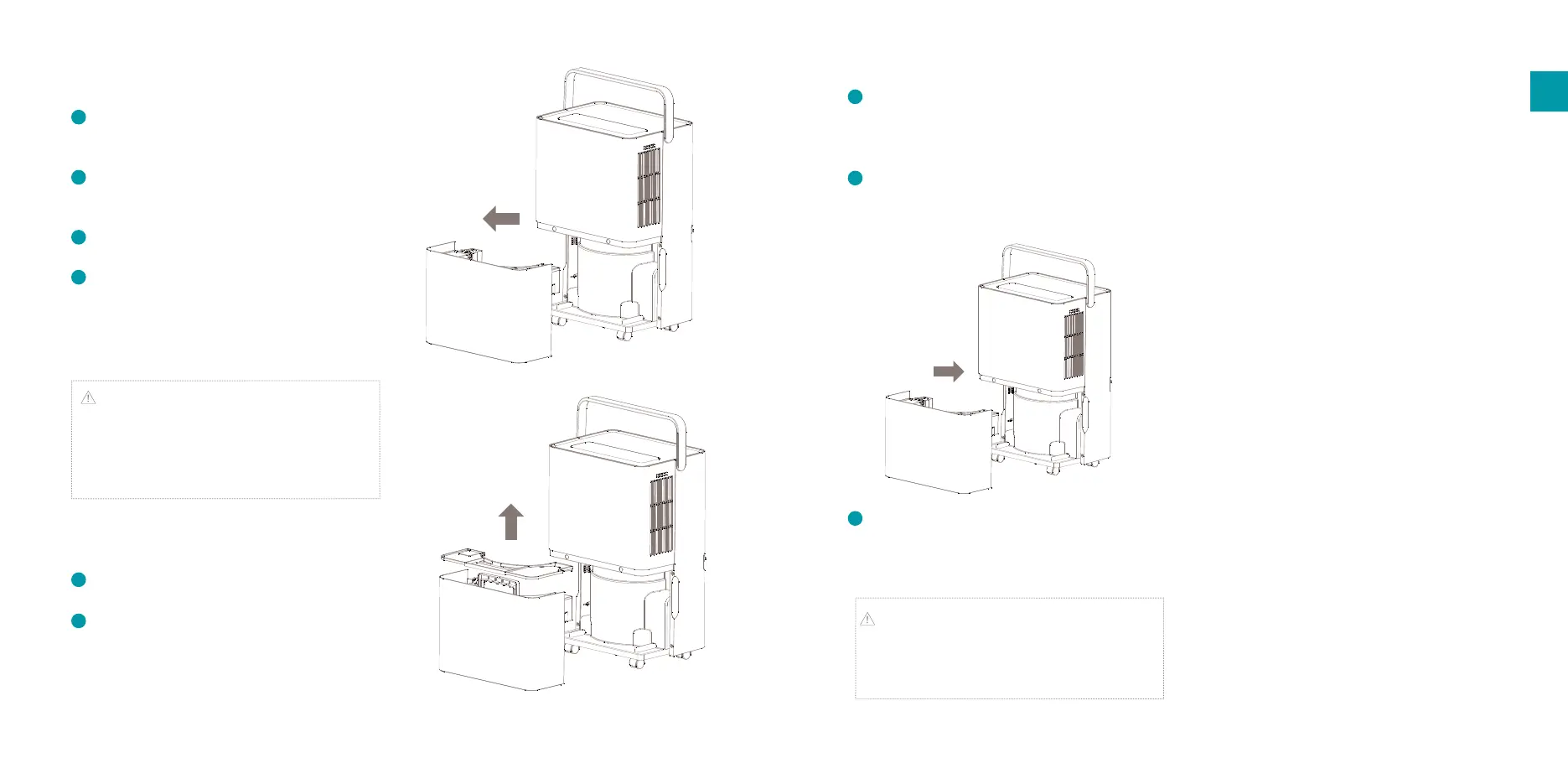
When the water tank is released from the
device, turn the water tank handle upright,
remove the cover and gently pour out the
water in a sink or container
When the water tank is empty, close the water
tank with the cover and turn down the handle
before reinserting it back in the device.
When the water tank is empty, close the water
tank with the cover and turn down the handle
before reinserting it back in the device.
Attention: Before putting the water tank back in
the devices, please check whether the oater is in its
default position. If not, push it into position before
reinserting the water tank.
Continuous drainage
If you do not want to frequently drain water from
the water tank, you can connect a drain tube on
the back of the device for continuous drainage.
1
2
3
Installing the device
Unpack the device and remove the packing
materials from the device. Store the packing
materials for possible future transportation.
Unpack the carbon lter, put it in the lter
holder frame and install the lter frame with
carbon lter in the air inlet.
Plug the power cord in a wall outlet. You will
hear a beep and the power indicator will blink.
Press the power button to switch on the device
and the display will light up.
Use of the water tank
Note: when the water tank is full, the full water
tank icon on the display will start ashing and the
compressor and fan will stop running
automatically. A beep will sound for 10 times to
remind the user to drain water from the water tank.
To drain water from the water tank, please follow
below steps:
Turn o the device and remove the power plug
from the wall outlet
When facing the front of the product, gently
take out the water tank by pulling the handles
on the side of the tank towards you.
1
2
3
4
5
4
1.
3.
4.


 To Next Page