10
Operation mode button
1
Dry clothes – use this mode to speed up wet
clothes drying in a humid environment.
Note: In dry clothes operation mode, the
hygrostat button is disabled.
2
Auto – this setting will maintain the humidity on
the set humidity level with the hygrostat button
3
Quiet – Switch to quiet mode for convenience
during nighttime. This setting is most energy
ecient and extremely silent (<38dBA).
Note: The dehumidier optimally functions at
a room temperature of between 13⁰C and 35⁰C.
The specied dehumidifying performance is only
achievable in a higher temperate range (from 22⁰C)
with a high ambient humidity (>70%). The lowest
recommended operating temperate is 10⁰C. Defrost
mode will automatically activate in case of low
temperatures. The highest operating temperate is
40⁰C with a RH of 90%.
Attention: When operating in dry clothes mode,
keep the clothing at least 50 cm away from the unit
and do not allow water to drip onto the unit.
Note: Operating in quiet mode may decrease
dehumidifying performance.
2
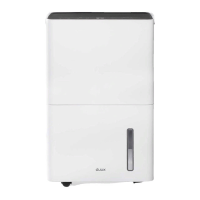
Pop-up handle
Use this handle to carry and move the device.
Fold it back to hide.
Note: Always empty the water tank before
moving the device and keep it in upright position at
all times.
3
Air outlet
Dry air is released through this outlet.
Attention: Do not cover or let anything block
the air outlet.
4
Power cable
Please directly connect the power cable to a
power socket or wall outlet.
5
Removable water tank
Moisture from the air is collected inside the
water tank. Empty regularly.
6
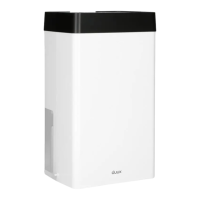
Air inlet
The air intake ensures constant air ow
throughout the device.


 To Next Page