All specifications and information are subject to changes without further notices
11
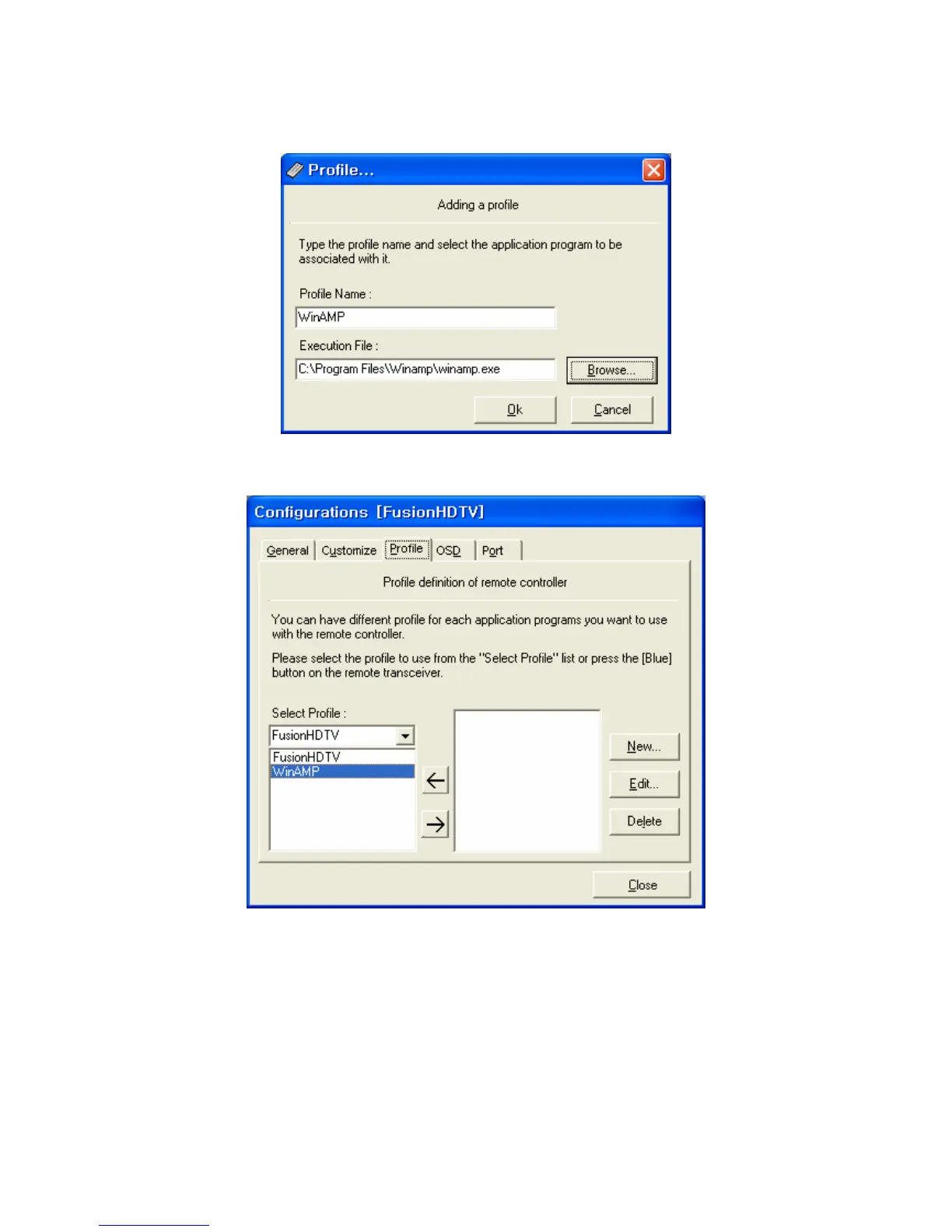
2) After pressing the New button input the profile name and the execution path of the program. The
program will be started by pressing the red start button of the remote transceiver.
3) After adding the profile please press the <- button to select the profile for key define.
4) Please press the blue button on the remote transceiver for customizing the remote transceiver keys
for the program you selected.



 To Next Page