6
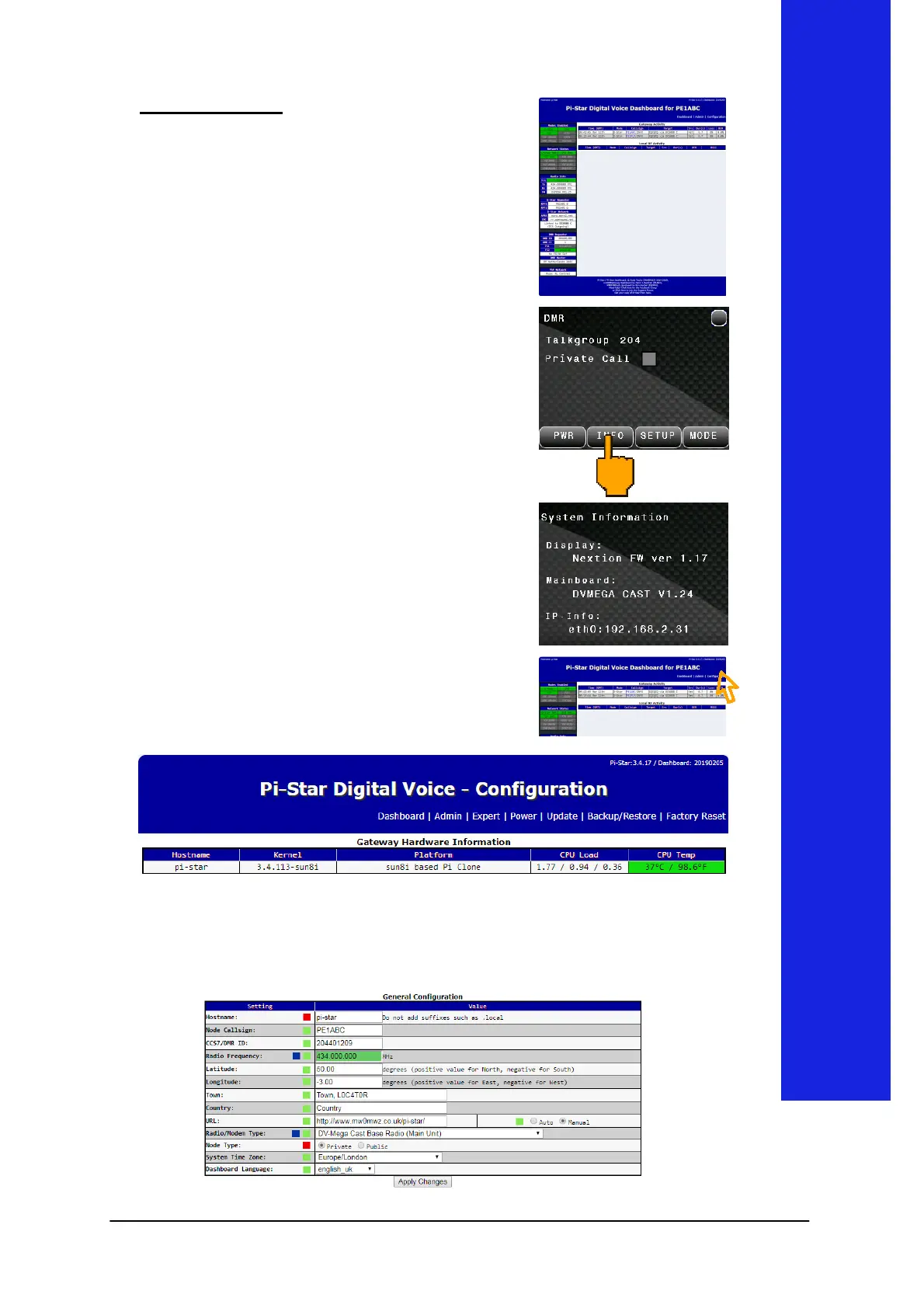
Configuration
The
configuration is easy accessible
with a standard browser. Just enter
"pi-star" in your URL bar.
the next screen will be shown.
It is possible that the hostname can
not be resolved in your network.
Then you have to go via the IP
address.
You can find the assigned IP
address on the INFO screen on your
DVMEGA Cast.
Press INFO to show IP Info.
Now enter the shown IP
(192.168.2.31 as an example) in
your URL bar.
Click Configuration to go to the
Configuration page.
The Configuration page is devided in configuration blocks per
function. Scroll down to General Configuration.


 To Next Page