24
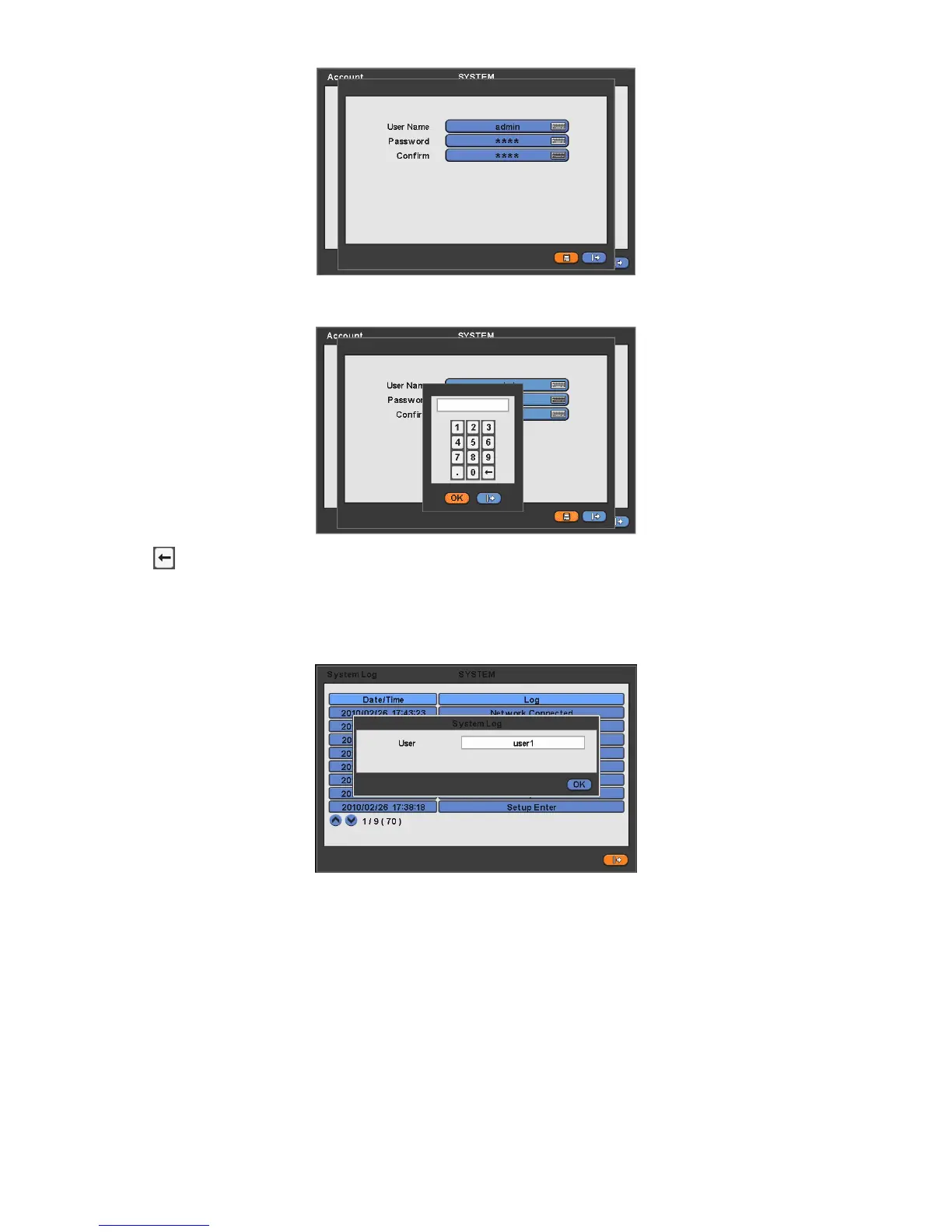
This is a screen for password resetting.
Input password by clicking the keyboard icon on the right-hand side of the frame.
Use
key if wish to erase password on keyboard.
4.2.4 System Log
Please click ( ) SYSTEM>System Log and the following screen will appear.
System Log displays diverse events as below events by specifying the user account who actually has accessed the DVR.
- Setup (Menu) Enter/Exit
- Playback Mode Enter/Exit
- Network Access Enter/Exit
- Archive Success/Fail
- System Start/shut down
- S.M.A.R.T. Check
- NTP Sync/ Server Success/Fail
- Send E-mail Success/Fail
- HDD Format Success/Fail
- Data clear Success/Fail
- USB Upgrade Success/Fail
- DVR Setup Change by Remote
- Before/After Time Adjust
System Log removal procedure is as follows:



 To Next Page