85
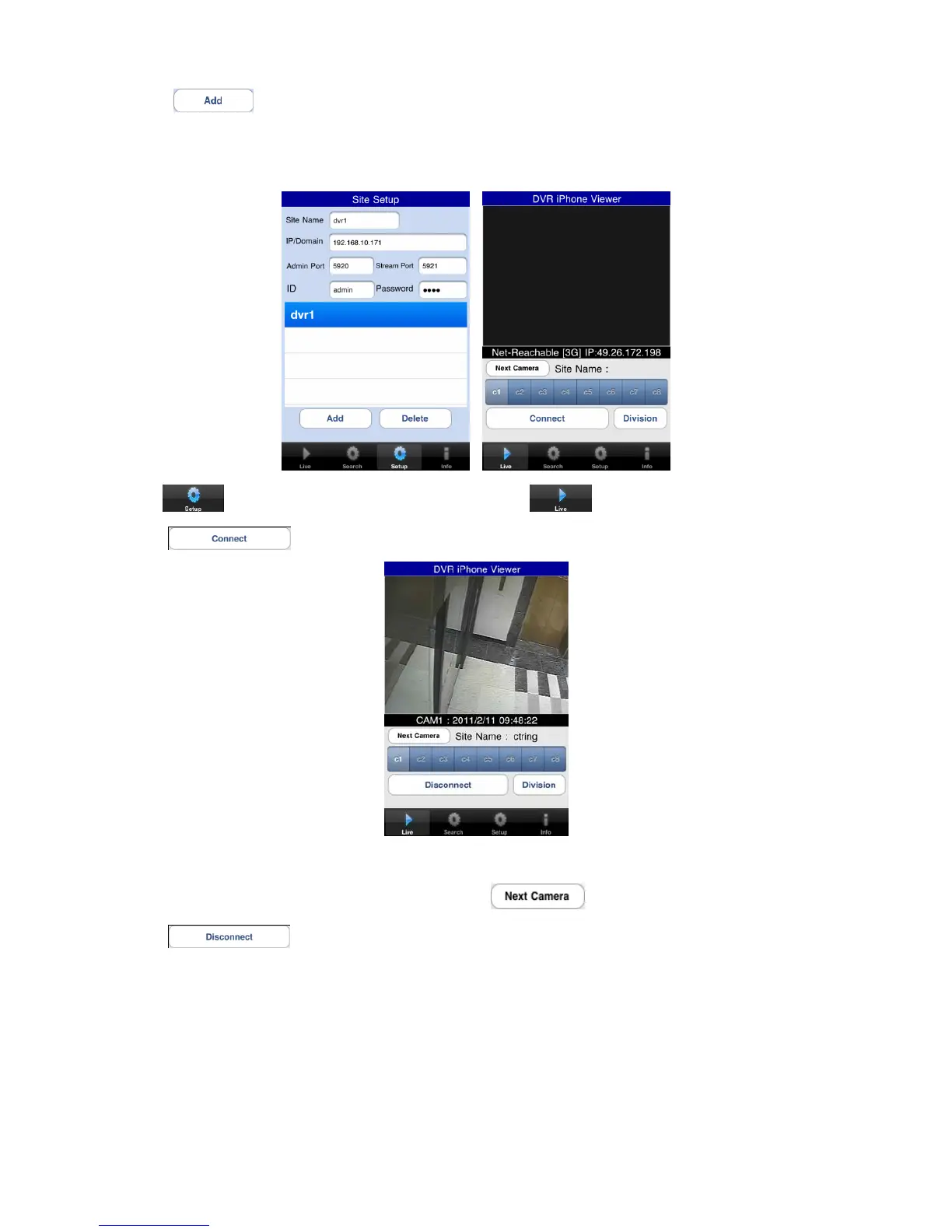
Enter ID/Password.
Click “
” to save the setting.
12.1.4 Connection
On “
” window, click one of the registered site and click “ ”.
Click “
” to connect the DVR to the iPhone.
To select other channels, click the channel bar below the Site Name.
If users wish to change the channel among 9~16, then click “
”
Click “
” to change the display mode to 4ch, 9ch and 16ch.



 To Next Page