97
Enter Site Name and IP/Domain.
Enter Admin and Stream port.
Enter ID and Password.
Click “Add” to save the setting.
12.3.4 Connection
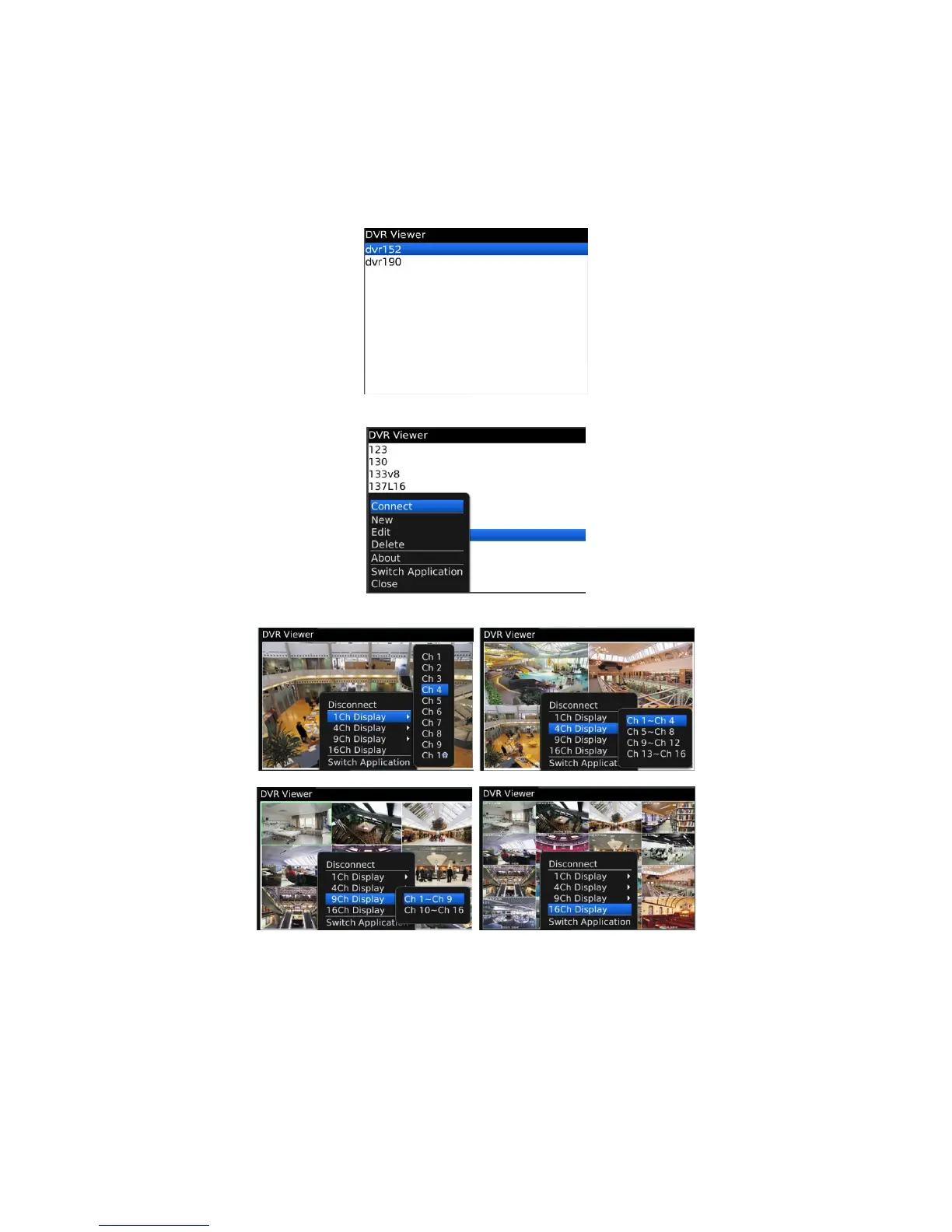
If the site is registered appropriately, the following screen will be shown.
Click “Menu>Connect” to connect the site.
Users can select the display mode from 1, 4, 9 and 16 multi view.
16 channel multi view is available for CIF resolution.
4 channel multi view is available for H.D1 and D1 resolution.
Only 1 channel view(full screen) is available for 720p and 1080p.
The message as below pops up when users try to see the multi view which exceeds its resolution.



 To Next Page