13
3. Input Device and Screen Icons
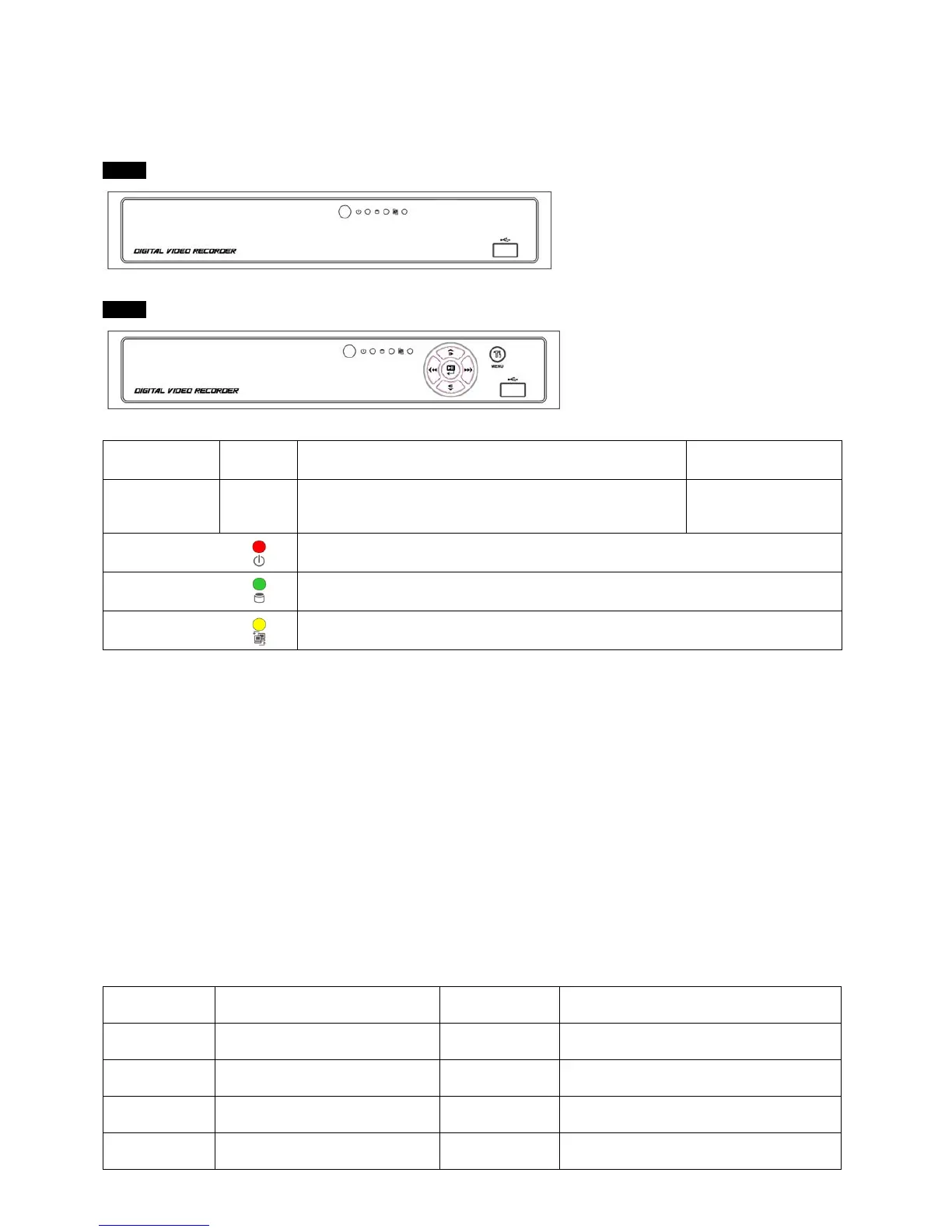
3.1 Front Panel
A Type
4 / 8 / 16 Channel DVR
B Type
4 / 8 / 16 Channel DVR
KEYS PTZ KEY Operating mode Setup mode
▲, ▼, ◄, ►
• Control Pan/Tilt rotation of up/down/left/right in PTZ mode
• Up/Down/Left/Right
on screen cursor
control
Power LED
(Red)
• Light off: DVR off
• Light on: DVR on
HDD LED
(Green)
• Light off: Stop recording
• Blink : Recording/Playback modes (HDD Access), Archive in operation
Network LED
(Yellow)
• Light off: failed to connect to Ethernet
• Blink: Connected to Ethernet
3.2 Using a Remote Controller
Follow the procedure below when using the remote controller for multi DVRs.
① Check System ID (e.g., between 1 and 255) of the DVR that wish to use.
- (SETUP>SYSTEM>Information>Status>System ID).
② Holding up the remote controller to face towards the DVR and press the System ID numbers one by one, while pressing
ID button on the remote controller. Note that the System ID is a 3-digit number. Button ‘10’ functions the same as ‘0’.
- (e.g.: If System ID is 3, press 10>10>3 buttons in sequence while pressing the ID button)
3.3 Using a Mouse
Mouse provides an easier access to adjustment. Refer to below for proper use.
Left mouse button functions the same as Enter ( ) key on the front panel of DVR.
Right mouse button displays the following “Function keys” on screen.
Click Search menu at “Function Keys” the same as Search key on the front panel of DVR. Press the button, then the Search
menu will appear on screen.
Name of Key
Function
Name of Key Function
Display Change display mode Event
Display System Log
Sequence
Display each channel sequentially
Search
Enter Search Mode
Spot Use spot monitor Setup
Enter Setup
Zoom Zoom in a camera Emergency
Activate Emergency record



 To Next Page
 Loading...