75
10.3 Watermark Check System
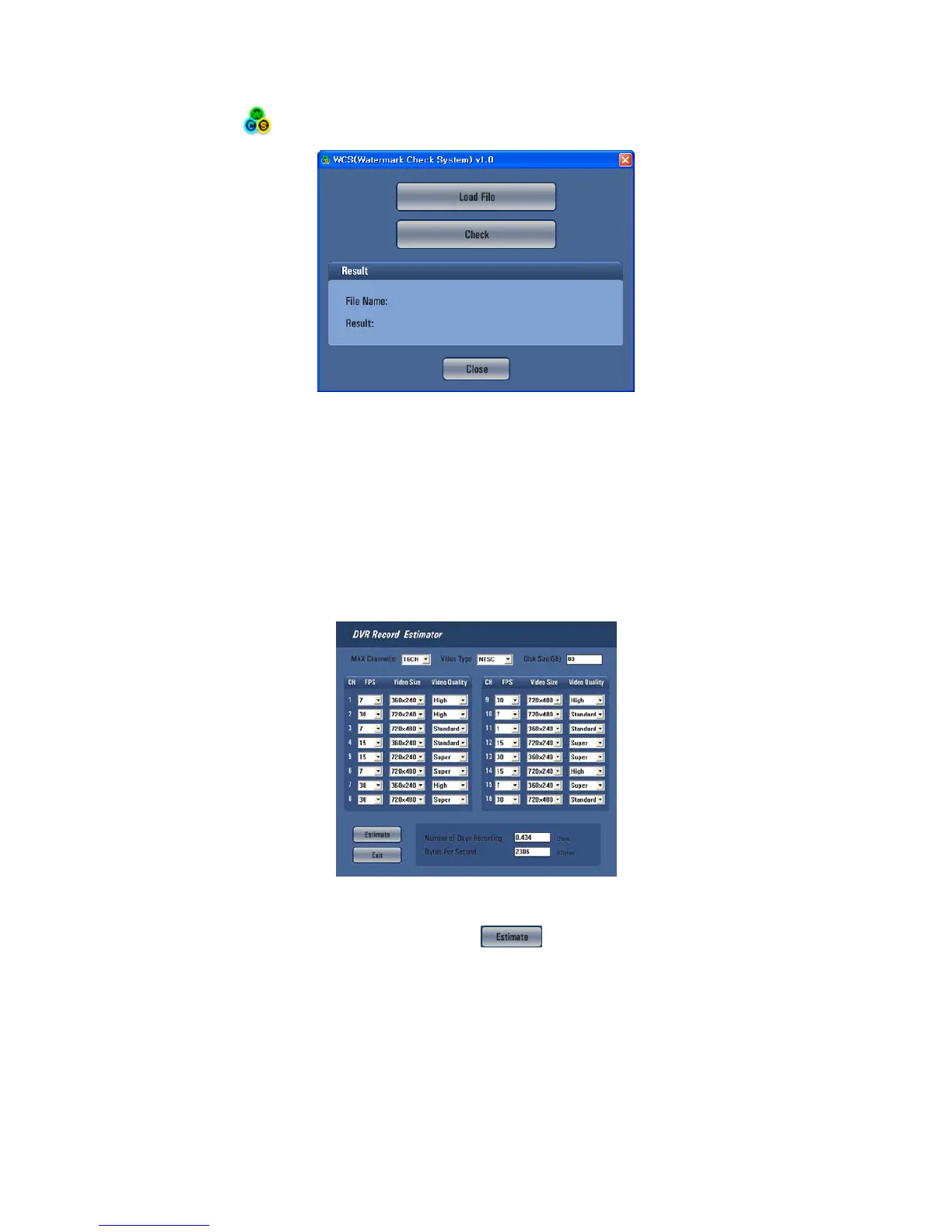
Mouse double click WCS.exe program in the CMS program folder (Default: C:\Program Files\CMS\WCS.exe).
To open the check .exe or .jpg or .bmp file just click Load File button.
To click the check button, user will get following message;
- Result:
- Verification OK !
- Corrupted or Modified
10.4 Estimator
After the installation of CMS program, the application, Estimator will be installed together.
The operation screen is as follows.
At Setup>Record>Setting, by changing Settings, you can estimate data size, maximum recording days in advance.
Set DVR channel, video type, hard disk size of use.
After setting FPS per channel, video size, video quality, click
button. Then the maximum recording days and
data size will show.
10.5 EXE to AVI Converter
Users are able to convert Archived file(EXE format) to AVI format.
Users will be required a converting codec between “ Microsoft MPEG-4 codec” and “XVID MPEG-4 codec” or able to use
both.
Both are able to download freely in many web-sites.
Select “Start>Programs>CMS>EXE to AVI” to open the program.


 To Next Page
 Loading...
