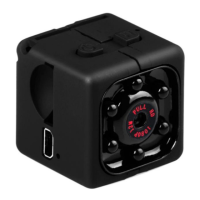
Open: boot any standby mode, press and hold the ON/OFF 2 seconds under
the red light flash 2 infrared night vision lamp open, can see video
Close: infrared night-vision light, no standby mode, press and hold the
ON/OFF 2 seconds, the red light flash 2 to shut down the infrared night vision
under the lamp.
Motion detecting mode
motion detecting: in blue light standby mode, press mode key for 3 seconds,
red light flashing on the long 3 under blue lights open motion detecting video
mode, both have detected objects move after, red and blue lights flash for 720
p mobile video at the same
time, a period of five minutes, automatic packaging to save, don't cover, cycle
cover ,there is no moving object standby all the time without electricity or T
card record. (click on any button 1 exit motion detecting mode) insert the T
card, external insert USB TV line, the external USB 5 v power supply, or
charging treasure, machines directly into 720 p video mode, no manual stop
has been recorded at the card with or without power, can also be manually
stop video switch any mode.
Invalid reset:
machine crashes, buttons, can't normal use, can use a sharp object to reset
reset hole insert to the machine, can use normally after reset.
Power off:
in the stop (video, pictures, motion detecting) function mode, the need to shut


 To Next Page
 Loading...