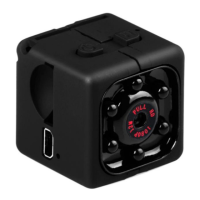
On standby and off, can be connected directly to the computer, connect the
computer after can be used as a U disk, files are free to copy, and paste,
delete, format the U disk.
Insert the machine into the computer USB port, the computer will pop up a few
seconds after removable disk logo, the blue indicator to identify USB device
can carry out data transmission, the red indicator for charging, the red light is
full of.
Reminder:
a. After the machine to connect the computer, if the computer can't identify, or
still did not pop up in 30 seconds removable disk logo, please reset to plug
again.
b. Suggest using the T card reader directly read the video files to play, and
play directly by USB connection in the video file, in this video recorder built-in
memory may be because the data volume is too big, transport couldn't keep
up with, to play not smooth.
Relevant parameter
Video format:AVI
Video coding:M-JPEG
video resolution ratio:720*480P 1280X720P 1920X1080P
Video frame rate:30 fps
Player software:operating system or bring the mainstream video player


 To Next Page
 Loading...