The Dynatron L3 is an all-in-one liquid cooler designed for CPUs, offering a comprehensive solution for thermal management in computer systems. This installation guide details the setup process for both Intel and AMD platforms, ensuring efficient heat dissipation and stable operation of the CPU.
Function Description:
The primary function of the L3 liquid cooler is to efficiently transfer heat away from the CPU, preventing overheating and maintaining optimal operating temperatures. This is achieved through a closed-loop liquid cooling system that circulates a coolant through a cold plate, radiator, and pump. The cold plate, in direct contact with the CPU, absorbs heat, which is then carried by the coolant to the radiator. The radiator, equipped with fans, dissipates this heat into the surrounding air. This process ensures that the CPU can operate at its peak performance without thermal throttling, which is crucial for demanding applications, gaming, and overclocking. The "all-in-one" designation means that the unit comes pre-assembled and pre-filled with coolant, simplifying the installation process and eliminating the need for custom loop building, which can be complex and time-consuming for many users.
Important Technical Specifications (Inferred from Installation Guide):
- Compatibility:
- Intel Sockets: LGA775, LGA115X (LGA1150, LGA1151, LGA1155, LGA1156), LGA1356, LGA1366, LGA1700, LGA2011, LGA2066. The backplate provided with the L3 cooler is designed with adjustable positions to accommodate these various Intel socket types, indicated by markings on the backplate itself.
- AMD Sockets: The guide indicates compatibility with AMD platforms, requiring the removal of the stock AMD retention module from the motherboard and the use of the provided AMD retention bracket and screws. Specific AMD socket names are not explicitly listed but are implied by the general "AMD" compatibility.
- Components:
- L3 Liquid Cooler Unit (A): This is the main assembly comprising the cold plate, pump, tubing, radiator, and fans. The image shows a radiator with three fans, suggesting a triple-fan configuration for enhanced cooling performance.
- Intel Backplate (B): A universal backplate designed to support various Intel sockets. It features adjustable screw positions to match the mounting holes of different motherboard types.
- Intel Retention Bracket (C): This bracket secures the cold plate to the Intel motherboard, fitting over the CPU and attaching to the backplate via screws.
- AMD Retention Bracket (D): This bracket is specifically designed for AMD motherboards, securing the cold plate to the CPU after the stock retention module is removed.
- AMD Screws (E): Screws used to mount the AMD retention bracket and cold plate to the AMD motherboard.
- Intel 775/115X/1200/1356/1366/1700 Screws (F): A set of screws specifically for the listed Intel sockets, used to secure the Intel retention bracket to the backplate.
- Intel 2011/2066 Screws (G): Screws tailored for Intel LGA2011 and LGA2066 sockets, which often have integrated backplates or different mounting requirements.
- Extra Screws (H, I): Additional screws provided, likely for mounting the radiator fans to the chassis or as spares.
- Power Connectors: The cooler requires power connections for both the pump and the fans. The guide instructs connecting these to the motherboard's "PUMP" and "CPU FAN" headers, respectively. This allows the motherboard to monitor and control the pump and fan speeds for optimal performance and noise levels.
Usage Features:
- All-In-One Design: The pre-assembled and pre-filled nature of the L3 simplifies installation significantly compared to custom liquid cooling loops. Users do not need to deal with coolant filling, leak testing, or complex tube routing.
- Broad Compatibility: The inclusion of mounting hardware for a wide range of both Intel and AMD sockets makes the L3 a versatile cooling solution suitable for many different PC builds and upgrades.
- Dedicated Mounting Hardware: Specific screws and brackets for different socket types ensure a secure and proper fit, which is critical for effective heat transfer.
- Clear Installation Steps: The guide provides a step-by-step visual and textual instruction set, making the installation process accessible even for users with limited experience in PC building. Each step is clearly delineated, reducing ambiguity.
- Adjustable Intel Backplate: The Intel backplate features adjustable positions (LGA775, LGA115X, LGA1366/2011/2066, LGA1700) to ensure a correct fit for various Intel motherboards. This adaptability is a key usage feature, as it means one backplate can serve multiple generations of Intel CPUs.
- Standard Fan and Pump Headers: Utilizing standard "PUMP" and "CPU FAN" headers on the motherboard allows for easy integration with existing system monitoring and control software, enabling users to manage cooling performance and acoustics.
Maintenance Features:
- Closed-Loop System: As an all-in-one (AIO) cooler, the L3 is a sealed unit. This means there is no need for regular coolant top-ups or maintenance typically associated with open-loop custom cooling systems. The coolant is designed to last the lifetime of the product.
- Dust Management (Implied): While not explicitly stated as a maintenance feature, the fans on the radiator will inevitably accumulate dust over time. Regular cleaning of the radiator fins and fan blades with compressed air is recommended to maintain optimal airflow and cooling efficiency. The design of the radiator and fans appears standard, allowing for easy access for cleaning.
- No Leak Maintenance: The factory-sealed nature of the AIO unit significantly reduces the risk of leaks compared to custom loops, thereby minimizing maintenance concerns related to fluid levels or component integrity.
- Component Longevity (Implied): The quality of the pump and fans will determine the overall lifespan of the cooler. While specific MTBF (Mean Time Between Failures) figures are not provided, AIO coolers are generally designed for long-term, maintenance-free operation under normal conditions.
- Installation Simplicity for Future Upgrades: Should a user upgrade their CPU or motherboard, the modular design of the mounting hardware (separate brackets for Intel/AMD, different screw sets) means that the cooler can potentially be re-used with new components, provided they fall within the supported socket types. This reduces waste and offers flexibility.
In summary, the Dynatron L3 All-In-One Liquid Cooler is a robust and user-friendly cooling solution designed to provide efficient thermal management for a wide array of modern CPUs. Its all-in-one design, broad compatibility, and straightforward installation process make it an attractive option for PC builders seeking high performance without the complexities of custom liquid cooling. The sealed nature of the unit also translates to minimal ongoing maintenance, primarily focusing on keeping the radiator and fans free from dust.

 Need help?
 General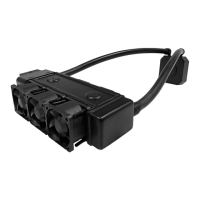

 To Next Page