5
9
6
0
7
4
8
1 2
3
ASPECT
REC
GUIDE
V
+
-
V
MENU
SOURCE
ENTER
EXIT
DISPLAY
SLEEP
P.MODE S.MODE
LIST
MTS
INDEX
CANCEL TTX
SUB.PG
REVEAL
MIX
HOME
CH
+
-
CH
CAP
FAV
SUBTITLE
SIZE/MOUSE
HOLD/REFRESH
TV/RADIO
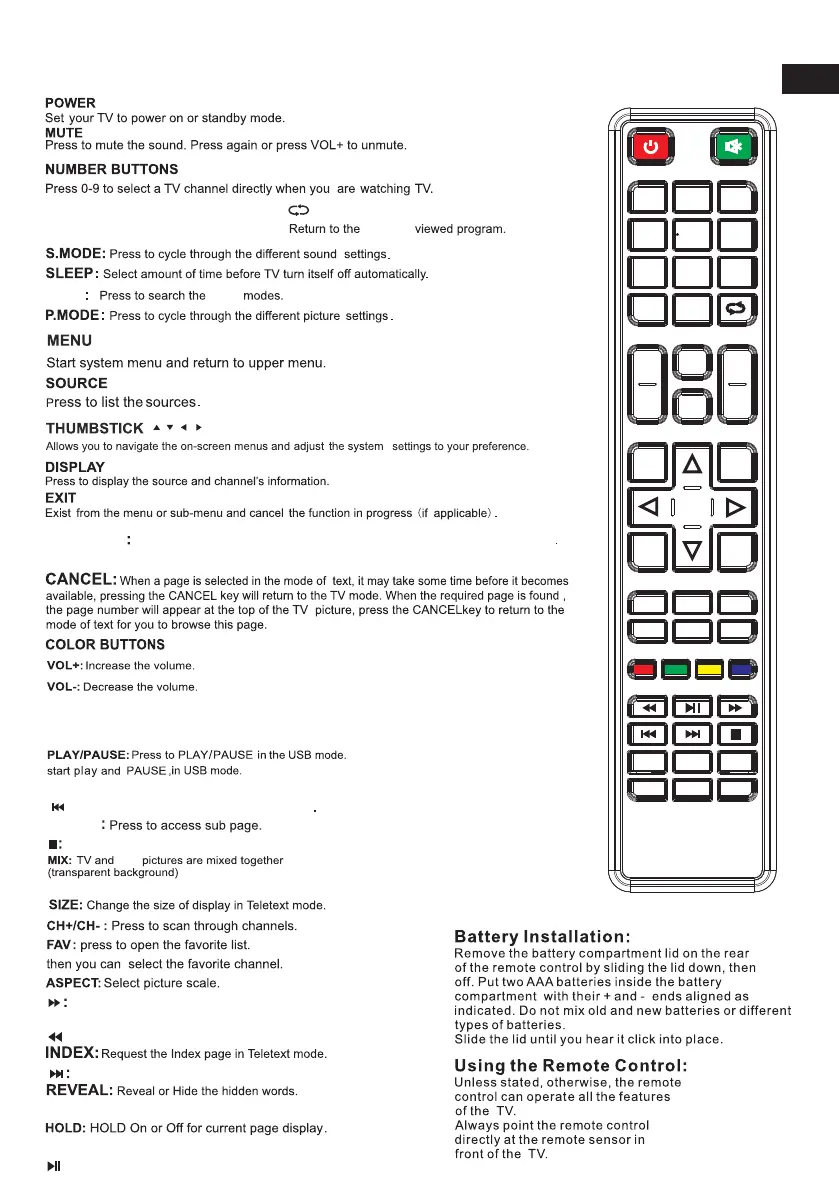
Remote Controller:
previous
MTS
TV/RADIO
When watching channel,allows you to switch between TV and Radio modes
GUIDE:Launches the EPG (Electronic Program
Guide).
mode.
Previous chapter in PVR or Media Player mode
:
fast forward in PVR or Media Player mode.
Next chapter in PVR or Media Player mode.
SUB.PG
SUBTITLE:To show and set the language of current DTV.
Switch the teletext on and off.
TTX:
REC: Record begin in PVR mode.
( / / / /ENTRE)
Exit the playing function in PVR or Media Player
mode.
REFRESH:
HOME: A key back to the android home page.
Refresh page.
MOUSE:Mouse switch.
CAP:A key to the current image is saved to the disk.
LIST:
Press to open the channels list.
MTS
TTX
:Fast reverse in PVR or Media Player
:play on PVR or Media Player mode.
EN



 To Next Page