11
10
USING YOUR DYSON APPLIANCE
PLEASE READ THE ‘IMPORTANT SAFETY INSTRUCTIONS’ IN THIS DYSON
OPERATING MANUAL BEFORE PROCEEDING.
CARRYING THE APPLIANCE
• Carry the appliance by the main handle on the body.
• Do not press the cyclone release button or shake the appliance when carrying,
or the cyclone could disengage, fall off and cause injury.
OPERATION
• Always extend the cable fully to the red tape before use.
• Plug the appliance into the mains electricity supply.
• To switch ‘ON’ or ‘OFF’ press the power button, located as shown.
• After use: unplug, retract the cable safely, put the appliance away.
• Switch ‘OFF’ the appliance and unplug before:
– adjusting the setting
– changing or using tools
– removing the hose or airway inspection parts.
BRUSH BAR
• The brush bar will always default to ‘ON’ (spinning) each time you switch
the appliance ‘ON’.
• To switch the brush bar ‘OFF’ (e.g for delicate flooring) press in the button
on the cleaner head.
• To switch the brush bar ‘ON’, pull out the button on the cleaner head only
enough so the brush bar engages.
• Brush bar control can be done only when the appliance is on.
• The brush bar will automatically stop if it becomes obstructed.
See ‘Brush bar – clearing obstructions’.
• Before vacuuming your flooring, rugs and carpets, check the manufacturer’s
recommended cleaning instructions.
• Some carpets may fuzz if a rotating brush bar is used when vacuuming. If this
happens, we recommend vacuuming in ‘hard floor’ mode and consulting
with the flooring manufacturer.
• The brush bar on the appliance may damage some carpet types. If you are
unsure, turn off the brush bar.
• This product has carbon fibre brushes. Take care if coming into contact with
them, as they may cause minor skin irritation. Wash your hands after handling
the brushes.
LOOKING AFTER YOUR DYSON APPLIANCE
• Do not carry out any maintenance or repair work other than that shown in this
Dyson Operating Manual, or advised by the Dyson Helpline.
• Only use parts recommended by Dyson. If you do not this could invalidate
your guarantee.
• Store the appliance indoors. Do not use or store it below 0°C (32°F). Ensure
the appliance is at room temperature before operating.
• Clean the appliance only with a dry cloth. Do not use any lubricants, cleaning
agents, polishes or air fresheners on any part of the appliance.
• If used in a garage, always wipe the base plate and ball with a dry cloth after
vacuuming to clean off any sand, dirt, or pebbles that could damage
delicate floors.
VACUUMING - CAUTION
• Do not use without the clear bin and filters in place.
• Fine dust such as plaster dust or flour should only be vacuumed in very
small amounts.
• Do not use the appliance to pick up sharp hard objects, small toys, pins, paper
clips, etc. They may damage the appliance.
• When vacuuming, certain carpets may generate small static charges in the
clear bin or wand. These are harmless and are not associated with the mains
electricity supply. To minimise any effect from this, do not put your hand or
insert any object into the clear bin unless you have first emptied it and rinsed it
out with cold water (see ‘Cleaning the clear bin’).
• Do not work with the appliance above you on the stairs.
• Do not put the appliance on chairs, tables, etc.
• Before vacuuming highly polished floors, such as wood or lino, first check that
the underside of the floor tool and its brushes are free from foreign objects that
could cause marking.
• Do not push hard with the floor tool when vacuuming, as this may
cause damage.
• Do not leave the cleaner head in one place on delicate floors.
• On waxed floors the movement of the cleaner head may create an uneven
lustre. If this happens, wipe with a damp cloth, polish the area with wax, and
wait for it to dry.
EMPTYING THE CLEAR BIN
• Empty as soon as the dirt reaches the level of the MAX mark – do not overfill.
• Switch ‘OFF’ and unplug before emptying the clear bin.
• To remove the cyclone and clear bin unit, push the release button to the side of
the carrying handle, as shown. The carrying handle will be released.
• Remove the cyclone and clear bin unit.
• To release the dirt, press the red bin release button.
• To minimise dust/allergen contact when emptying, encase the clear bin tightly
in a plastic bag and empty. Remove the clear bin carefully and seal bag tightly,
dispose as normal.
• Close the clear bin base so it clicks into place and is secure.
• Place the clear bin and cyclone unit into position on the front of the main body
of the appliance. The recess in the base of the clear bin must fit onto the lug on
the locator bracket.
• Push the carrying handle down so it clicks into place on the top of the clear bin
and cyclone unit. Ensure it is secure.
CLEANING THE CLEAR BIN
• Remove the cyclone and clear bin unit, and then open the bin base
(instructions above).
• To separate the cyclone unit from the clear bin press the small silver button on
the cyclone. Separate the cyclone from the clear bin.
• Clean the clear bin with cold water only.
• Do not use detergents, polishes or air fresheners to clean the clear bin.
• Do not put clear bin in a dishwasher.
• Do not immerse the whole cyclone unit in water or pour water into it.
• Clean the cyclone shroud with a dry cloth or dry brush to remove lint and dust.
• Ensure the clear bin is completely dry before replacing.
• To replace, first close the clear bin base so it clicks into place and is secure.
• Fit the clear bin onto the cyclone. To secure it, first fit the slot on the front rim
of the clear bin onto the lug on the front of the cyclone; then push the rear of
the clear bin into place so the silver button engages and clicks into place.
• Fit the cyclone and clear bin unit onto the appliance (instructions above).
WASHING THE FILTERS
• Your appliance has two washable filters, located as shown.
• Check and wash the filters regularly according to instructions to maintain
performance.
• Switch ‘OFF’ and unplug before checking or removing the filters.
• The filters may require more frequent washing if vacuuming fine dust.
• Wash the filters with cold water only. Do not use detergents.
• Do not put the filters in a dishwasher, washing machine, tumble dryer, oven,
microwave or near a naked flame.
• To access filter A, first remove the clear bin and cyclone unit (instructions
above). Lift out the filter.
• Wash the filter with cold water only. Hold under a tap and run water through
the open end for 10 seconds. Turn upside down and tap out.
• Squeeze and twist with both hands to make sure the excess water is removed.
• Run water over the outside of the filter for 15 seconds.
• Squeeze and twist with both hands to make sure the excess water is removed.
• Stand the filter on its wide, open end to dry. Leave to dry completely for
24 hours.
• Replace the filter into the cyclone. Fit the cyclone and clear bin unit onto the
appliance (instructions above).
Filter B
• To remove filter B:
– Turn the central locking dial on the outer cover of the ball anti-clockwise
until the cover is released.
– Lift off the cover.
– To lift out the filter, place your fingers under the two raised tabs. Lift out the
filter. Use a constant, firm pressure.
• Filter B should be rinsed and tapped out until the water runs clean, then
tapped out again to ensure all excess water is removed. (Tap on the plastic
rim, not the filter material.) Leave to dry completely for 24 hours.
• It is normal for filter B to turn grey in colour.
• To refit filter B:
– Slide the filter back into the ball.
– Push the filter in until the tabs engage –you will hear a click when they do.
• Refit the outer cover of the ball.
When refitting the outer cover of the ball, keep turning the central locking dial
clockwise. When it starts to click it is locked.
• IMPORTANT: After washing please leave the filters at least 24 hours to dry
completely before refitting.”
BLOCKAGES – THERMAL CUT-OUT
• This appliance is fitted with an automatically resetting thermal cut-out.
• If any part becomes blocked the appliance may overheat and automatically
cut-out.
• If this happens, follow the instructions below in ‘Looking for blockages’.
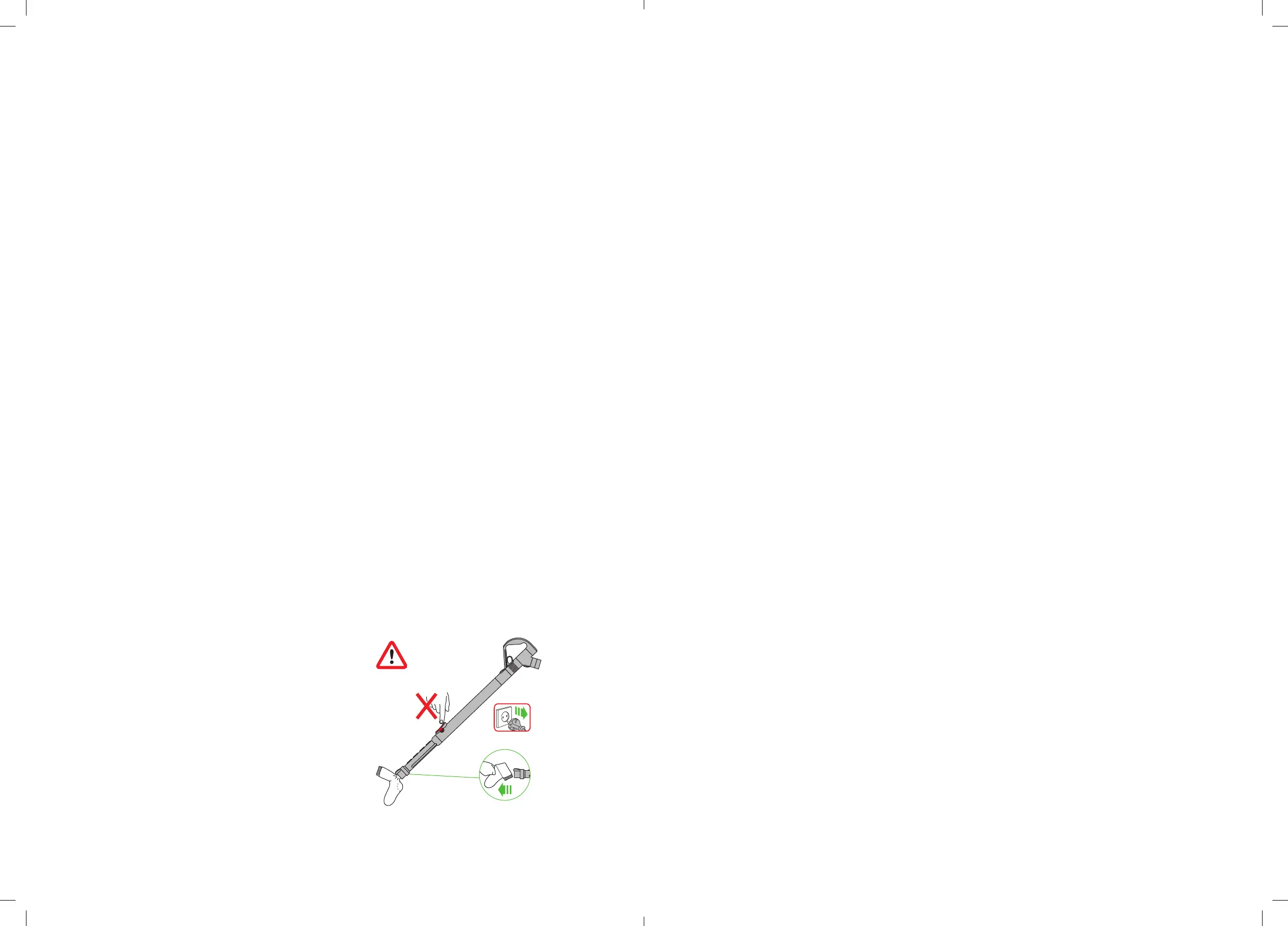
• NOTE: Large items may block the tools or wand inlet. If this happens, do not
operate the wand release catch. Switch ‘OFF’ and unplug. Failure to do so
could result in personal injury
1
2
3
LOOKING FOR BLOCKAGES
• Switch ‘OFF’ and unplug. Failure to do so could result in personal injury.
• Leave to cool down for 1-2 hours before checking the filter or for blockages.
• Beware of sharp objects when checking for blockages.
• To access the flexible inspection hose beneath the clear bin, first remove the
clear bin (see above).
• Unscrew the two Philips screws on the clear bin locator bracket. (Do not
remove any other screws.) Remove the bracket.
• Firmly twist the top of the flexible inspection hose away from the inlet next to
the ball (do not remove the end next to the connection for the main hose).
• Inspect for blockages.
• Clear any blockage before restarting.
• Refit all parts securely before using.
Clearing blockages is not covered by your guarantee.
BRUSH BAR – CLEARING OBSTRUCTIONS
• If your brush bar is obstructed, it may shut off. If this happens you will need to
remove the brush bar as shown.
• Switch ‘OFF’ and unplug before proceeding. Failure to do so could result in
personal injury.
• Remove the brush bar by using a coin to turn the fastener marked with a
padlock until it clicks.
• Beware of sharp objects when clearing obstructions.
• Replace the brush bar and secure it by tightening the fastener until it clicks.
Ensure it is fixed firmly before operating.
• Clearing brush bar obstructions is not covered by your guarantee.
• Take care if coming into contact with the carbon fibre brushes, as they may
cause minor skin irritation. Wash your hands after handling the brushes.
DISPOSAL INFORMATION
Dyson products are made from high grade recyclable materials. Please dispose
of this product responsibly and recycle where possible.
GUARANTEE TERMS & CONDITIONS
DYSON CUSTOMER CARE
If you have a question about your Dyson vacuum cleaner, call the Dyson
Customer Care Helpline with your serial number and details of where and when
you bought the vacuum cleaner, or contact us via the website. The serial number
can be found on the main body of the vacuum cleaner behind the clear bin.
Most questions can be solved over the phone by one of our Dyson Customer
Care Helpline staff.
If your vacuum cleaner needs service, call the Dyson Customer Care Helpline so
we can discuss the available options. If your vacuum cleaner is under guarantee,
and the repair is covered, it will be repaired at no cost.
PLEASE REGISTER AS A DYSON VACUUM OWNER
THANK YOU FOR CHOOSING TO BUY A DYSON APPLIANCE
To help us ensure you receive prompt and efficient service, please register as a
Dyson vacuum owner. There are two ways to do this:
• By Email
CN: china.service@dyson.com
HK: pidcs@jebsen.com
ID: cs.dyson@e-metrox.com
KR: dyson@cosmoco.co.kr
MY: dysonsupport@visionary.com.my
SG: service@ewpes.com.sg
TW: service@hlh.com.tw
• By calling the Dyson Customer Care Helpline.
This will confirm ownership of your Dyson vacuum cleaner in the event of an
insurance loss, and enable us to contact you if necessary.
LIMITED 5 YEAR GUARANTEE
Terms and conditions of the Dyson 5 year limited guarantee.
WHAT IS COVERED
• The repair or replacement of your Dyson vacuum cleaner (at Dyson’s
discretion) if your Dyson vacuum cleaner is found to be defective due to faulty
materials, workmanship or function within 5 years of purchase or delivery (if
any part is no longer available or out of manufacture Dyson will replace it with
a functional replacement part).
• Use of the Dyson vacuum cleaner in the country of purchase.
• You must provide proof of (both the original and any subsequent) delivery/
purchase before any work can be carried out on your Dyson vacuum cleaner.
Without this proof, any work carried out will be chargeable. Please keep your
receipt or delivery note.
WHAT IS NOT COVERED
• Dyson does not guarantee the repair or replacement of a product as a result
of:
• Normal wear and tear (e.g. fuse, brush bar, etc).
• Accidental damage, faults caused by negligent use or care, misuse, neglect,
careless operation or handling of the Dyson vacuum cleaner which is not in
accordance with the Dyson Operating Manual.
• Blockages – please refer to the Dyson Operating Manual for details of how to
unblock your Dyson vacuum cleaner.
• Use of the Dyson vacuum cleaner for anything other than normal domestic
household purposes.
• Use of parts not assembled or installed in accordance with the instructions
of Dyson.
• Use of parts and accessories which are not Dyson Genuine Components.
• Faulty installation (except where installed by Dyson).
• Repairs or alterations carried out by parties other than Dyson or its authorised
agents.
• If you are in any doubt as to what is covered by your guarantee, please call the
Dyson Customer Care Helpline.
SUMMARY OF COVER
• The guarantee becomes effective at the date of purchase (or the date of
delivery if this is later).
• All work will be carried out by Dyson or its authorised agents.
• Any parts which are replaced will become the property of Dyson.
• The repair or replacement of your Dyson vacuum cleaner under guarantee will
not extend the period of guarantee.
• The guarantee provides benefits which are additional to and do not affect your
statutory rights as a consumer.
ABOUT YOUR PRIVACY
Dyson may use this information for future marketing and research purposes
(including sending commercial electronic messages) and may disclose it to third
parties for the purposes of providing the services you have requested or to our
business partners or professional advisers. If you wish to access your personal
information or see our full privacy policy, please contact the Dyson Customer
Care Helpline.
PRODUCT INFORMATION
Please note: Small details may vary from those shown.


 To Next Page
 Loading...