5
Looking after your machine
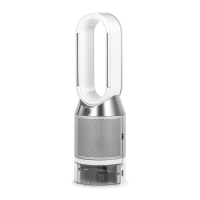
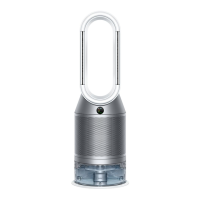
• To always get the best performance from your Dyson purifying
humidifying fan, it's important to regularly clean it and check
for blockages.
Cleaning
• If dust accumulates on the surface of your machine, wipe dust from the
loop amplifier, shrouds and other parts with a clean, dry cloth.
• Look for blockages in the air inlet holes on the shroud and the small
aperture inside the loop amplifier.
• Use a soft brush to remove dust and debris.
• Don't use detergents or polishes to clean your machine.
Deep cleaning your machine
Important: don't turn off or unplug your machine as the cleaning
instructions will appear on the screen.
• To always get the best performance from your Dyson purifying
humidifying fan, it is important to carry out regular deep cleaning to
remove any limescale.
• Your machine will alert you when it needs you to carry out a Deep
clean cycle.
• If you are connected to the MyDyson™app, you will receive a
notification message.
• If you are not using the MyDyson™app, the LCD screen on your
machine will alert you and the Deep clean cycle button will light up.
• Press the Deep clean cycle button on the front of your machine and
your instructions will be shown on the LCD screen.
• Push down on the shroud release buttons to remove the shrouds. The
inner door will spring open. Put the shrouds to one side as you carry
out the Deep clean cycle.
• Push down the water tank release buttons on the sides of
your machine.
• Slide the water tank out of your machine and unclip the cap.
• Remove the evaporator from your machine, place it in the water tank
and refit the cap.
• Carry the water tank to the tap by its handle.
• Remove the cap and evaporator. Fill the water tank halfway to the Max
level with cold tap water.
• Measure out 150g of citric acid powder and place it in the water tank.
• Agitate gently until all the citric acid powder has dissolved.
• Place the evaporator in the water tank. Fill the water tank to the Max
level with cold tap water.
• Replace the cap and secure the cap clips in place.
• Wipe off any excess water to avoid drips.
• Slide the water tank into your machine until it clicks securely in place.
• When prompted by the LCD screen, press the Deep clean cycle button.
• The Deep clean cycle will start and the LCD screen will show a
countdown timer.
• When the LCD screen shows the Deep clean cycle is complete, push
down the water tank release buttons on the sides of your machine.
• Slide the water tank out of your machine. Carry the water tank to the
tap by its handle.
• Unclip the cap, take the evaporator out of the water tank and rinse
under a cold tap.
• Wipe away any excess water to avoid drips and place the evaporator
to one side.
• Rinse the water tank under a cold tap. Wipe the inside of the tank to
remove any excess solution and any debris.
• Refill the water tank to the Max mark and wipe off any excess water
and replace the cap, making sure that the cap clips are secured.
• Push the evaporator back into your machine, making sure that it is
securely in position. Close the inner door and replace the shrouds.
• Slide the water tank back into your machine and make sure it is
securely in place.
• To cancel the Deep clean cycle at any point, press and hold the Deep
clean cycle button for five seconds.
Replaceable parts
• Your machine has replaceable filter units and batteries, any other
servicing must be carried out by an authorised service representative.
Battery replacement
Caution
• Unscrew the battery compartment on the remote control. Loosen the
base and pull to remove the battery.
• Do not install backwards or short circuit the batteries.
• Do not attempt to dismantle or charge the batteries. Keep away
from fire.
• Follow battery manufacturers' instructions when installing new
batteries (battery type CR 2032).
• Always replace the screw in the remote control and refer to the battery
hazard in the warning section.
Non-washable filter units
• Your filter units are non-washable and non-recyclable.
• Failure to replace the filter units when prompted may result in changes
to product performance and appearance.
• Replacement filter units can be purchased at www.dyson.com or via
the MyDyson™app.


 To Next Page
 Loading...