

EasyManua.ls Logo

e-mo M12 - User Manual

e-mo M12
2 pages
Print Icon
To Next Page IconTo Next Page
Loading...
0.0000
00
0
Mph
Km/h
KmODO
TRIP Mile
1. Brake handle
2. Headlight
3. Speed grip
4. Cruise
5. Fault code
6. Speed
7. Throttle
8. Gear
9. Trip(One-way mileage)
M12 scooter display instruction
1. Switch on and off
In the off state, press and hold the power button for 2 seconds to turn on.
In the on state, press and hold the power button for 2 seconds to turn off.
When turned on, the left and right lights will flash.
2. Gear switching
Press the gear plus button, the gear will increase by 1, up to 3
Press the gear minus button, the gear will decrease by 1, lowest to 1
3. Headlight
Press the middle power button shortly to switch on and off the headlights.
The headlights are on, the icon is on, the headlights are off, and the icon is dark.
4. Speed display
The speed can be displayed normally, how much the speed is, how many the speed number is on.
When there is speed, the speed grip icon will breathe.
5. Throttle
Press the throttle to drive
6. Brake
Press the brake to stop the scooter and the brake light will flash.
7. Battery power
Above 40v is 5 grids;
Above 37.5v is 4 grids;
Above 35.5v is 3 grids;
Above 33.3v is 2 grids;
Above 32.2v is 1 grid;
Lower 31.1v 0 grid, the power icon is flashing.
10. ODO (total mileage)
11. Mileage
12. Gear plus button
13. Power button
14. Gear minus button
15. Mile
16. KM
17. Battery power
8
10
9
11
12 13 14
15
16
17
2
7
1
3
4
5
6
Question and Answer IconNeed help?

Do you have a question about the e-mo M12 and is the answer not in the manual?

Overview

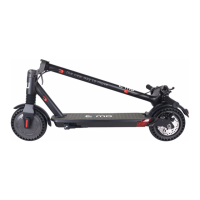
The M12 scooter is an electric scooter with a display that provides various information and controls for its operation.

Function Description

The scooter features a display that shows essential information such as speed, gear, mileage, and battery power. It includes a brake handle, headlight, speed grip, and throttle for control. The display also indicates fault codes, which help in diagnosing issues.

Important Technical Specifications

Speed:

  • Gear 1: 10 KM/H
  • Gear 2: 15 KM/H
  • Gear 3: 20 KM/H

Battery Power Indication:

  • Above 40V: 5 grids
  • Above 37.5V: 4 grids
  • Above 35.5V: 3 grids
  • Above 33.3V: 2 grids
  • Above 32.2V: 1 grid
  • Lower 31.1V: 0 grids (power icon flashing)

Current Limiting:

  • Motor current limit: 16A

Fault Codes:

  • E1: Communication failure
  • E2: Hall fault
  • E5: Voltage is too low (31V)
  • E6: Stall protection
  • E7: Throttle abnormal or speeding
  • E8: Hardware overcurrent

Usage Features

Switch On and Off: To turn on, press and hold the power button for 2 seconds. The left and right lights will flash upon startup. To turn off, press and hold the power button for 2 seconds.

Gear Switching: The scooter has three gears. Press the "gear plus" button to increase the gear (up to 3) and the "gear minus" button to decrease the gear (lowest to 1).

Headlight Control: Press the middle power button briefly to toggle the headlights on or off. The headlight icon on the display illuminates when the headlights are on and darkens when they are off.

Speed Display: The display shows the current speed. When the scooter is moving, the speed grip icon on the display will "breathe."

Throttle: Pressing the throttle engages the motor and drives the scooter.

Brake: Pressing the brake handle stops the scooter, and the brake light will flash.

Function Settings: To enter the setting mode, press and hold the "gear plus" button for 2 seconds.

  • In setting mode, short press the "gear plus" button to switch between setting items.
  • Short press the "gear minus" button to switch functions within a setting item.
  • P0: Switches between mile and kilometer units.
  • P1: Switches between TRIP (one-way mileage) and ODO (total mileage).
  • A0: Disables cruise control.
  • A1: Enables cruise control.
  • b0: Enables zero start (motor starts immediately upon throttle input).
  • b1: Enables non-zero start (motor requires an initial push before throttle input is effective). To exit the setting mode, press and hold the "gear plus" button for 2 seconds, or it will automatically exit after approximately 40 seconds of inactivity.

Forced Shutdown and Automatic Shutdown: To force a shutdown, press and hold the power button for 8 seconds. The scooter will automatically shut down after 10 minutes of no operation.

Cruise Control: To activate cruise control, maintain the throttle for approximately 6 seconds. The cruise icon on the display will light up, and a buzzer will sound.

Assisted Start: With assisted start enabled (b1), the motor will only start after the scooter reaches an initial speed, requiring a push-off. If not enabled (b0), the motor starts directly with throttle input.

Buzzer: The scooter emits a sound when it is turned on and off. It also produces sounds when the "plus" and "minus" keys are pressed and when the headlights are turned on. When the battery is low, the buzzer will sound 5 times.

Maintenance Features

Fault Code Display: The display shows fault codes (E1, E2, E5, E6, E7, E8) to help identify and troubleshoot potential issues with communication, Hall sensor, voltage, motor stall, throttle, or hardware overcurrent. This feature aids in diagnosing problems and facilitates maintenance.
e-mo M12 Specifications

General IconGeneral
Brande-mo
ModelM12
CategoryScooter
LanguageEnglish