Charge your tabeo
™
Set your volume controls
Turn on your tabeo
™
1
3
2
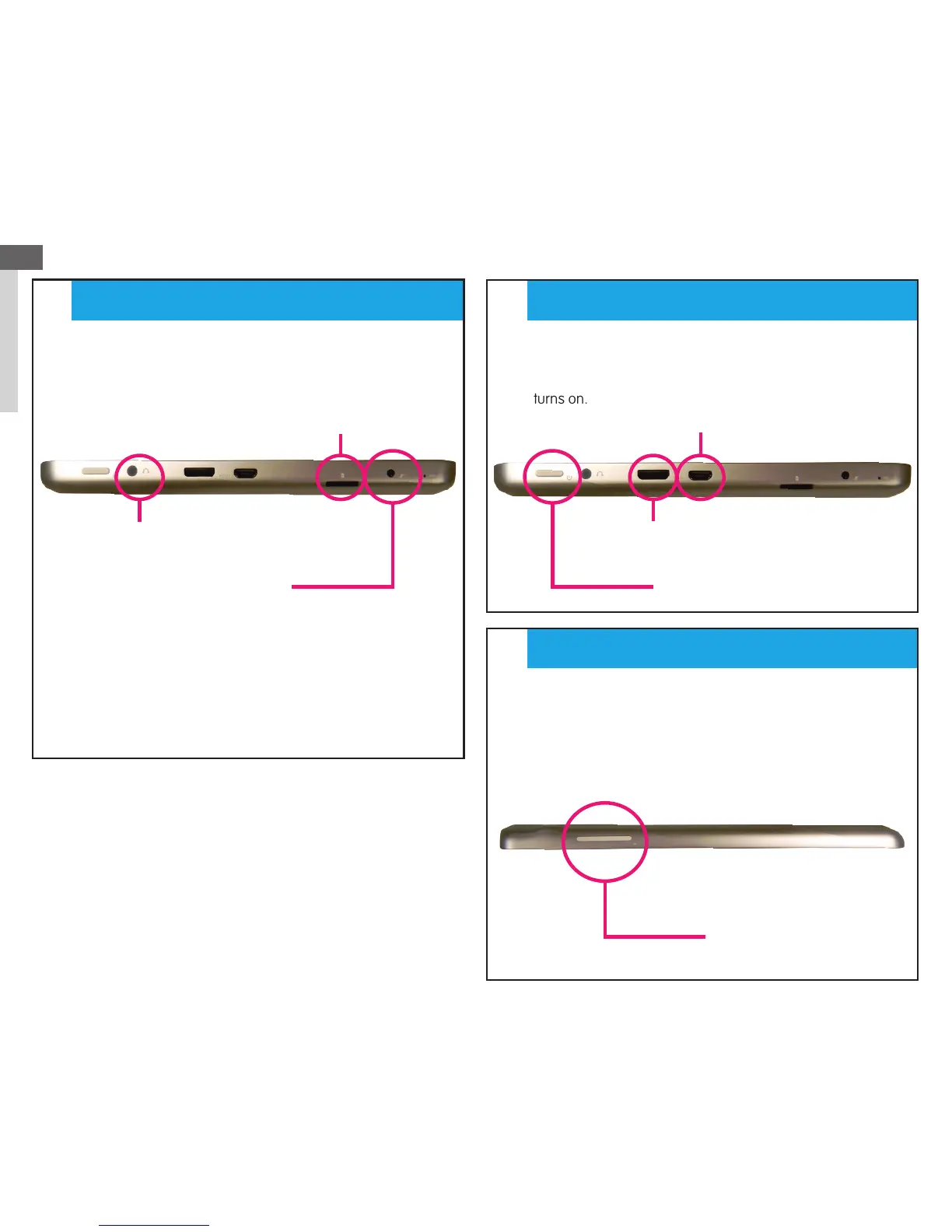
•The power button on your tabeo
™
is located on the left
side of the tablet next to a variety of ports. To power on the
tabeo
™
, press and hold the power button until the device
turns on.
•The tabeo
™
charging port can be found in between the
microphone port and the MicroSD card reader on the left
side of the tablet.
•Use the physical button on the top of the tablet.
Volume down (-) is on the left, and volume up (+) on the right.
EN
1
Charging Port
Headphone Jack
Micro SD Slot
Micro USB Port
Mini HDMI Port
Power Button
Volume Button
STEP
STEP
STEP
* We recommend charging for a few
hours before you start the set-up process.


 To Next Page
 Loading...