ENGLISH 9 ENGLISH 10
8. Low battery indication:
The low battery icon “ ” will appear at particular channel indicating that thermo sensor
unit of the channel is in low battery status. The battery should be replaced.
9. Backlight
Press “SNOOZE/LIGHT” button (B2), back light states for 5 seconds.
10. Precautions
• Use a pin to press the reset button (B9) if the Unit does not work properly.
• All Setting Modes will automatically exit in 15 seconds without any adjustment.
• The clock loses its time information when the battery is removed.
• Avoid placing the clock near interference sources/metal frames such as computer or
TV sets.
• Do not expose it to direct sunlight, heavy heat, cold, high humidity or wet areas
• The outdoor sensor must not be set up and installed under water. Set it up in away
direct sunlight and Rain
• Never clean the device using abrasive or corrosive materials or products. Abrasive
cleaning agents may scratch plastic parts and corrode electronic circuits
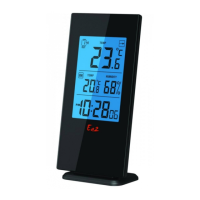
Indoor Data:
Temperature range: 0 to 50°C [32 to 122°F]
Temperature Units Measured: °C or °F [switchable]
Humidity Range: 20% to 99%
Outdoor Data:
Transmission distance: (open area) 30m @ 433MHz
Temperature range: -40 to 50°C [-40 to 122°F]
Mount: wall / table
Main Unit Dimensions: w80 x h158 x d19 mm
Thermo Sensor Dimensions: w65 x h84 x d18 mm
Battery Requirements:
Base Station [indoor]: 3 x AAA batteries
Sensors [outdoor]: 2 x AAA batteries
11. Specications


 To Next Page