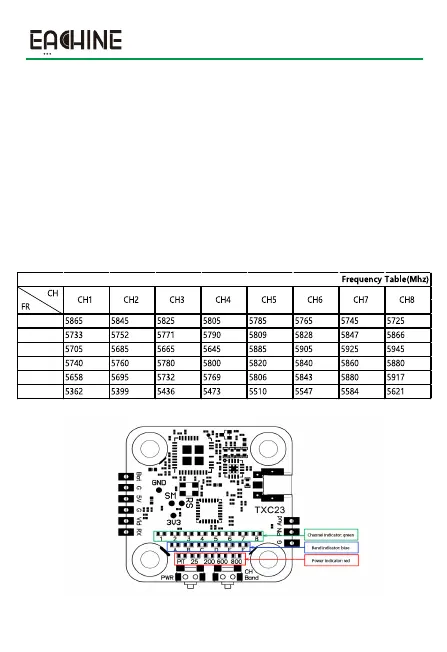
Power button settings:
1. Click the button to switch power. The power of this VTX is switched and
cycled in the order of PIT→25mw→200mw→600mw→800mw.
2. Press and hold the button for more than 2 seconds to switch directly to PIT
from the current transmit power;
CH/FR button settings:
1. Click the button to switch channels, and the channel switches and cycles in
the order of CH1, CH2, CH3...CH8 on the basis of the current channel;
2. Press and hold the button for over 2 seconds , and the band switches and
cycles in the order of A→B→E→F→R→L on the basis of the current band;
3
EACHINE TXC23 VTX
A
r
F
E
b
L


 To Next Page