EasyManua.ls Logo

Eagle Eye Networks DM08-2 - User Manual

Eagle Eye Networks DM08-2
4 pages
Print Icon
To Next Page IconTo Next Page
Loading...
Precautions
Please read this document thoroughly before
using this device, and strictly observe the rules in
this document when using this device. Failure to
correctly use electrical products may cause fire
and severe injuries. If you install this device in
public places, provide the tip "You have entered
the area of electronic surveillance" in an
eye-catching place.
Warning
Alerts you to moderate dangers which, if
not avoided, may cause minor or moderate
injuries.
Caution
Alerts you to risks. Neglect of these risks
may cause device damage, data loss,
device performance deterioration, or
unpredictable results.
Note
Provides additional information
Warning
Strictly observe installation requirements
when installing the device. The manufacturer
shall not be held responsible for device
damage caused by users' non-conformance to
these requirements.
Strictly conform to local electrical safety
standards and use power adapters that are
marked with the LPS standard when installing
and using this device. Otherwise, this device
may be damaged.
Use accessories delivered with this device.
The voltage must meet input voltage
requirements for this device.
If this device is installed in places with
unsteady voltage, ground this device to
discharge high energy such as electrical
surges in order to prevent the power supply
from burning out.
When this device is in use, ensure that no
water or any liquid flows into the device. If
water or liquid unexpectedly flows into the
device, immediately power off the device and
disconnect all cables (such as power and
network cables) from this device.
Do not focus strong light (such as bright bulbs
or sunlight) on this device. Otherwise, the
service life of the image sensor may be
shortened.
If this device is installed in places where
lightning frequently occurs, ground the device
nearby to discharge high energy in order to
prevent device damage.
Caution
Avoid heavy loads, intensive shakes, and
soaking to prevent damages during
transportation and storage. The warranty does
not cover any device damage that is caused
during secondary packaging and transportation
after the original packaging is taken apart.
Protect this device from falls and intensive
strikes, keep the device away from magnetic
field interference, and do not install the device
in places with shaking surfaces.
Clean the device with a soft dry cloth. For
stubborn dirt, dip the cloth into a neutral
cleanser, gently wipe the dirt with the cloth, and
then dry the device.
Do not jam the ventilation opening. Follow the
installation instructions below when installing
the device.
Keep the device away from heat sources such
as radiators, electric heaters, etc.
Keep the device away from places that are
moist, dusty, extremely hot or cold, or contain
strong electric radiation.
If the device is installed outdoors, take insect-
and moisture-proofing measures to avoid
circuit board corrosion that can affect
monitoring.
Remove the power plug if the device is unused
for a long time.
Before unpacking, check whether the fragile
sticker is damaged. If the fragile sticker is
damaged, contact customer services or sales
personnel. The manufacturer shall not be held
responsible for any artificial damage of the
fragile sticker.
Special Announcement
All complete products sold by the manufacturer
are delivered along with nameplates and
accessories after strict inspection. The
manufacturer shall not be held responsible for
counterfeit products.
This manual may contain misprints, technology
information that is not accurate enough, or
product function and operation description that is
slightly inconsistent with the actual product.

Question and Answer IconNeed help?

Do you have a question about the Eagle Eye Networks DM08-2 and is the answer not in the manual?

Overview

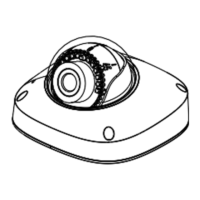
The Eagle Eye Networks Mini Dome Network Camera, model DM08-2, is a network camera designed for surveillance applications, offering features for both indoor and outdoor use. It is designed to be integrated with the Eagle Eye Cloud VMS for viewing and saving recordings.

Function Description:

The Mini Dome Network Camera captures video for surveillance purposes. It connects to a network via an Ethernet cable and can be powered through Power over Ethernet (PoE) or a 12V DC power supply. The camera supports various alarm inputs and outputs, allowing for integration with external alarm systems. It also features an SD card slot for local storage. The camera's IP address can be configured to be static, and it requires a login with a username and password for access and configuration. Once installed and configured, it can be added to the Eagle Eye Cloud VMS for remote monitoring and recording management.

Important Technical Specifications:

  • Model: DM08-2
  • Power Supply: 12V DC or Power over Ethernet (PoE)
  • Network Connection: Ethernet (RJ45)
  • Alarm Inputs: Two (OA, OB)
  • Alarm Outputs: Two (IN, OUT)
  • Audio: Audio input and output
  • Storage: SD card slot (supports up to 128GB)
  • Dimensions: Approximately 99.5mm (diameter) x 63mm (height)
  • Operating Temperature: -30°C to 60°C (-22°F to 140°F)
  • Humidity: 0% to 95% (non-condensing)
  • Ingress Protection: IP67 (dust and water resistant)
  • Impact Protection: IK10 (vandal-resistant)

Usage Features:

  • Installation Flexibility: Can be installed on ceilings or walls.
  • Easy Setup: Includes an installation sticker for precise drilling and mounting.
  • Adjustable Viewing Angle: The camera's lens can be adjusted for optimal coverage (pan 350°, tilt 90°, rotation 350°).
  • Network Connectivity: Connects to a standard Ethernet network, with LED indicators for network status and data transmission.
  • Power Options: Supports both PoE and 12V DC power, providing flexibility in power sourcing.
  • Alarm Integration: Features alarm input and output terminals for connecting to external alarm devices, enabling triggered actions based on events.
  • Audio Capabilities: Includes audio input and output for two-way communication or audio monitoring.
  • Local Storage: An SD card slot allows for local recording, providing a backup or alternative storage solution.
  • Remote Access: Integrates with the Eagle Eye Cloud VMS for remote viewing, management, and storage of recordings.
  • IP Configuration: Allows users to set a static IP address for consistent network access.
  • Security: Requires a username and password for access, with a recommendation to change the default password for enhanced security.
  • Multihead Cable: Provides multiple connections for network, power, alarm, and audio through a single cable.
  • Cable Outlets: Offers two outlets for cables (top and side) to accommodate different installation scenarios.

Maintenance Features:

  • Regular Cleaning: The device should be cleaned regularly with a soft, dry cloth to prevent dust accumulation and maintain optimal performance. Avoid using strong alkaline detergents or volatile solvents.
  • Firmware Updates: It is recommended to keep the device's firmware updated to ensure optimal performance and security.
  • Power Cycle: If the device malfunctions, a power cycle can sometimes resolve the issue.
  • Environmental Protection: Ensure the device is installed in a location that avoids direct sunlight, extreme temperatures, high humidity, and strong electromagnetic interference to prolong its lifespan.
  • Cable Management: Properly manage cables to prevent damage and ensure reliable connections. Avoid bending cables excessively or placing them under heavy objects.
  • Dome Cover Maintenance: The dome cover should be installed at least half an hour after the camera is powered on to avoid moisture influence.
  • Corrosion Prevention: For outdoor installations, ensure that all cable connections are properly sealed to prevent water ingress and corrosion.
  • Grounding: The device should be properly grounded to prevent damage from lightning strikes and static electricity.
  • Professional Installation: For complex installations or if unsure, professional assistance is recommended to ensure proper setup and avoid potential hazards.
  • Troubleshooting: The manual provides guidance on common issues and their resolutions, such as network connectivity problems or power supply issues.
  • Accessory Check: Regularly check the condition of accessories like the swell plastic buttons and screws to ensure secure mounting.
  • SD Card Maintenance: Periodically check the SD card for errors or capacity issues, and replace it if necessary.
  • Password Management: Regularly update the device's password and keep it secure to prevent unauthorized access.
  • VMS Integration: Ensure continuous connectivity to the Eagle Eye Cloud VMS for reliable recording and monitoring.

Eagle Eye Networks DM08-2 Specifications

General IconGeneral
BrandEagle Eye Networks
ModelDM08-2
CategorySecurity Camera
LanguageEnglish

Related product manuals