OPERATING INSTRUCTIONS
Model : ST-15M2
OPI No.:
PAGE :
DATE :
SIGN
&
DATE
PREPARED BY:
CHECKED BY:
APPROVED BY:
ISSUE # May/2007
EAPL
How to program the timer:
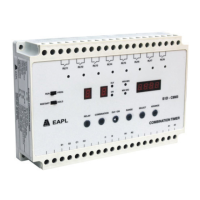
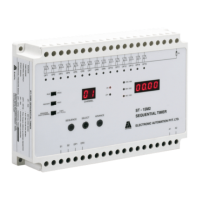
1. Slide the RUN / PROG switch to PROG mode.
2
3. Press ADVANCE to select the range (S/S , M/S , H/M ).
4. Press SELECT, Most significant digit starts flashing.
5. Press ADVANCE to increment the flashing digit.
nd
6. Press SELECT again, 2 digit starts flashing.
rd
7. Press SELECT again, 3 digit starts flashing.
th
8. Press SELECT again, 4 digit starts flashing 0. This digit cannot be advanced in S/S range. Press SELECT again
the set value is saved in memory, depending on the position of the switch (INDIVIDUAL or COPY ALL)
9. Timing display shows rng & OFF LED comes on.
10.Repeat steps from 3 to 8 to program OFF time.
st
11.After completion of 1 channel, press SEQUENCE to increment next channel, if individual programming is
selected.
12.Select the mode of operation (HOLD or RESTART) by moving the HOLD / RESTART slide switch.
After programming the timer, keep the RUN/PROG slide switch in the “RUN” position. Now the unit is ready for
operation.
How to initiate the sequence:
Short S1 & S2 and DP1 & DP2 Terminals
Timer starts operating with On time of the first channel followed by OFF time and then the next channel till channel
15. After the completion of 15 channels, timer comes back to first channel & continues as long as both S1 & S2 and
DP1 & DP2 are applied.
Caution:
While Timer is running, if S1, S2 or DP1, DP2 shorting is removed, timer completes the current channel and stops.
Upon shorting the signal timer starts from first channel or continues from the next channel depending on the position of
RESTART / HOLD switch.
Do not try to change any program parameters when the units is in run mode to avoid malfunctioning of the timer
. Apply rated voltage across A1 & A2, sequence display shows 01 timing display shows rng. ON LED comes on.
22/05/2007
02 0f 02
OPI/070


 To Previous Page
 Loading...