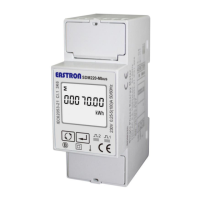
SDM230-LoRaWAN User Manual
2020 EASTRON EUROPE ALL RIGHTS RESERVED.
From the Set-up menu, use buttons to
select the JOIN DLY option.
Press
for 3s enter to the setting page.
Range: ON/OFF
Press
for 3s, the current option will flash.
Use
to choose the option.
Press for 3s to confirm.
4.3.6 OFF Line
This function is used to check the connection status between meter and the netwrok/gateway.
To check the connections, the network will send data to the end-device at intervals. If over a
period, the meter doesn’t receive data from gateway, the meter will be considered OFF line and it
will re-join the network.
Option: 0/ 30/ 60/ 90/ 120/ 150/ 180/ 210/ 240
minutes
Default: 60 minutes
60 minutes means from the last message received
from gateway, if over 60 minutes not receiving
message, the meter will be considered OFFLINE and
will re-join the network automatically.


 To Next Page
 Loading...