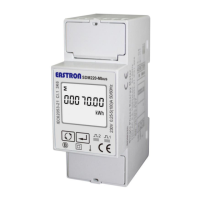
EASTRON SDM320-C User Manual
06-2018 V1.0
2018 EASTRON Electronic. All Rights Reserved. www.eastron.com.cn
Use and to enter the new
password. The range is from 0001 to 9999.
Keep press for 3s to confirm the
selection.
Keep pressing for 3 seconds, then use
to check the Alarm correlation
information: Alarm object, Alarm value, relay
status.
use to check the Alarm object: U, I, F, P,
q, s
(Note: not programmable)
use to check the Alarm value.
(Note: not programmable)
Keep pressing for 3 second, to set relay
status. Off means relay open, ON means relay
close.
(note: This option only can be set when the
alarm occurs and the relay opens. If you want to
solve this alarm, use this option to set relay
status “on”. Therefore, please make sure the
alarm object is troubleshooted before you do
this.
Keep pressing button to exit the set-up mold.


 To Next Page
 Loading...