4
1 Installing
Equalizer Kit
WARNING! Turn off the power before you begin
the installation. Use extreme caution and follow
instructions carefully.
— Install the components in the distribution box
according to the wiring diagram on the next
page.
WARNING! This product shall only be installed,
repaired or serviced by an authorised electrician.
All applicable local, regional and national
regulations for electrical installations must be
respected.
— Please check the safety instructions on
the manufacturer’s user guides for all the
components of the kit.
— Make sure you have enough space on the DIN
rail for all the components. Minimum required
space is 10 modules.
— If you need to move the Equalizer away
from the main fuse cabinet, the cable to the
modbus can be extended up to 200 meters.
Please use appropriate cable and cross
section.
— Get the WiFi password. Make sure the
Equalizer and the master charger(s) will be
connected to the same WiFi network. The
Equalizer needs to be connected to a WiFi
network to work properly.
— Main distribution unit or secondary
distribution unit / facade metre reader unit.
— Rogowski Coils must be fitted in the correct
order to read incoming power line.
— Fuse triple pole 10A (not included).
— Install the Easee Installer App on your phone
by using the QR code below.
TIPS! Prepare installation in a new encapsulation
(not included):
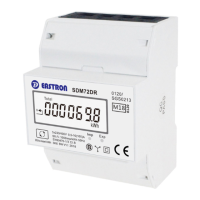
— 4 Modules for Eastron 3-phase meter reader.
— 3 Modules for Tufvasson’s electricity
transformer .
— 3 Modules for fuse 10A 3 pole (not included).
Before you start



 To Next Page
 Loading...