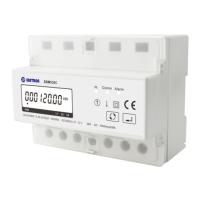
EASTRON SDM630MCT User Manual
Address: No.1369 Chengnan Road, Jiaxing, Zhejiang, 314001, China.
Tel: 0086-573-83698881/83698882 Fax: 0086-573-83698883 Web: www.eastron.com.cn
Repeat the procedure for the remaining
three digits.
2-4
After setting the last digit, SET will show.
Press to exit the number setting routine and return to the Set-up menu. SET will be
removed
DIT Demand Integration Time
This sets the period in minutes over which the current and power readings are integrated for
maximum demand measurement. The options are: off, 5, 8, 10, 15,20, 30, 60 minutes
From the set-up menu, use
and
buttons to select the DIT
option. The screen will show the
currently selected integration time.
Press
to enter the selection
routine. The current time interval will
flash.
2-2
Use
and
select the time required.



 To Next Page
 Loading...