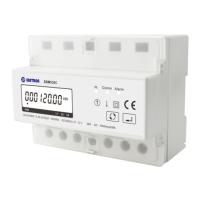
EASTRON SDM630MCT User Manual
Address: No.1369 Chengnan Road, Jiaxing, Zhejiang, 314001, China.
Tel: 0086-573-83698881/83698882 Fax: 0086-573-83698883 Web: www.eastron.com.cn
Start Up Screens
1
The first screen lights up
segments and can be used as a display
check.
2
The second screen indicates the
firmware installed in the unit and its
build number.
The interface performs a self-test and
indicates
the result if the test passes.
*After a short delay, the screen will display active energy measurements.
Measurements
The buttons operate as follows:
1
Selects the Voltage and Current display screens
In Set-
up Mode, this is the “Left” or “Back”
button.
Select the Frequency and Power factor display
screens
In Set-up Mode, this is the “Up” button
3
Select the Power display screens
In Set-up Mode, this is the “Down” button
4
Select the Energy display screens
In Set-
up mode, this is the “Enter” or “Right”
button
Voltage and Current
Each successive pressing of the
button selects a new range:



 To Next Page
 Loading...