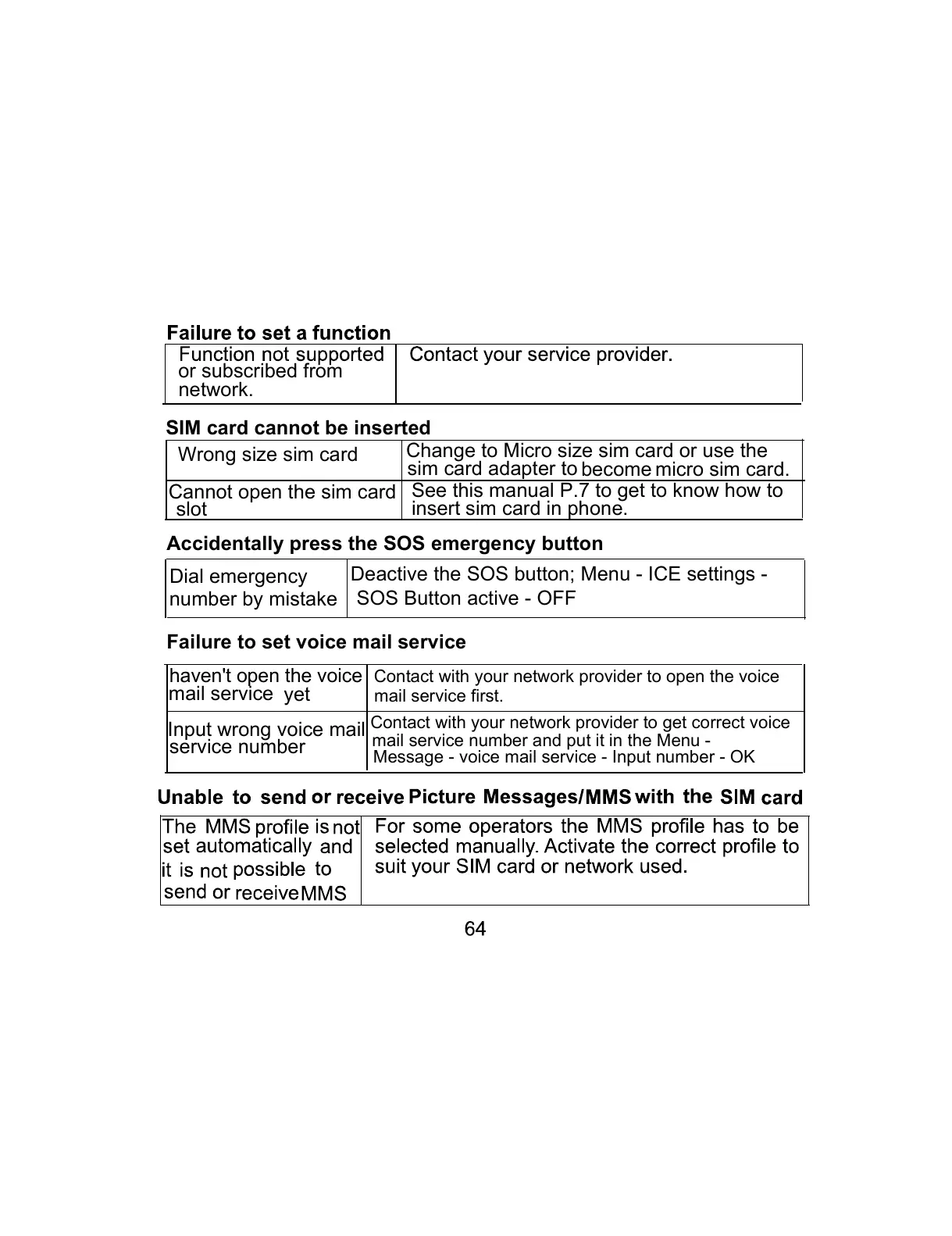
or subscribed from
network.
SIM card cannot be inserted
Wrong size sim card
Change to Micro size sim card or use the
sim card adapter to
micro sim card.become
Cannot open the sim card
slot
See this manual P.7 to get to know how to
insert sim card in phone.
Accidentally press the SOS emergency button
Dial emergency
number by mistake
Deactive the SOS button; Menu - ICE settings -
SOS Button active - OFF
Failure to set voice mail service
Input wrong voice mail
service number
Contact with your network provider to get correct voice
mail service number and put it in the Menu -
Message - voice mail service - Input number - OK
haven't open the voice
Contact with your network provider to open the voice
mail service first.
mail service
yet



 To Next Page