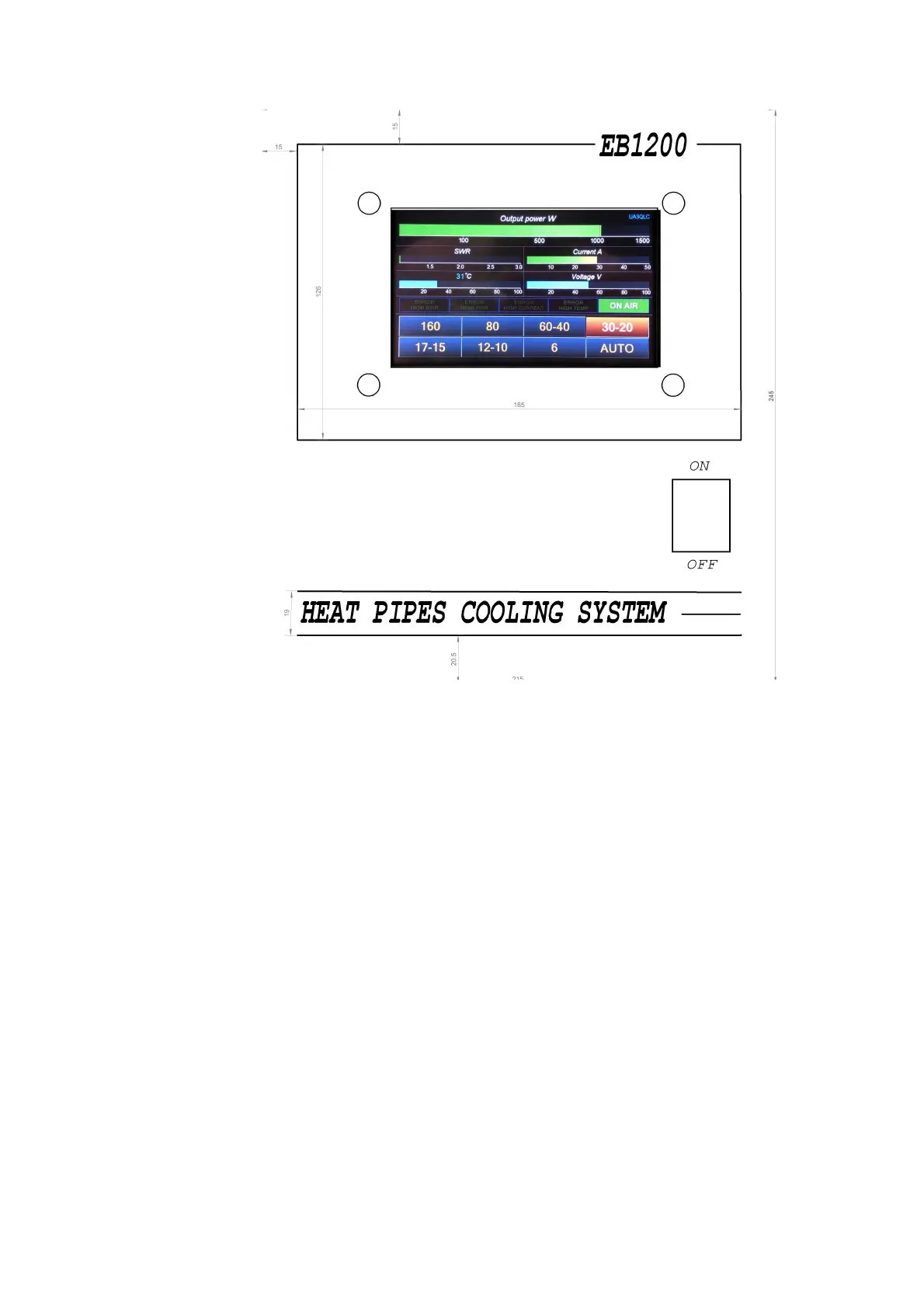
Front Panel Description
1. Rocker switch to turn the power amplifier on and off.
2. Indication and control:
Power output W – output power indicator
SWR — VSWR level
Current A – current in amperes
Temperature – amplifier temperature in degrees Celsius
Voltage V – supply voltage Volt
Error HIGH SWR – lights up red at the moment the protection is activated for
exceeding the permissible VSWR
Error HIGH PWR - lights up red when the protection is activated for exceeding
the permissible output power
Error HIGH CURRENT - lights up red when the overcurrent protection is
activated
ON AIR - green in transmission mode
160 — 1.8 MHz
80 — 3.5 MHz
40 — 7 MHz
30-20 — 10/14 MHz
17-15 — 18/21 MHz



 To Next Page