1
2
3
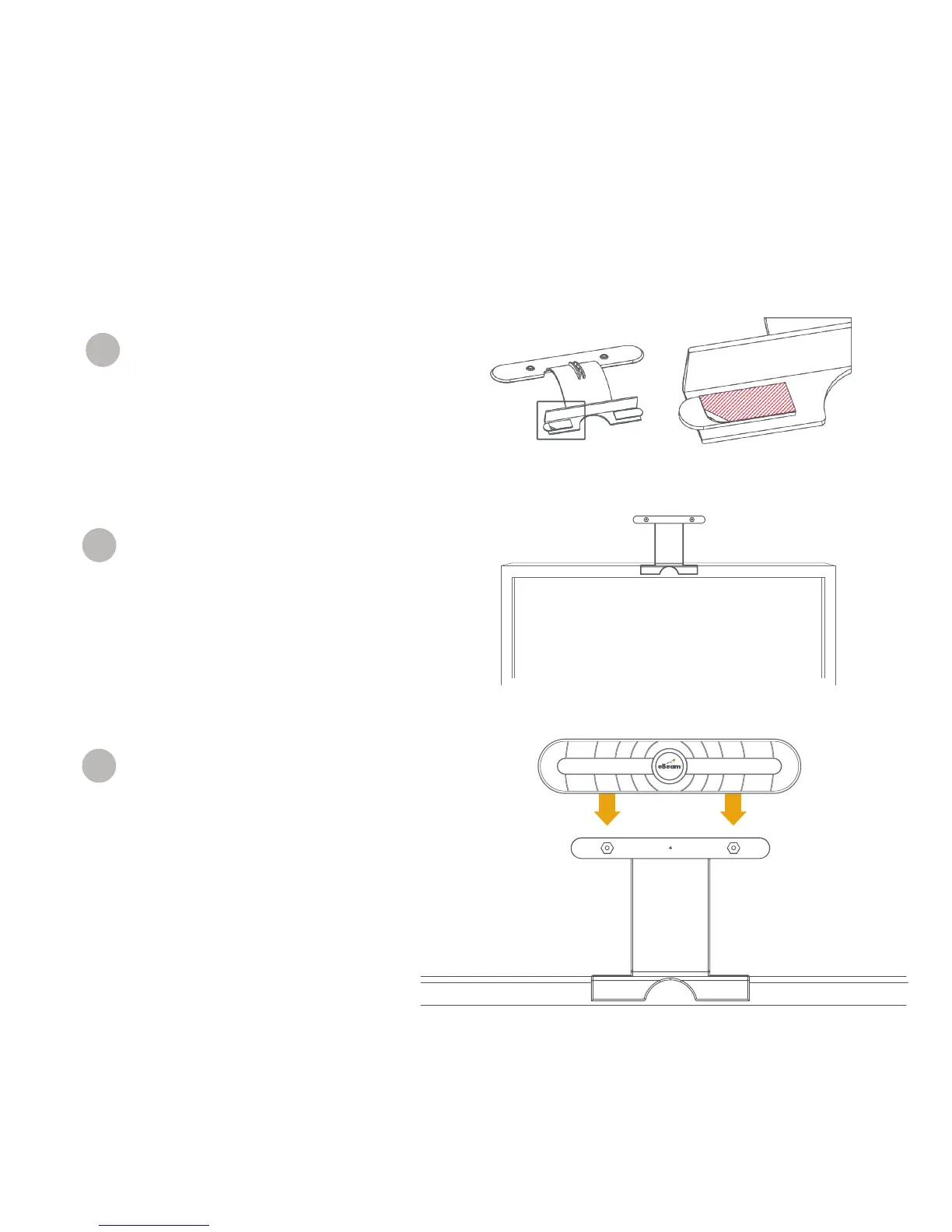
Remove the LCD bracket from the
packaging and remove the paper from
the double sided adhesive as shown:
Install the LCD bracket on the top of the
display near the center as shown in the figure
to the right. Press and hold the bracket firmly
to the TV frame to ensure the adhesive sticks.
(It can be removed from the TV by pulling the
adhesive tabs parallel to the TV frame.):
Attach the eBeam receiver to the bracket
using the magnetic mounts on the bracket.
Getting Started



 To Next Page