September 2012 IPV6813
WIFI MAC ID, you can find it on the sticker on the bottom of the camera, you can also login to your WIFI router,
check the host status, which will show all the WIFI devices connected to your router, you can also find the
IPCAM’s WIFI MAC ID there.
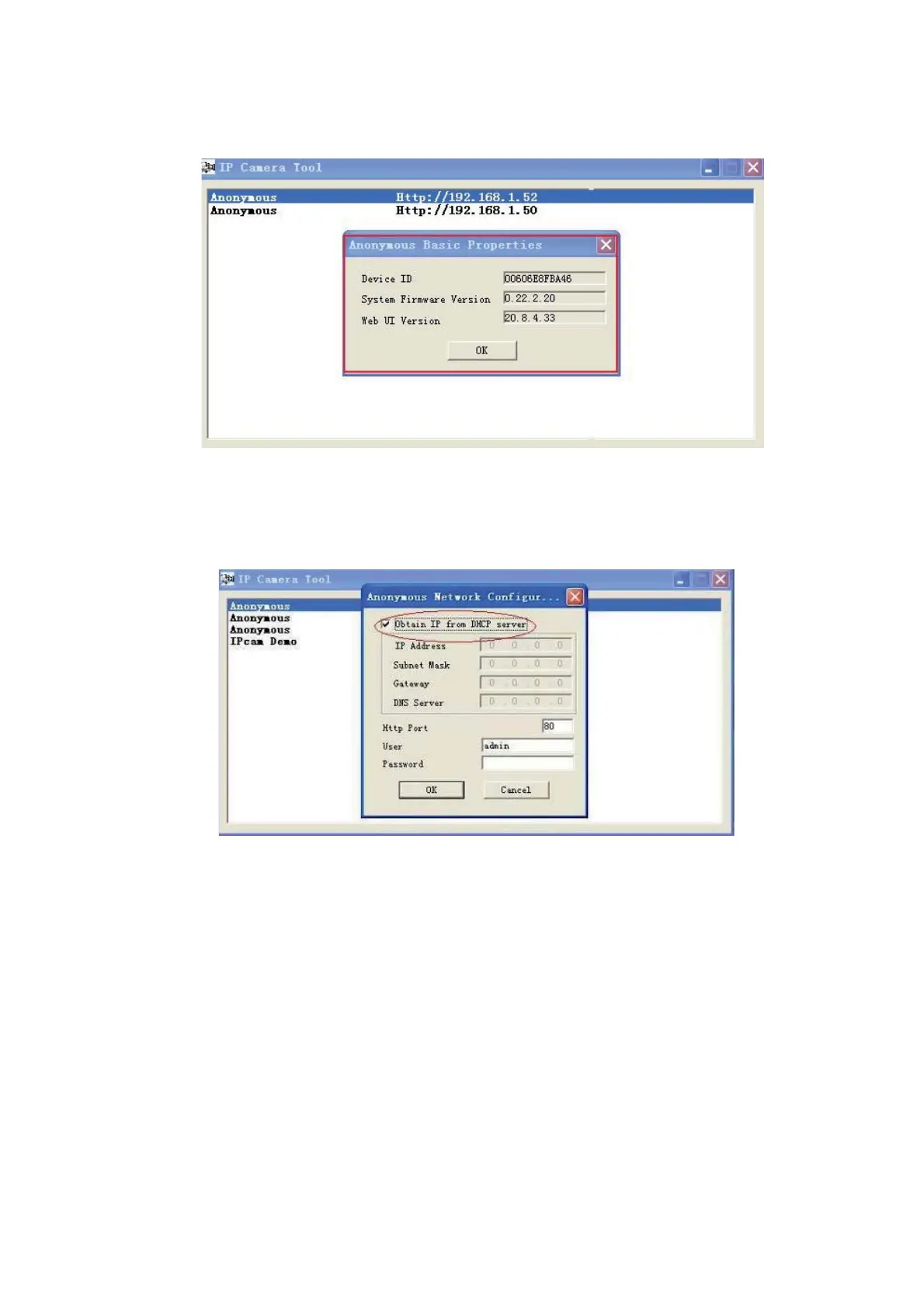
Figure 2.1
2.1.1.2 Network Configuration
Below shows how you can configure the Network parameters.
Figure 2.2
Obtain IP from DHCP server: If clicked, the device will obtain IP from DHCP server. In other words, the camera
will have a dynamic IP. (Make sure the Router which the camera connects to has DHCP function and DHCP
is enabled). (Figure 2.2).


 To Next Page
 Loading...