September 2012 IPV6822
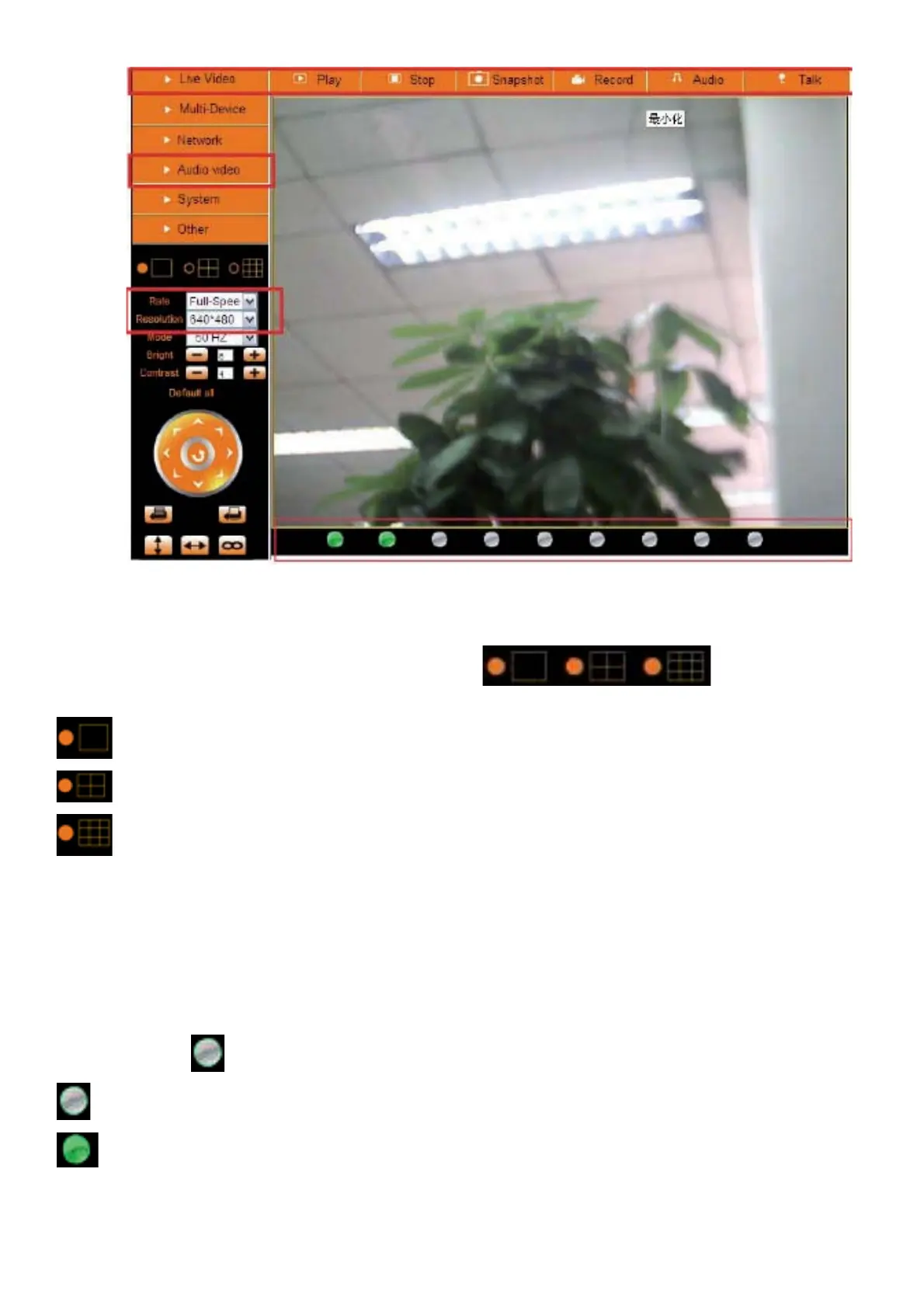
Figure 3.5
Channels:
The Internet Explorer software supports 9 channels. Click
to get different
windows.
Click this one to view the main channel of the camera you login to.
Click this one to view 4 Channels of cameras that are connected, from CH1 to CH4.
Click this one to view 9 Channels of cameras that are connected, from CH1 to CH9.
NOTE: If you want to view 4/9 channels, you should set the Multi-Device first (See 3.1 Multi-Device Settings).
Status of Channels:
There are 9 icons
at the bottom of the UI which show the status of each channel of the camera.
Grey color, means there is no device connected to the main device for this channel.
Green color, means the device is connected for this channel, and it works well.


 To Next Page
 Loading...