September 2012 IPV6836
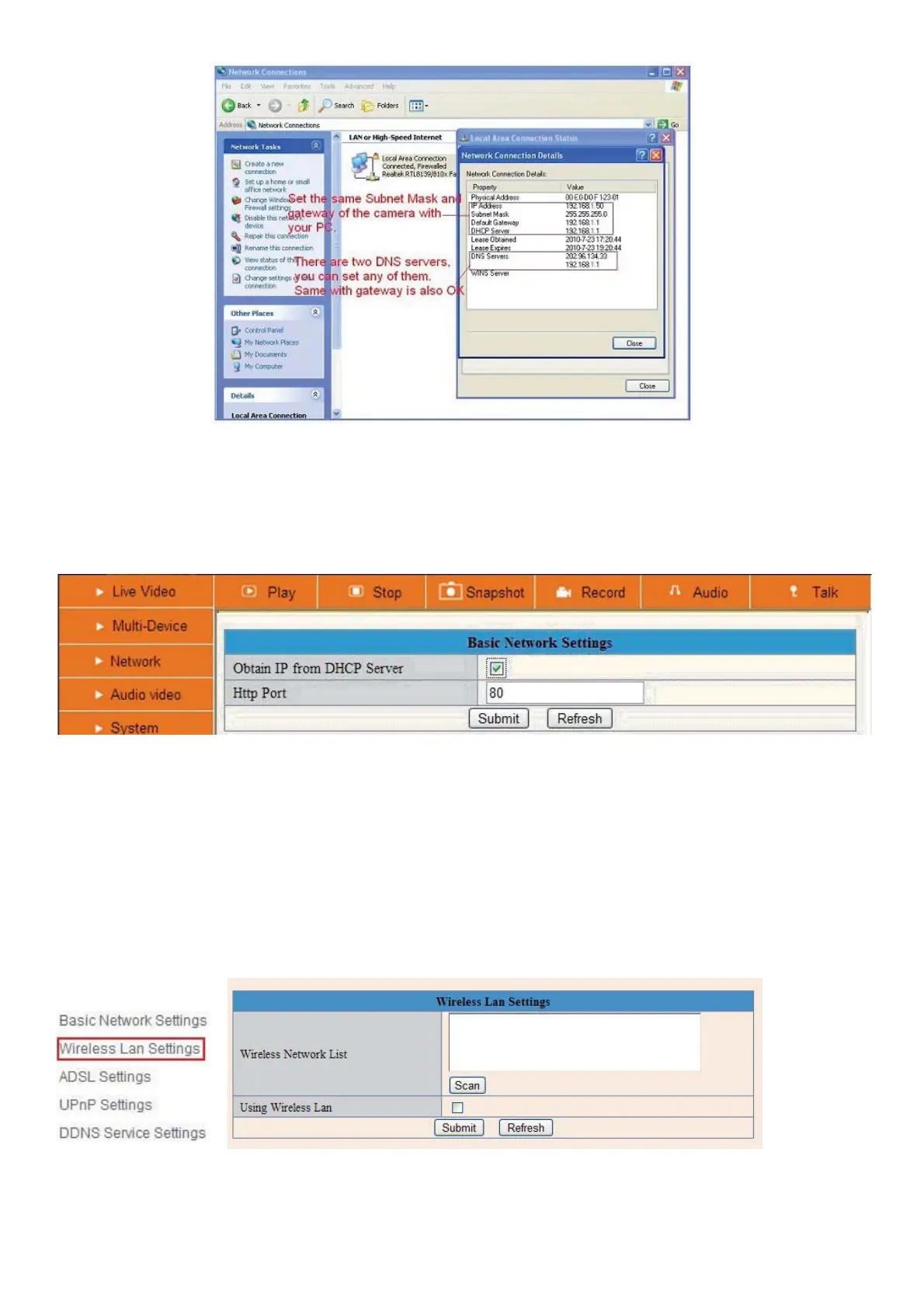
Figure 5.9
If you don’t know the DNS Server, you can set it the same as Gateway.
If the router supports DHCP function, you can choose “Obtain IP from DHCP Server” to get dynamic IP.
Figure 6.0
Http Port: In most cases your Internet Service Provider blocks this port (80), you may change it to another port
number such as 85 or 86 or any number above 80. Make sure that if you have more than one camera it might
be useful to give each camera a unique port number, but it`s not necessary to do this.
3.4 Wireless LAN Settings
Î
Figure 6.1
1. Make sure the router is a wireless router.


 To Next Page
 Loading...