September 2012 IPV6849
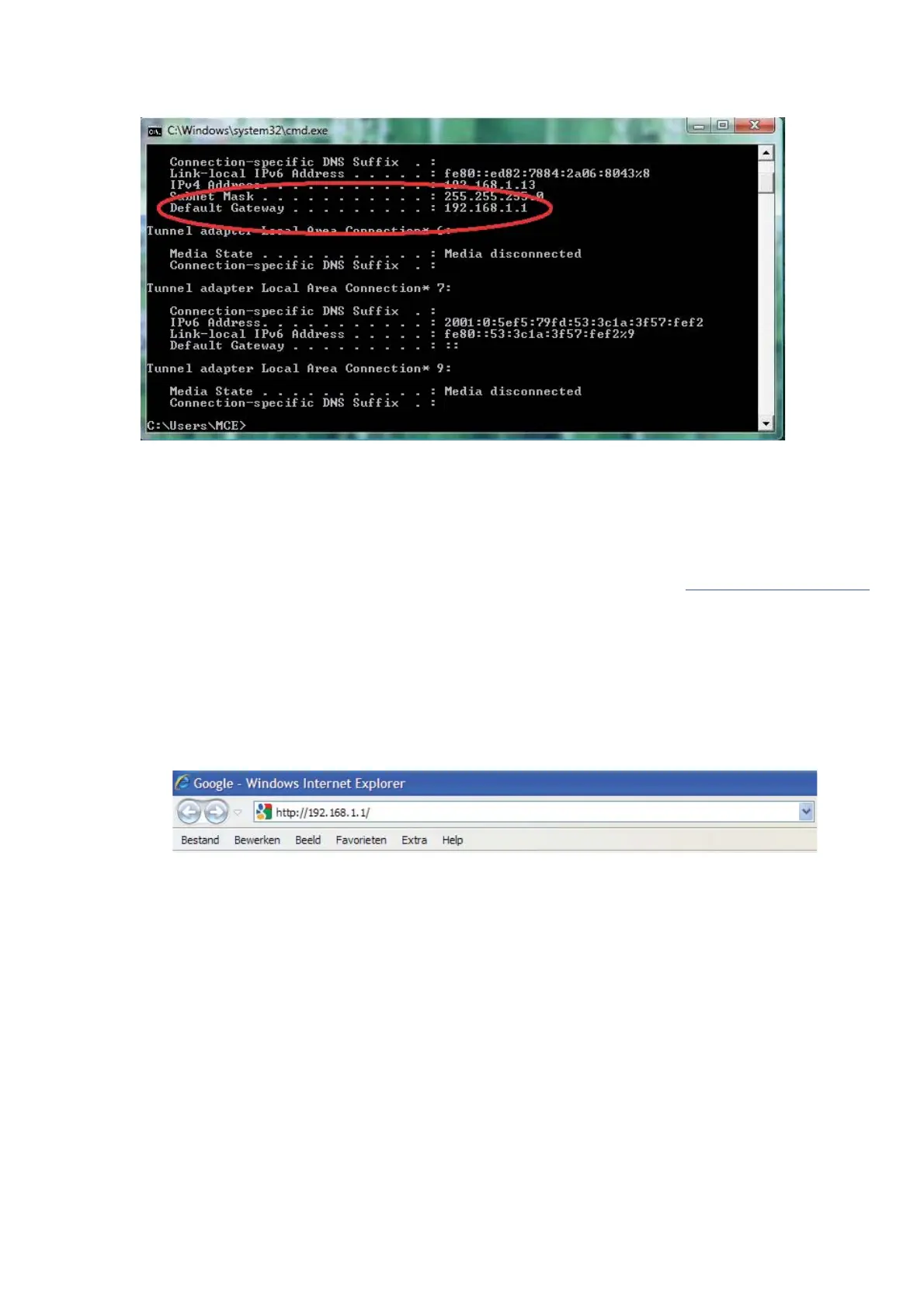
Finally, you can see the default gateway address, as shown in the image below.
Now we know the default gateway address we only need to know the username and password of your
router. Some routers have a sticker on the bottom with the factory username and password, other ones don`t
have a password, and the password can also be set by the user or mechanic. There is a very handy website
with allot of router brand information like default IP address, default username and password etc. Please
note we only refer to this website, we do not maintain or support it. The website is: http://portforward.com/
Click “Router List” and find your brand and type to find more handy details about your router if you can’t find
them anywhere else. For more information on portforward.com, please go to step 3.4.
We know have all information to get the DDNS working, we will show you how to do this.
1. Open your web browser and type in the default gateway address and press enter.
2. Enter the username and password from the router


 To Next Page
 Loading...