September 2012 IPV6851
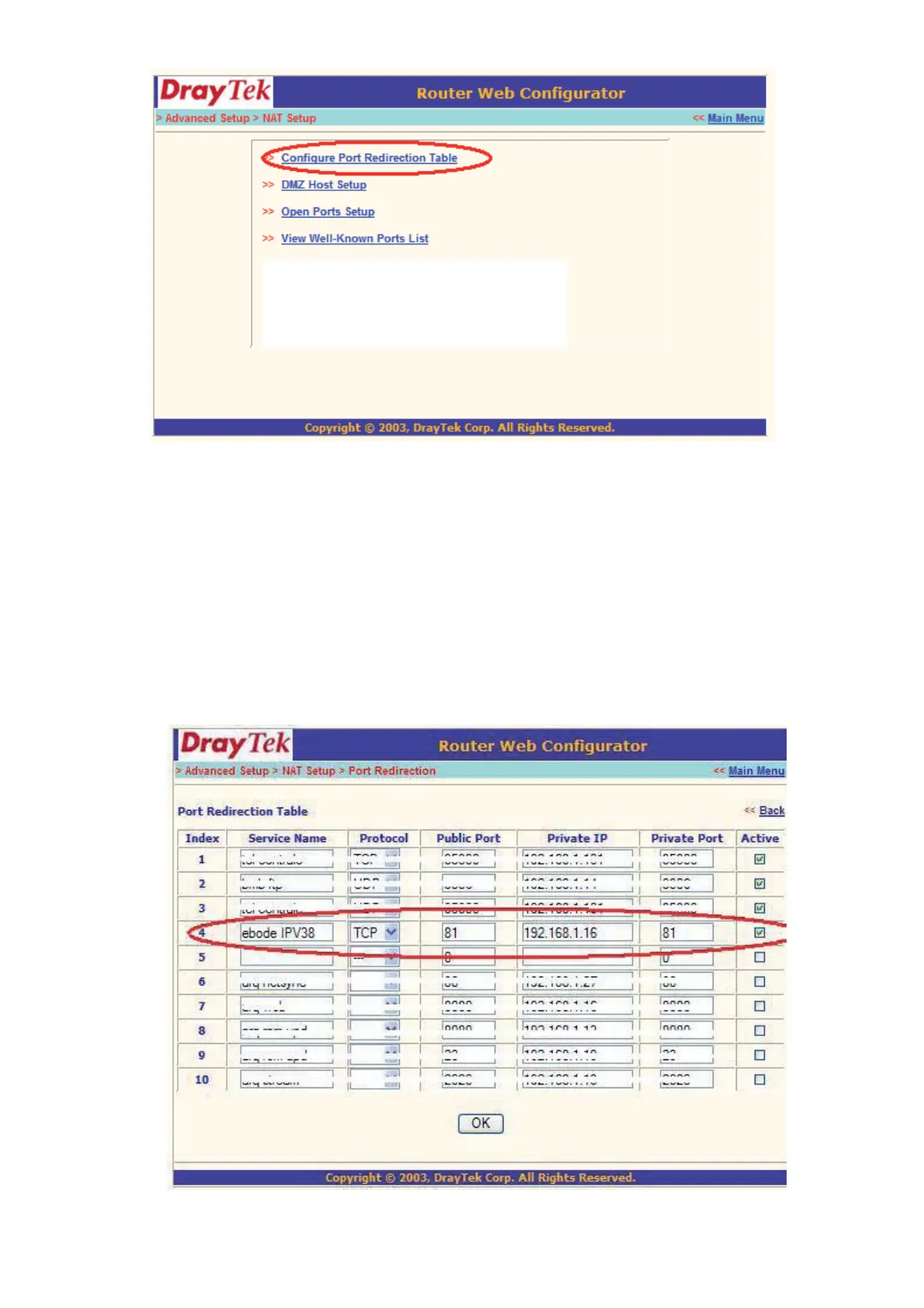
6. Now we have to let the router know, on which port the camera is located.
Service name: give the camera a recognizable name, i.e. ebode IP Cam
Protocol: Select TCP
Public Port: You’ve checked this earlier on, please enter the right port for your camera (you can always use
the IPCamera Tool to look it up, as explained at the beginning of this chapter)
Private IP: Is the IP address of the camera. Again, you can use the IPCamera Tool to look it up
Private Port: This is the same as public port
Please tick the box for ‘active’
Then press ok


 To Next Page