September 2012 IPV686
transferred.
Audio Output: The jack is used to connect an external speaker
I/O PINS: 1: Output A 2: Output B 3: Alarm input 4: Input (GND)
1.4 PC System Requirements
System configuration requirements:
CPU: 2.06 GHZ or above.
Memory: 256M or above.
Network Card: 10M or above.
Display Card: 64M or above memory.
Recommended Operating system: Windows XP, Windows Vista, Windows 7.
1.5 Hardware Installation
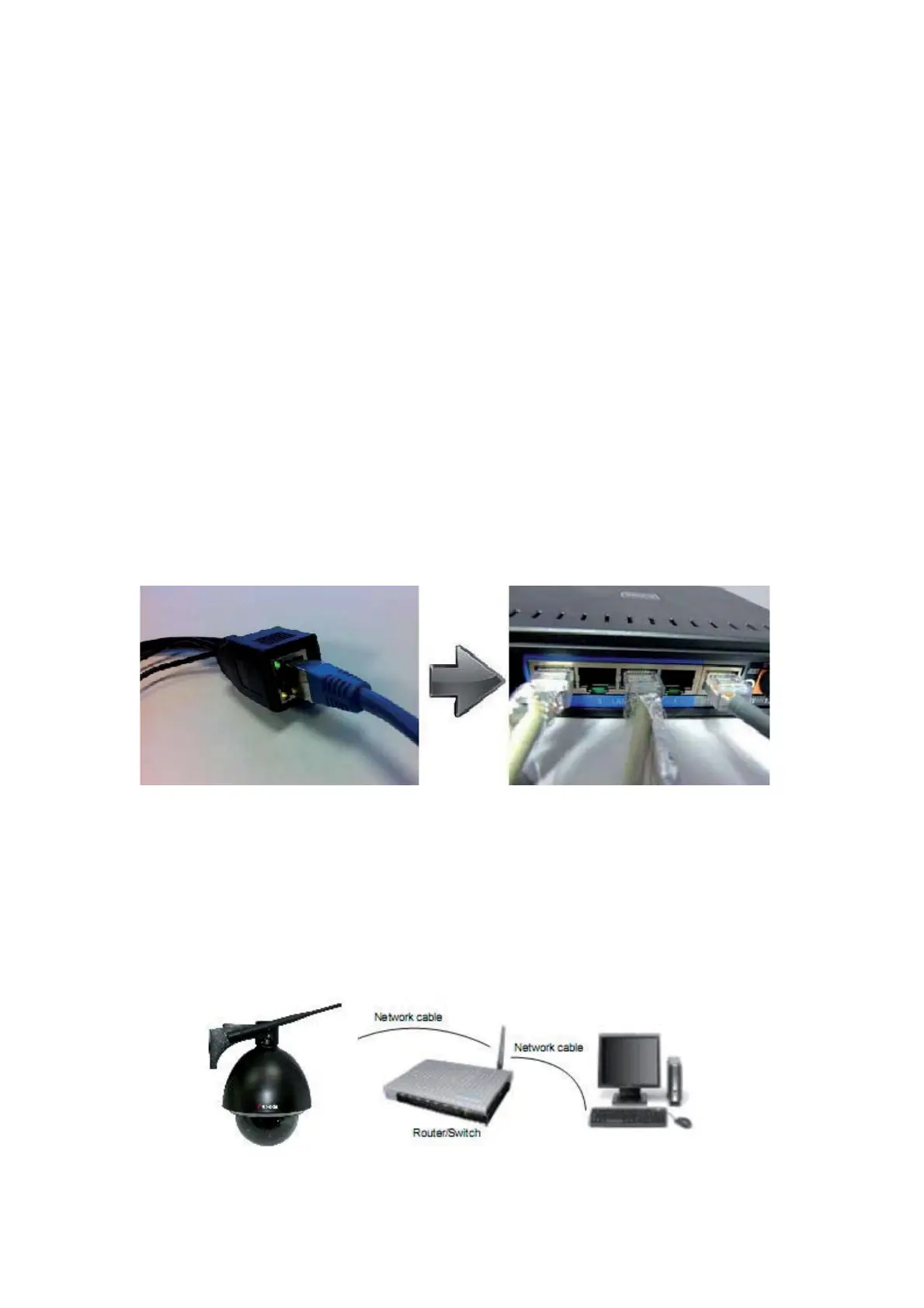
You need to set up your camera using a network cable (wired) first, before you can use it wirelessly, so let’s
start with plugging in the network cable. Follow the steps below to set up your camera hardware.
1. Plug one end of the network cable into the camera, and the other end into an empty port of your
router/switch/modem.
2. Install the Wi-Fi antenna.
3. Plug the power adaptor into the camera and into an AC outlet.
4. It takes approximately 30 seconds to boot up the camera.
5. When the power is on and the network cable is connected, the green LED on the rear panel next to the
network cable will stay on, please make sure the Green light is on before we continue.
The yellow LED will keep flashing, and the Indicator LED on the front of the camera will flash when the
connection is established. (The behavior of the front indicator LED can be controlled by software).
Figure 1.4


 To Next Page
 Loading...