September 2012 IPV6867
Figure 10.9
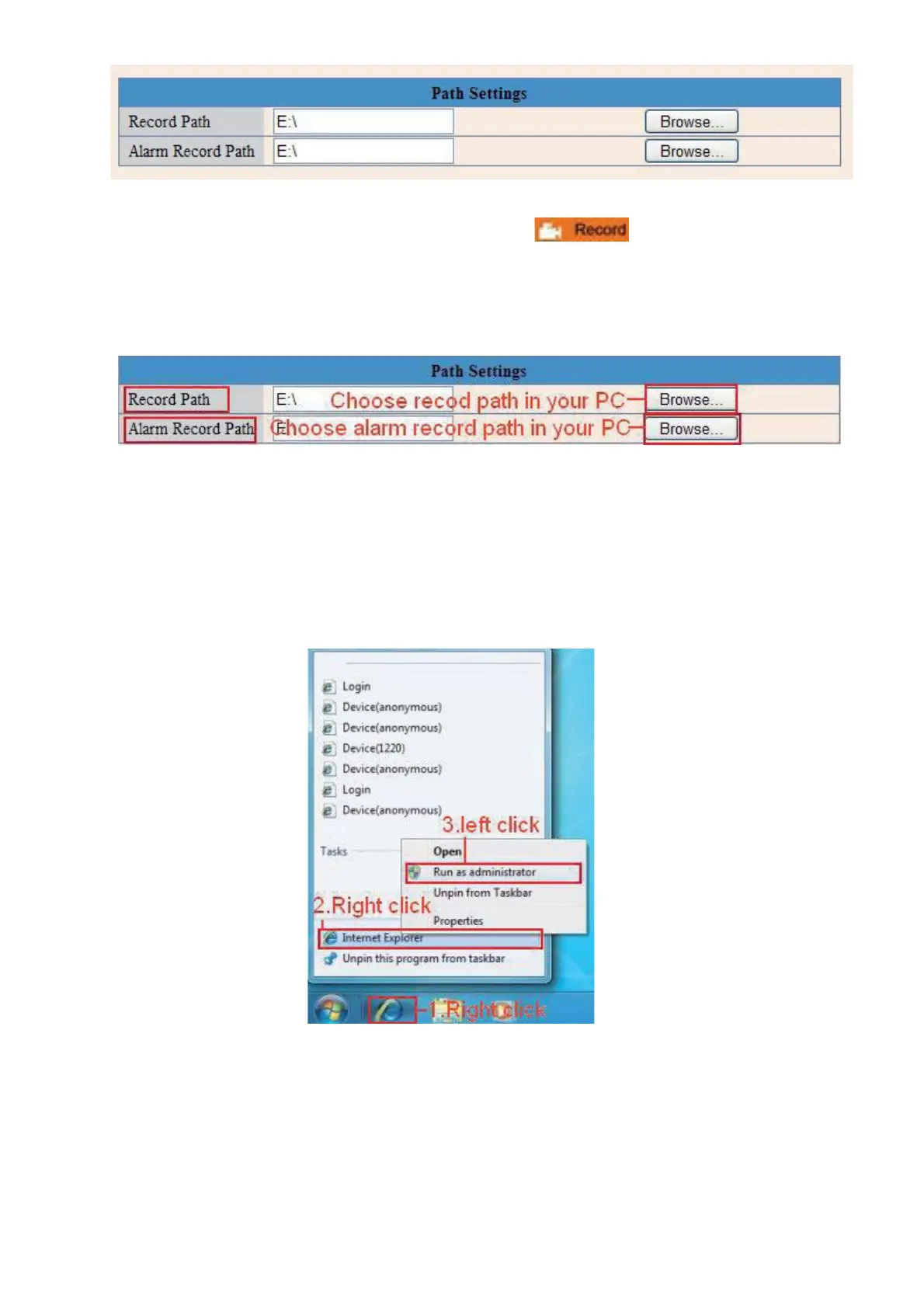
Record Path: Here you can set the manually record path. Click
then start manual recording,
the record file will be saved to the specified path you set here.
Alarm Record Path: Here you can set the alarm record path. When motion is detected, and record enabled,
it will start alarm record automatically, the record file will be saved to the specified path you set here.
Figure 11.0
NOTE: If you couldn’t set the path here in Windows 7 or Vista, please do it as below:
Windows 7 or Vista’s security level is higher than Windows XP, for “Path Settings”
1. User could add the Device IP address to the IE’s ‘Trusted sites’ first. The step is:
“”.
2. You can also run the IE as administrator, input the IP address of the camera manually. (Figure 11.1).
Figure 11.1


 To Next Page
 Loading...