6 - 4 Wireless LAN Module
WLAN Configuration in Windows
You can configure a wireless connection using one of the following options, how-
ever make sure the Wireless LAN module is turned on (and not in Airplane Mode)
before configuration begins.
1.
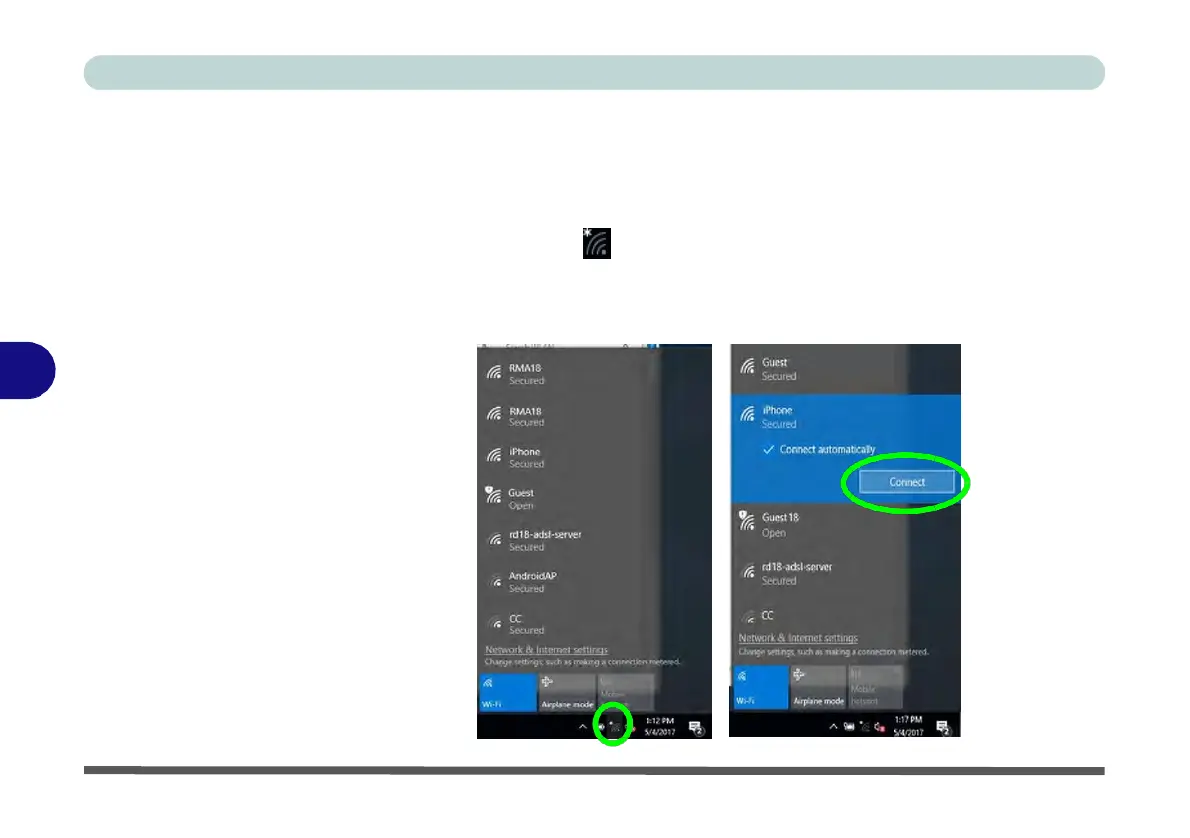
Click the Wireless icon in the notification area of the taskbar.
2.
Make sure that Airplane mode is off (the Airplane mode icon should be gray).
3.
A list of available access points will appear.
4.
Double-click an access point to connect to it (or click it and click Connect).
6
Figure 6 - 1
WiFi &
Network
Connections



 To Next Page