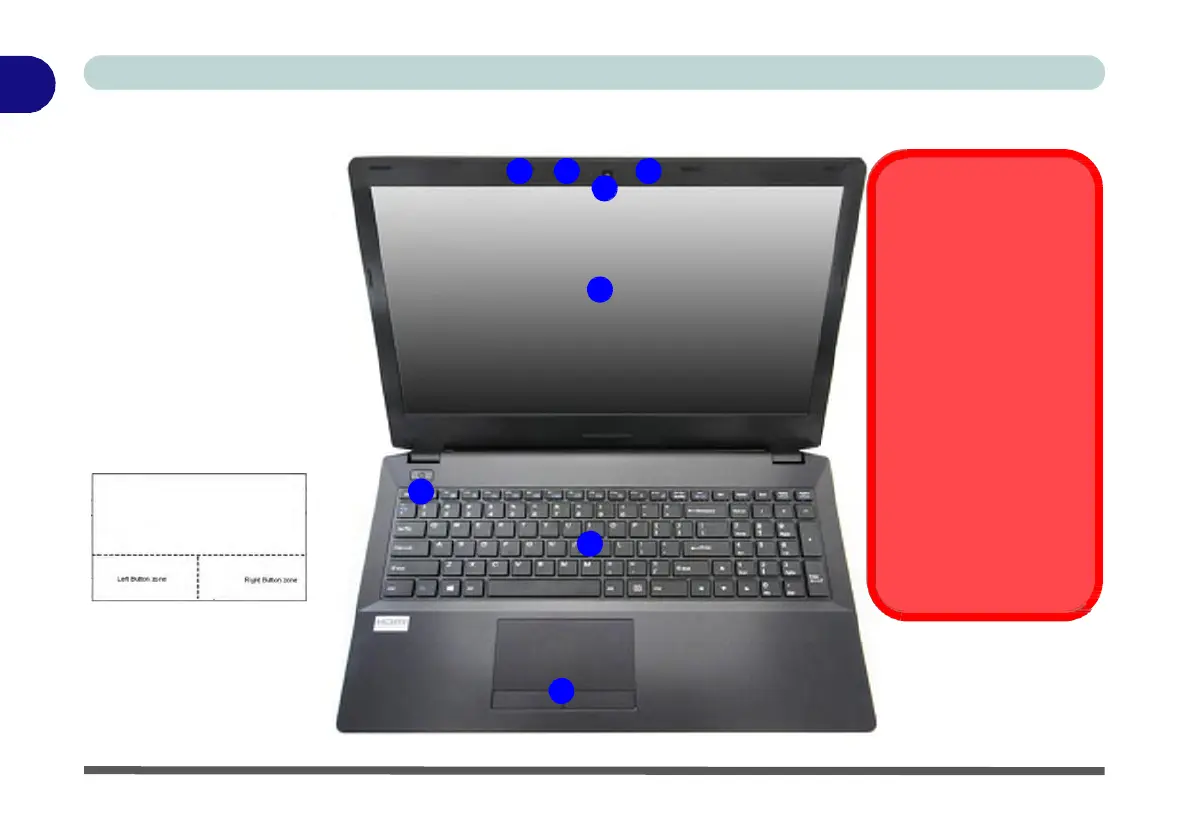
Figure 1 -
2
LCD Panel
Open
LCD Panel Open
1.
Built-In PC Camera
2.
PC Camera LED
3.
Built-In Array
Microphone
4.
LCD
5.
Power Button
6.
Keyboard
7.
TouchPad & Buttons
Note that the Touchpad/
Clickpad and Buttons has a
valid operational area indi-
cated within the dotted lines
above.
3 2
3
1
4
5
6
7
Wireless Device
Operation Aboard
Aircraft
The use of any portable
electronic transmission de-
vices (e.g. WLAN, Blue-
tooth or 3G/4G) aboard
aircraft is usually prohibited.
Make sure any wireless
modules are OFF (i.e. the
system is in Airplane
Mode) if you are using the
computer aboard aircraft.
Use Fn + F11 Airplane
Mode key combination to
toggle Airplane Mode On/
Off, and check the LED indi-
cator for the power status.


 To Next Page
 Loading...