1 - 22 Windows 10 Start Menu
Pining/Unpinning Apps & Programs to/from the Start Menu
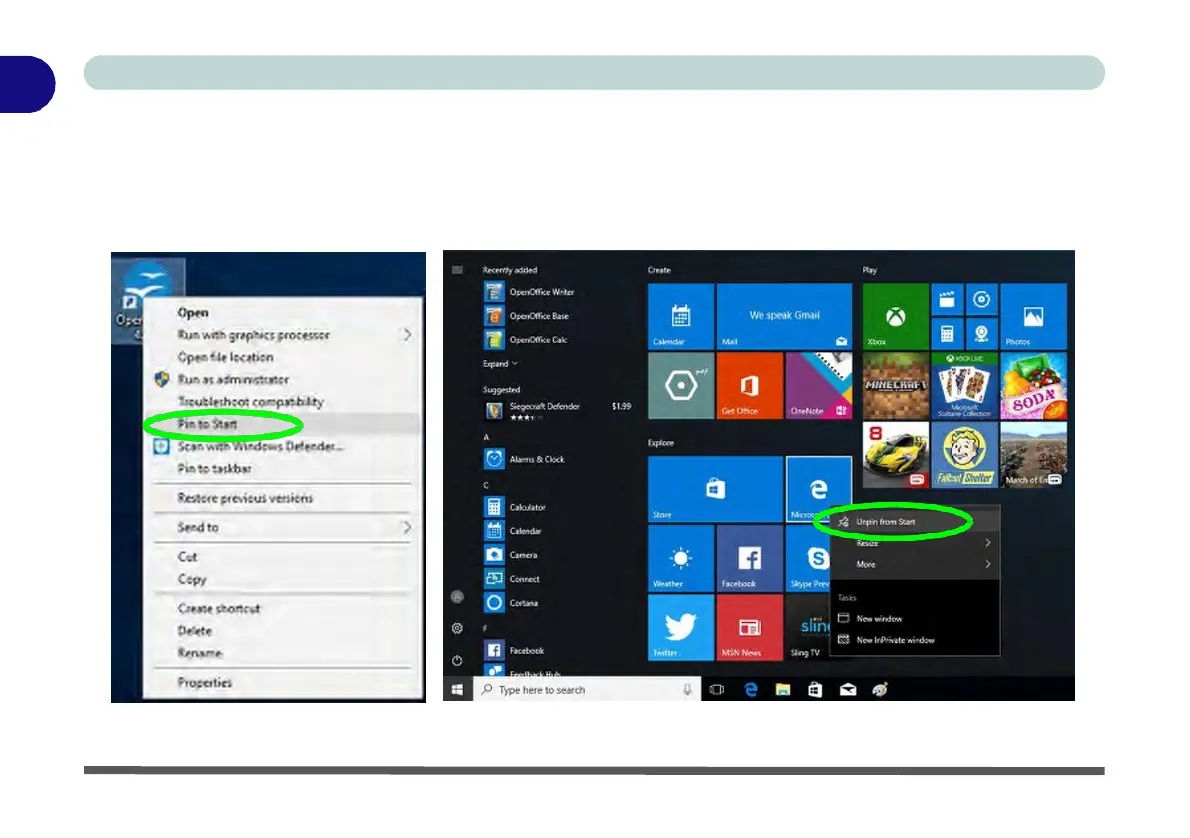
To make things easy to find you can add and remove tiles for apps and programs to the Start Menu. Right-Click
on a program’s icon and select Pin to Start from the drop-down menu. To remove an app or program from the
Start Menu right-click the icon and select Unpin from Start. You can use the same method to pin apps/pro-
grams to/from the taskbar (select pin to taskbar/unpin this program from the taskbar).
Figure 1 - 14 - Pin to Start/Unpin from Start



 To Next Page