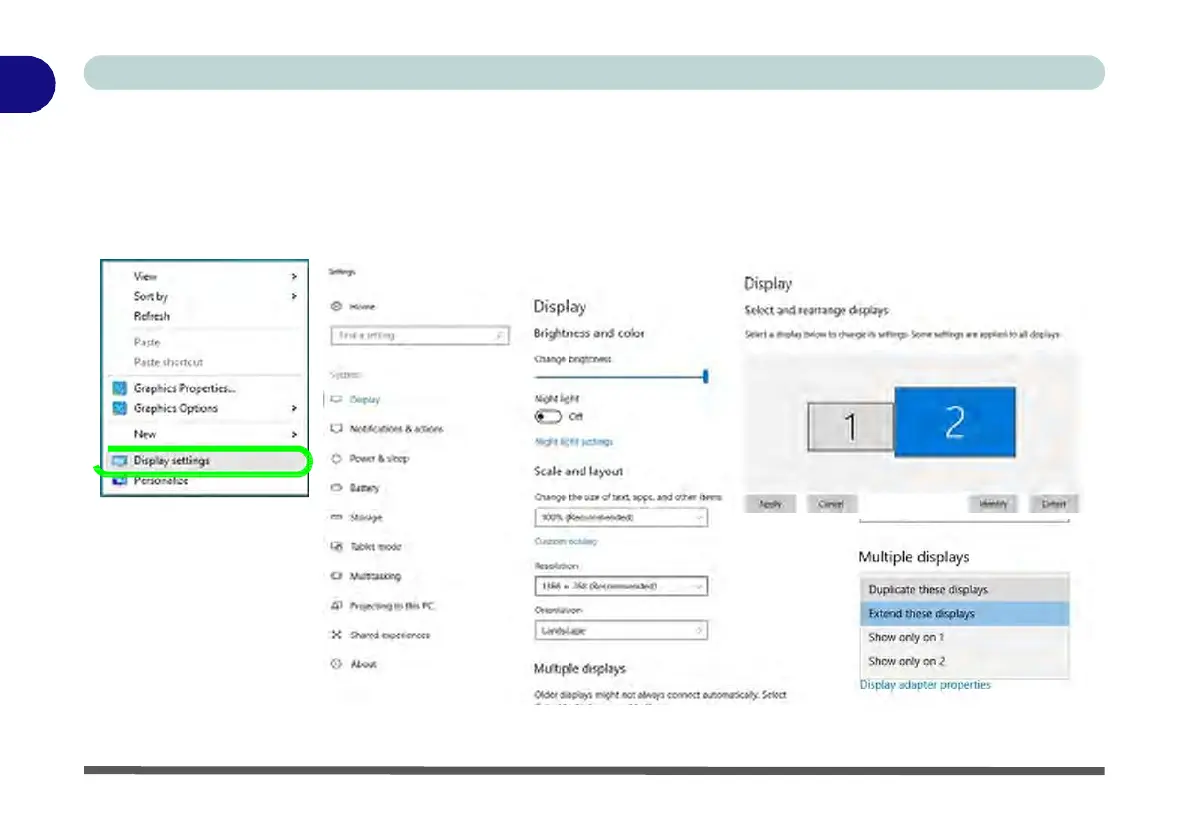
To access the Display Settings:
1.
You can quickly adjust the display by right-clicking the desktop and selecting Display Settings.
2.
Adjust the settings for Brightness and color, Scale and layout, Resolution and Orientation from the menus.
3.
When and external display is attached you can arrange the display configuration from the Multiple Displays
menu, and arrange the configuration from Select and rearrange displays.
4.
Click Apply to save any changes made.
Figure 1 - 20 - Display
Settings



 To Next Page